A seamless call transferring experience
With Aloware’s call transferring feature, agents can direct calls to the right person without losing valuable customer context. Whether it’s a simple handoff or a collaborative discussion, Aloware makes transfers easy and effective.





.webp)


.webp)
.webp)
.webp)
.webp)
.webp)
.webp)
.webp)
.webp)
.webp)
.webp)
.webp)
.webp)
.webp)
.webp)
.webp)
.webp)
.webp)
.webp)
.webp)
.webp)
.webp)
.webp)
.webp)
.webp)
Flexible call transfers for any scenario

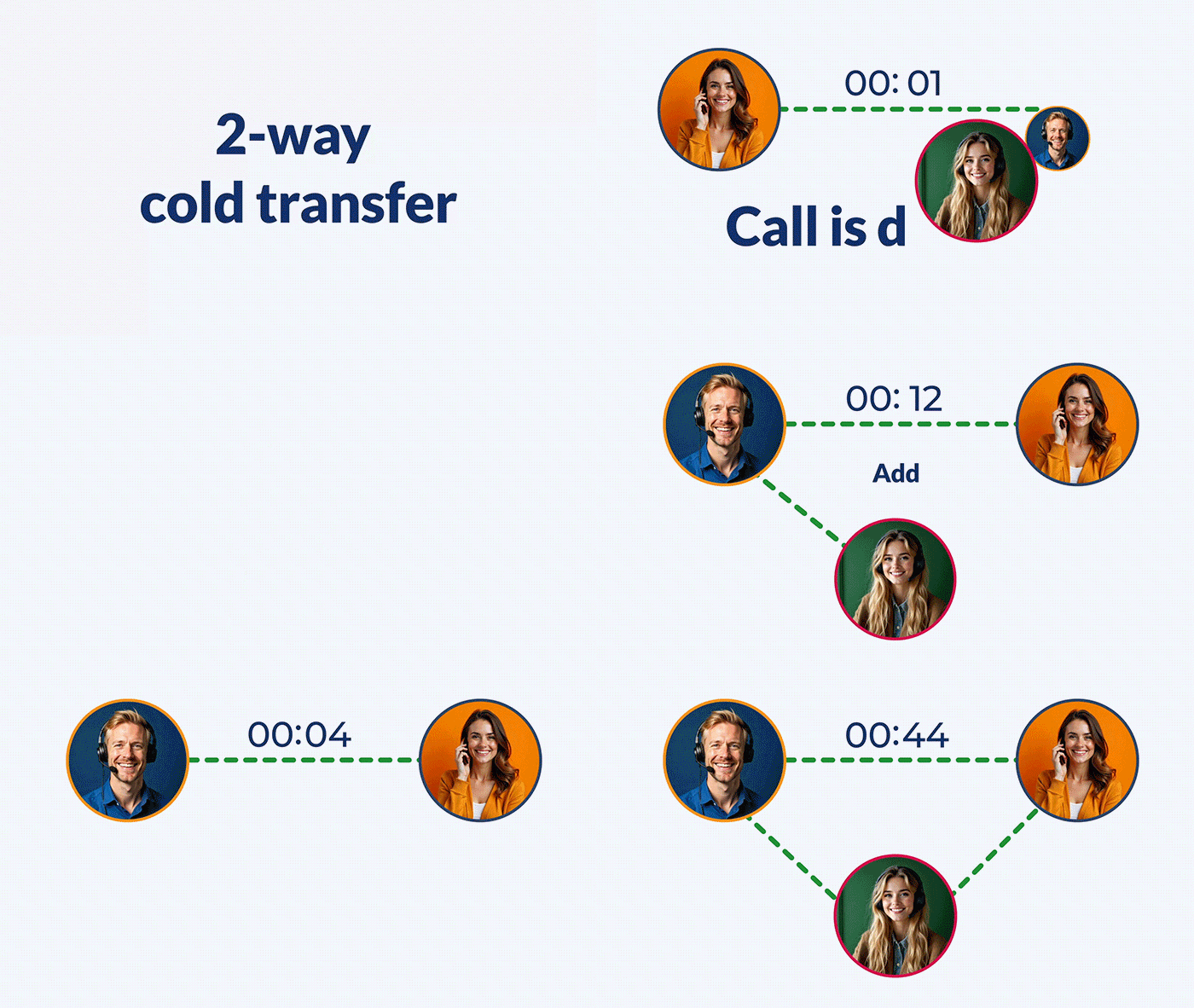
2-Way call transfer
Use cold transfers to quickly route calls to another team member or department when specialized assistance is needed. With 2-way transfers, agents can hand off the call without staying on the line.

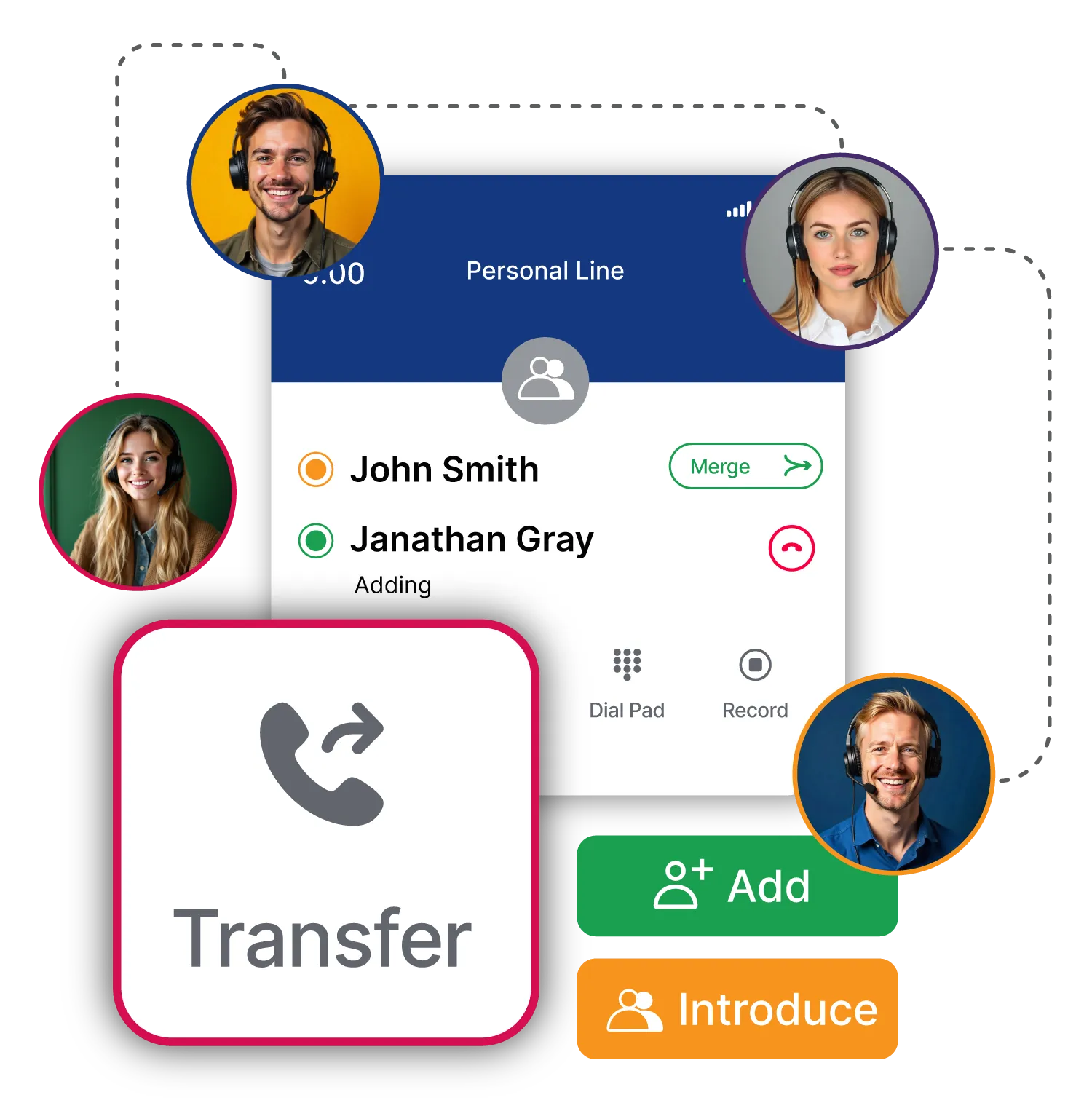
3-Way call transfer
Warm transfers allow agents to stay on the line and introduce a new team member to the conversation. With 3-way transfers, the initial agent can provide context before stepping away or staying on the call.
Collaborate in real time. Transfer with ease.
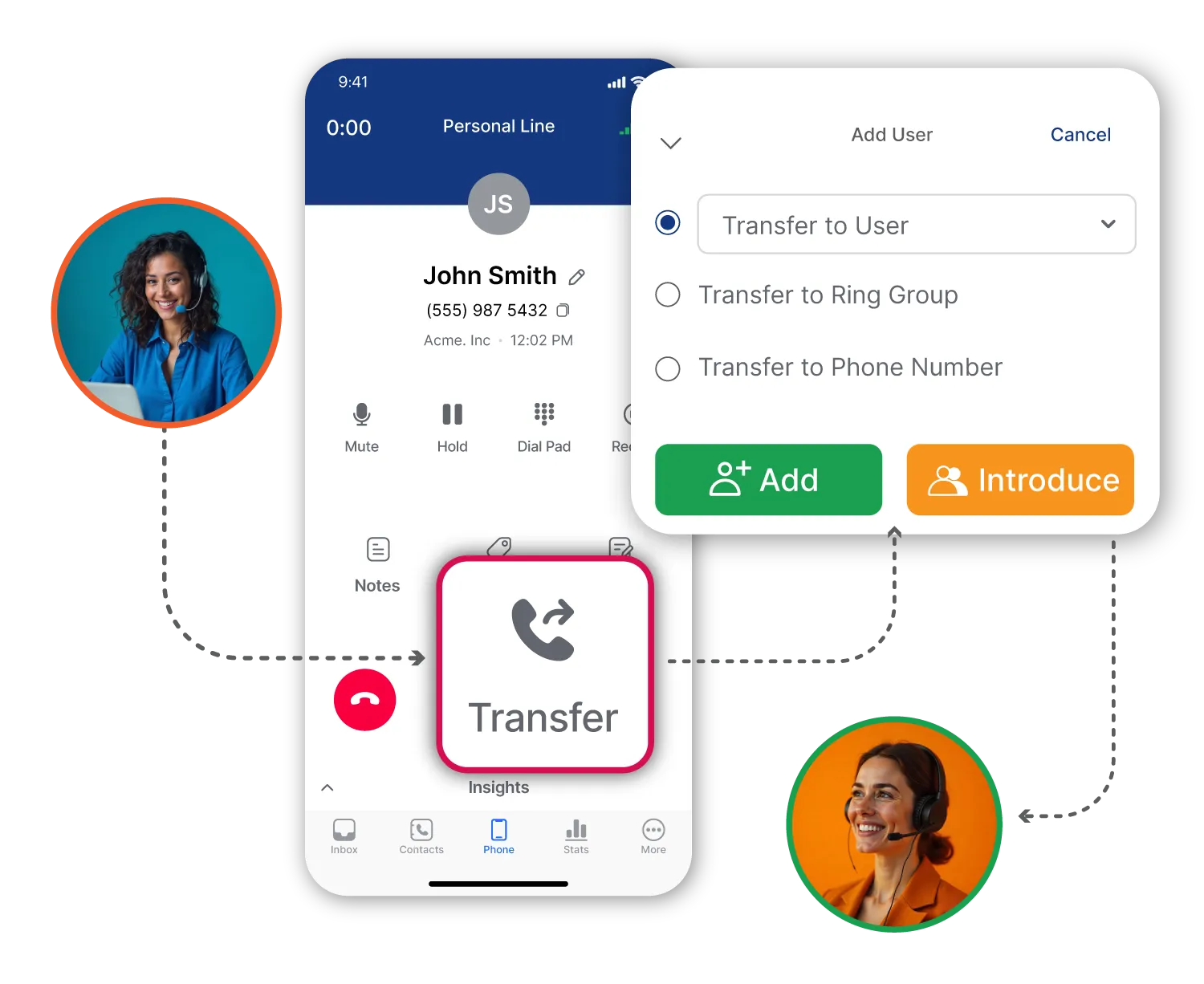
Flexible call transfer options
Our call transferring feature gives you flexibility with both cold and warm transfer options. Choose a quick 2-way cold handoff for routine inquiries, or opt for a 3-way warm transfer to stay on the line and introduce the new agent when a call needs a bit more attention.
Maintain customer continuity with smooth handoffs
No one likes repeating themselves. With our introduce option, agents can easily pass on essential details mid-call, ensuring that the next team member is fully up-to-speed. Whether it’s connecting to a specialist or involving additional support, Aloware transfers keep conversations flowing without interruption.
Team collaboration with real-time support
Transfers don’t just route calls—they enhance collaboration. Agents can quickly bring in supervisors or colleagues for immediate assistance, ensuring customers always reach the right person, while your team feels supported and empowered to handle calls.
Connects to the CRM your team already uses
Connect Aloware to your favorite CRMs and tools. Whether through native integrations, open APIs, or Zapier, your workflows stay smooth and synced.






Why growing teams rely on Aloware

.svg)
The automated dialer feature is a huge plus, allows me to put all my leads in a list and blast the phone really fast. if the customer is not available (which is usually the case) I send them a text automatically."



Aloware introduced us to SMS marketing for home sellers and wholesale real estate. We’ve been able to triple our homes under contract acquisition with Aloware SMS marketing and dialer combined."



I am a manager who is using Aloware for our team of 100 SDRs. I love the support that Anoosh and Sohrab have given us. When we experienced an issue we were able to reach out to them directly to get it fixed. I also liked the flexibility that they provided us, by customizing and tailoring Aloware to our needs."



Everything about Aloware is amazing. They are really creating a phone system of the future and every time we have an idea, they implement it ASAP. Its exciting to be apart of something so revolutionary and seeing it grow everyday into a more and more powerful too, helps us become a ever more efficient company."



I like the in-depth configuration; and the support team, they are quick and punctual, and they report any significant issues to the engineering team; just about anything you’d want out of a call system Aloware offers."


Aloware works well and gets the job done and I thoroughly enjoy the mobile application as well. It helps me conduct business on the go and always be available for my leads."


I love all of the customization options. Our usage is a bit unique. They are taking the time to help implement a process that works best for our agents."

.jpg)
I love how you can use Aloware within HubSpot. I’m able to work off of one page instead of multiple pages."


Frequently Asked Questions
What is a call transfer?
What's the difference between a warm transfer and a cold (blind) transfer?
What's the difference between a 2-way and 3-way transfer in Aloware?
When should I use a warm transfer vs. a cold transfer?
How do I transfer a call in Aloware?
Can the customer hear me consult with my colleague before the transfer?
Will the receiving agent see customer context before the transfer?
Can I transfer calls to an external number or mobile phone?
What happens if the receiving agent doesn't pick up?
Can I transfer calls to an AI voice agent or IVR?

Find the powerful insights hidden in your contact centre interaction data.