Engage leads right when they show interest

AdvisoristAdvisoristAdvisoristAdvisoristAdvisoristAdvisoristAdvisoristAdvisoristAdvisoristAdvisoristAdvisoristAdvisoristAdvisoristAdvisoristAdvisoristAdvisoristAdvisoristAdvisoristAdvisoristAdvisoristAdvisoristAdvisoristAdvisoristAdvisoristAdvisoristAdvisoristAdvisoristAdvisorist
Why Aloware?

Flexible call transfers for any scenario

Preview Dialer for instant outreach

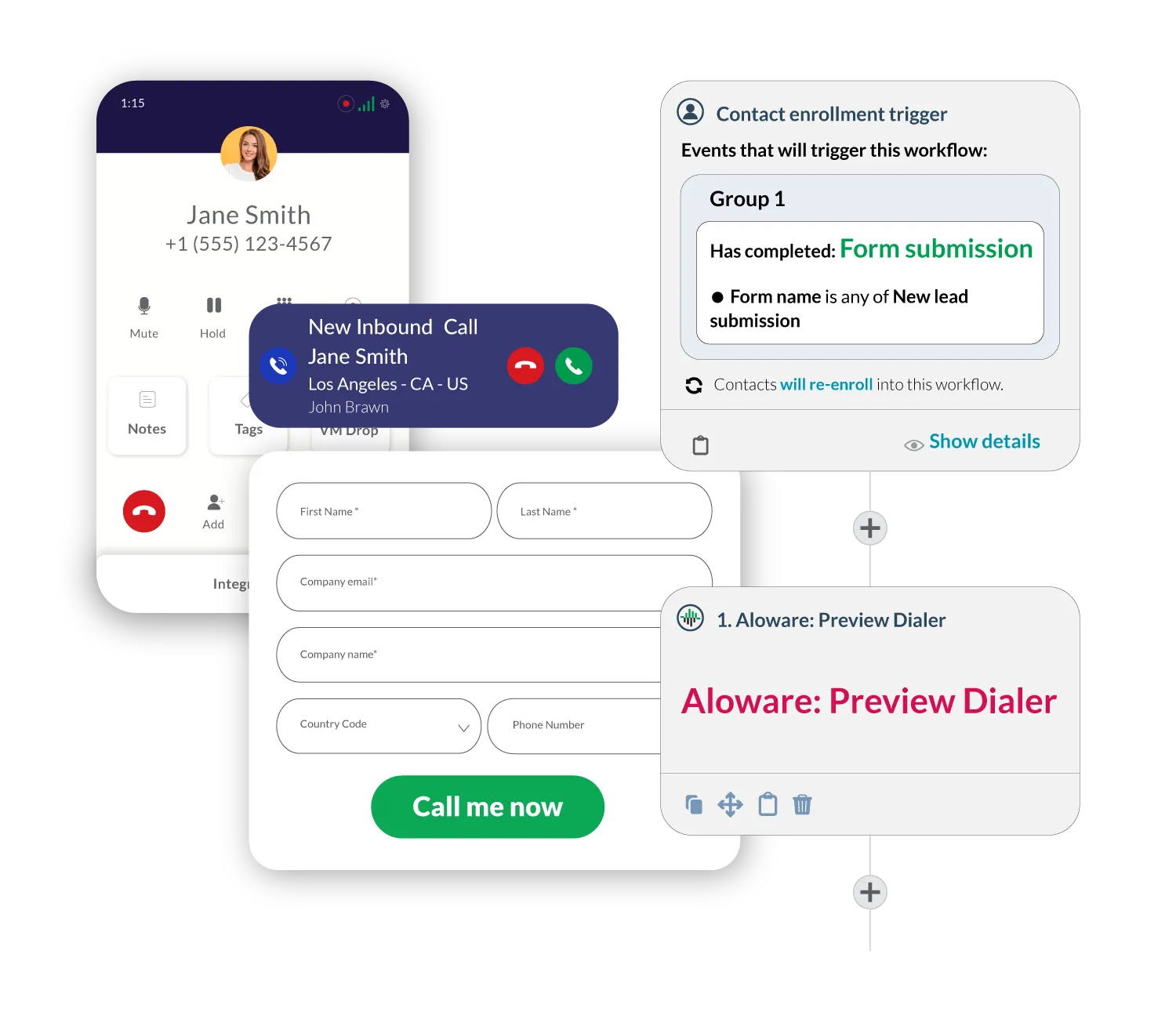
Connect with leads immediately by routing form submissions through the Preview Dialer. Agents get an audio preview of lead details, then dial out, ensuring a fast and personalized outreach.

Power Dialer for prioritized outreach

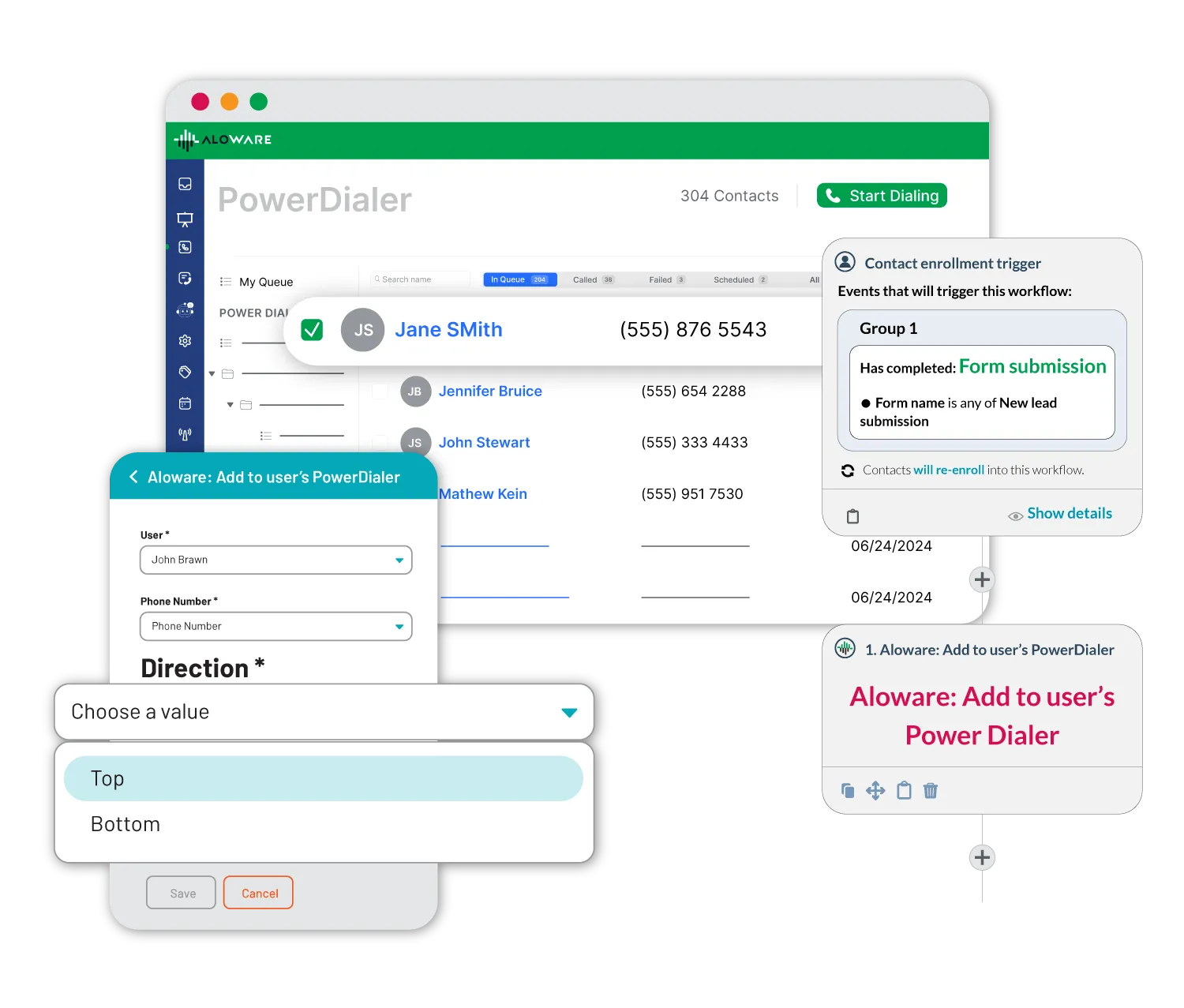
When volume is high, Form2Call sends leads directly to the Power Dialer. Leads can be called next in an active session or added further down an agent’s list to be dialed when the agent is ready.

HubSpot integration

Trigger Form2Call directly through HubSpot forms and workflows, making it easy to engage leads right where your contacts and forms already live.

Collaborate in real time. Transfer with ease.

Speed to lead in under 60 seconds

With the Preview Dialer, leads receive a call almost immediately after form submission (typically in under a minute) capturing their attention while they’re still thinking about you.

Next-morning follow-up with Power Dialer

For after-hours leads, Form2Call can place leads who have submitted a form at the top of an agent’s Power Dialer list so they’re the first to be contacted when the agent starts their day.

Warm up leads with Form2Text

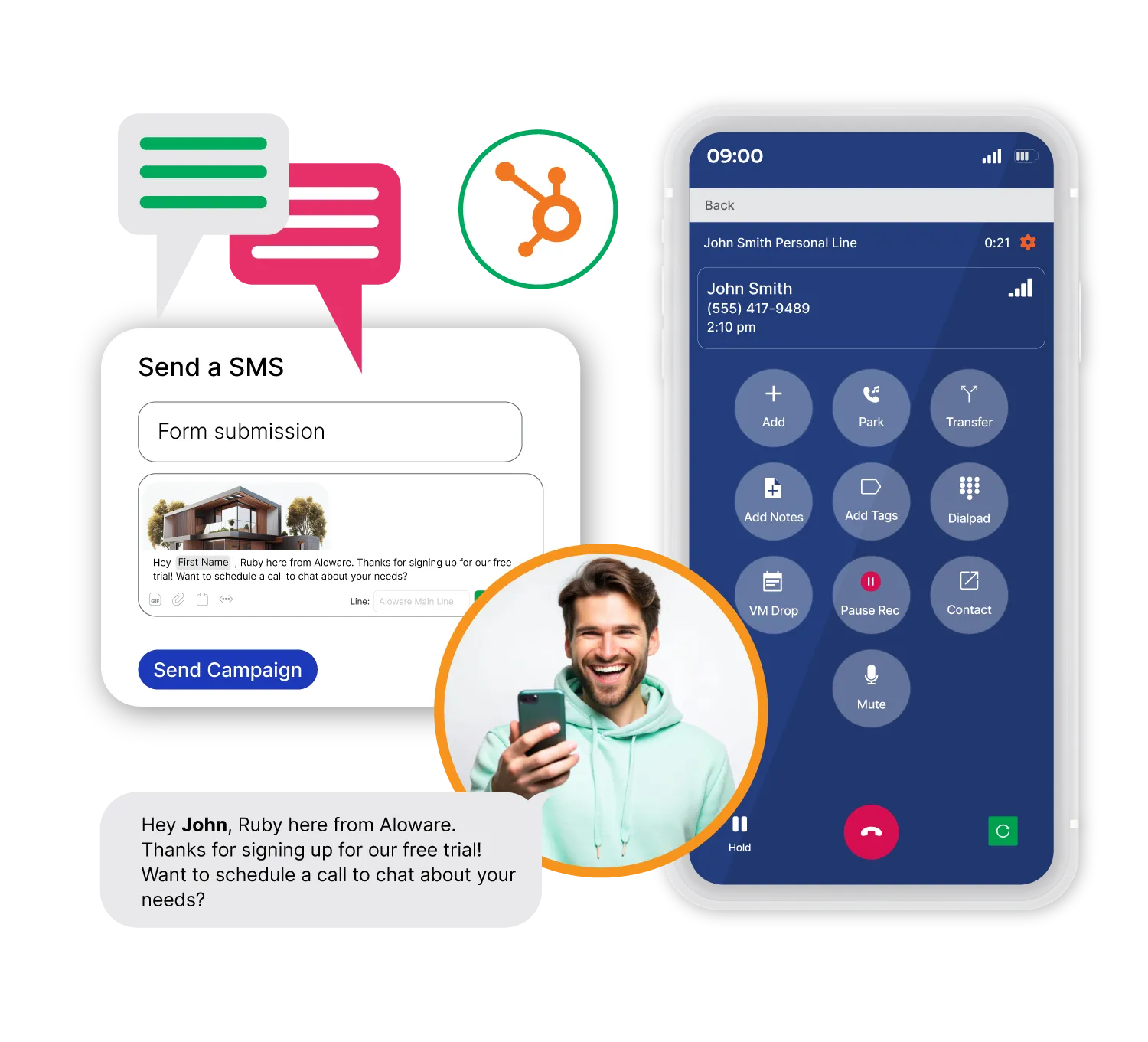
Combine Form2Call with Form2Text for an omni-channel approach. Send an SMS right after form submission to introduce your team, gauge lead’s needs, or confirm interest—setting the stage for a meaningful follow-up call.
Connects to the CRM your team already uses

Connect Aloware to your favorite CRMs and tools. Whether through native integrations, open APIs, or Zapier, your workflows stay smooth and synced.

HubSpot

On top of call & text logging into HubSpot, utilize power dialer for lists, SMS support in workflows, and rep activity in reports.

Salesforce

Call more with our power dialer with Pipedrive lists and views, SMS integration for automations, and automatic phone data logging.

Zoho

Automate data logging into Zoho for your calls and texts. Trigger the power dialer or SMS sequences from Zoho actions.

High Level

Aloware lets you automate outreach to your GoHighLevel contacts, centralize communications, and analyze performance.

HubSpot

On top of call & text logging into HubSpot, utilize power dialer for lists, SMS support in workflows, and rep activity in reports.

Salesforce

Call more with our power dialer with Pipedrive lists and views, SMS integration for automations, and automatic phone data logging.

Zoho

Automate data logging into Zoho for your calls and texts. Trigger the power dialer or SMS sequences from Zoho actions.

High Level

Aloware lets you automate outreach to your GoHighLevel contacts, centralize communications, and analyze performance.

HubSpot

On top of call & text logging into HubSpot, utilize power dialer for lists, SMS support in workflows, and rep activity in reports.

Salesforce

Call more with our power dialer with Pipedrive lists and views, SMS integration for automations, and automatic phone data logging.

Zoho

Automate data logging into Zoho for your calls and texts. Trigger the power dialer or SMS sequences from Zoho actions.

High Level

Aloware lets you automate outreach to your GoHighLevel contacts, centralize communications, and analyze performance.

Pipedrive

Call more with our power dialer with Pipedrive lists and views, SMS integration for automations, and automatic phone data logging.

Guesty

Calls and SMS can now be instantly logged to Guesty, while guest into sync back to Aloware for pre-call information.

Zapier

Easily take calling & texting data out of Aloware or trigger Aloware sequences via Zapier. Your forms now send texts!

Gong

Instantly send calls & recordings to your Gong analytics tool and ensure a better agent and customer experience.

Pipedrive

Call more with our power dialer with Pipedrive lists and views, SMS integration for automations, and automatic phone data logging.

Guesty

Calls and SMS can now be instantly logged to Guesty, while guest into sync back to Aloware for pre-call information.

Zapier

Easily take calling & texting data out of Aloware or trigger Aloware sequences via Zapier. Your forms now send texts!

Gong

Instantly send calls & recordings to your Gong analytics tool and ensure a better agent and customer experience.

Pipedrive

Call more with our power dialer with Pipedrive lists and views, SMS integration for automations, and automatic phone data logging.

Guesty

Calls and SMS can now be instantly logged to Guesty, while guest into sync back to Aloware for pre-call information.

Zapier

Easily take calling & texting data out of Aloware or trigger Aloware sequences via Zapier. Your forms now send texts!

Gong

Instantly send calls & recordings to your Gong analytics tool and ensure a better agent and customer experience.

Testimonials

Why growing teams rely on Aloware

The automated dialer feature is a huge plus, allows me to put all my leads in a list and blast the phone really fast. if the customer is not available (which is usually the case) I send them a text automatically."
Kevin Ramproop
CTO at Express Trucking Group
Aloware introduced us to SMS marketing for home sellers and wholesale real estate. We’ve been able to triple our homes under contract acquisition with Aloware SMS marketing and dialer combined."
Hayato Hori
CEO at RocketOffr
I am a manager who is using Aloware for our team of 100 SDRs. I love the support that Anoosh and Sohrab have given us. When we experienced an issue we were able to reach out to them directly to get it fixed. I also liked the flexibility that they provided us, by customizing and tailoring Aloware to our needs."
Patricia Araiza
Manager, Sales Development at GoSite
Everything about Aloware is amazing. They are really creating a phone system of the future and every time we have an idea, they implement it ASAP. Its exciting to be apart of something so revolutionary and seeing it grow everyday into a more and more powerful too, helps us become a ever more efficient company."
Ryan Buswell
CEO at JustPressOne, Inc.
I like the in-depth configuration; and the support team, they are quick and punctual, and they report any significant issues to the engineering team; just about anything you’d want out of a call system Aloware offers."
Patrick D.
Construction
Aloware works well and gets the job done and I thoroughly enjoy the mobile application as well. It helps me conduct business on the go and always be available for my leads."
Samantha S.
Call Center Supervisor
I love all of the customization options. Our usage is a bit unique. They are taking the time to help implement a process that works best for our agents."
Dave N.
Sales director
Aloware works well and gets the job done and I thoroughly enjoy the mobile application as well. It helps me conduct business on the go and always be available for my leads."

Brandon S.
Assistant Director of Admissions
I love how you can use Aloware within HubSpot. I’m able to work off of one page instead of multiple pages."
Erica C.
Customer service rep

Frequently Asked Questions

What is Form2Call?

Form2Call is an Aloware automation that places a phone call between a sales rep and a lead the moment the lead submits a form. The rep gets a brief preview of the lead's details — name, what they asked about, any custom field data — and then dials out within seconds, usually before the lead has even closed your website. It's how outbound sales teams convert "speed to lead" from a slogan into a measurable workflow.

How does Form2Call work?

A form submission fires a webhook into Aloware. Aloware routes the new lead either to the Preview Dialer — which connects an available rep immediately with a quick audio preview of the lead's details — or into the Power Dialer queue, where the lead is added to an agent's active call list. The choice depends on lead volume and how you've configured the routing. Either way, the goal is the same: get a human voice on the phone with the lead as fast as possible, while their interest is still hot.

What's the difference between Form2Call and Form2Text?

Form2Call places a live phone call between a rep and the lead; Form2Text sends an automated SMS to the lead with no rep required. Form2Call is higher-touch, voice-first, and works best when you have available reps; Form2Text is hands-off, works 24/7, and is better for acknowledging leads instantly when no rep is available. Most teams use both: Form2Text for instant acknowledgment, Form2Call for live conversation. The two can run in sequence on the same lead.

What's the difference between Preview Dialer and Power Dialer in Form2Call?

The Preview Dialer is for instant 1-on-1 outreach: the rep gets a short audio preview of the lead's details (who they are, what they asked about), then dials out — typically connecting in under 60 seconds. The Power Dialer is for higher-volume scenarios: the lead is queued onto an agent's call list to be dialed next, or added further down the list if the agent is in an active session. Preview Dialer is your "drop everything and call this lead" mode; Power Dialer is your "this lead is next in line" mode.

How quickly does the call go out after a form submission?

Under a minute, in the Preview Dialer mode. The webhook fires the moment the form is submitted, Aloware routes the lead to an available rep, and the dial-out happens as soon as the rep is ready — typically within 30–60 seconds. The classic Harvard Business Review study on lead response found that responding within 5 minutes makes a lead 100x more likely to qualify than responding after 30 minutes; Form2Call gets you well inside that window.

Which forms can I connect to Form2Call?

The native path is HubSpot — Form2Call triggers directly from HubSpot forms and workflows. For everything else, Aloware connects via webhook or Zapier, which covers Facebook lead forms, LinkedIn lead gen forms, custom website forms (Webflow, WordPress, Typeform, etc.), and most CRM-attached form tools. If your form can fire a webhook, Aloware can call on it.

What happens to leads who submit forms after hours?

The Power Dialer handles this case explicitly. Leads who arrive after hours, on weekends, or when no rep is available get placed at the top of the next available agent's Power Dialer list — so they're the first calls made when the team comes online. This way, an after-hours form submission isn't a missed opportunity — it's a queued one, with the agent calling back before the lead has had time to forget who you are.

Can I qualify leads before they're connected to a rep?

Yes — and this is where pairing Form2Call with the rest of the Aloware platform pays off. You can route the lead through an AI voice agent first to confirm interest, gather qualifying details (budget, timeline, decision-maker), and only then escalate to a human rep. For teams with high lead volume, this filter saves significant rep time — they spend their calls on qualified prospects, not on tire-kickers who filled in a form by accident.

Is Form2Call compliant with TCPA?

When configured correctly, yes. A lead who voluntarily submits their phone number through your form has provided express consent for follow-up by call or text — which is the TCPA requirement. Your form should include a clear consent disclosure stating that they may receive a call. The calls themselves go through Aloware's registered, compliance-attested infrastructure (STIR/SHAKEN, business caller ID), so the technical pieces are handled. Your legal team should sign off on your form's consent language; the rest is on the platform.

Can Form2Call work alongside Form2Text in a single workflow?

Yes — and that's the recommended setup. The pattern most teams use: Form2Text fires an instant SMS the second the form is submitted to acknowledge the lead ("Thanks {first_name}, we'll call you in a moment"). Then Form2Call routes the same lead to a rep for a live call, usually within the next minute. The SMS warms the lead up and reduces the chance they decline an unknown number; the call closes the gap to a real conversation. Aloware lets you wire both into the same workflow trigger, so you set it up once and it runs on every form.
Unlock the power of data.

Find the powerful insights hidden in your contact centre interaction data.