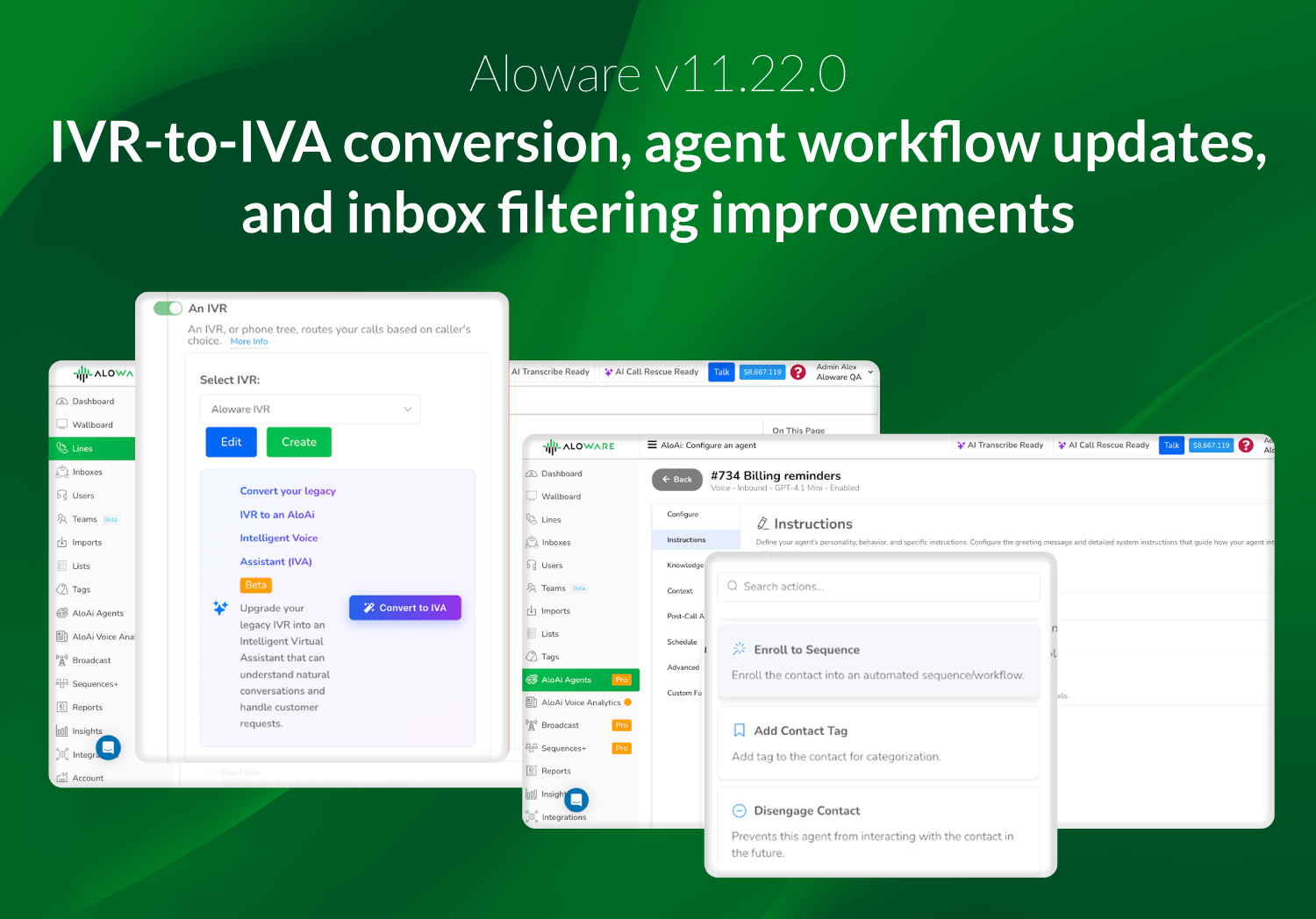
Aloware v11.22.0 focuses on improving how inbound calls are handled, making CRM-based calling more complete, and tightening filtering, compliance, and reliability across the platform.
This release introduces a guided way to convert legacy IVRs into AloAi Intelligent Voice Assistants (IVA), expands inbound calling inside HubSpot, and delivers refinements that simplify setup, routing, and daily admin workflows.
Convert legacy IVR to AloAi Intelligent Voice Assistant (IVA)
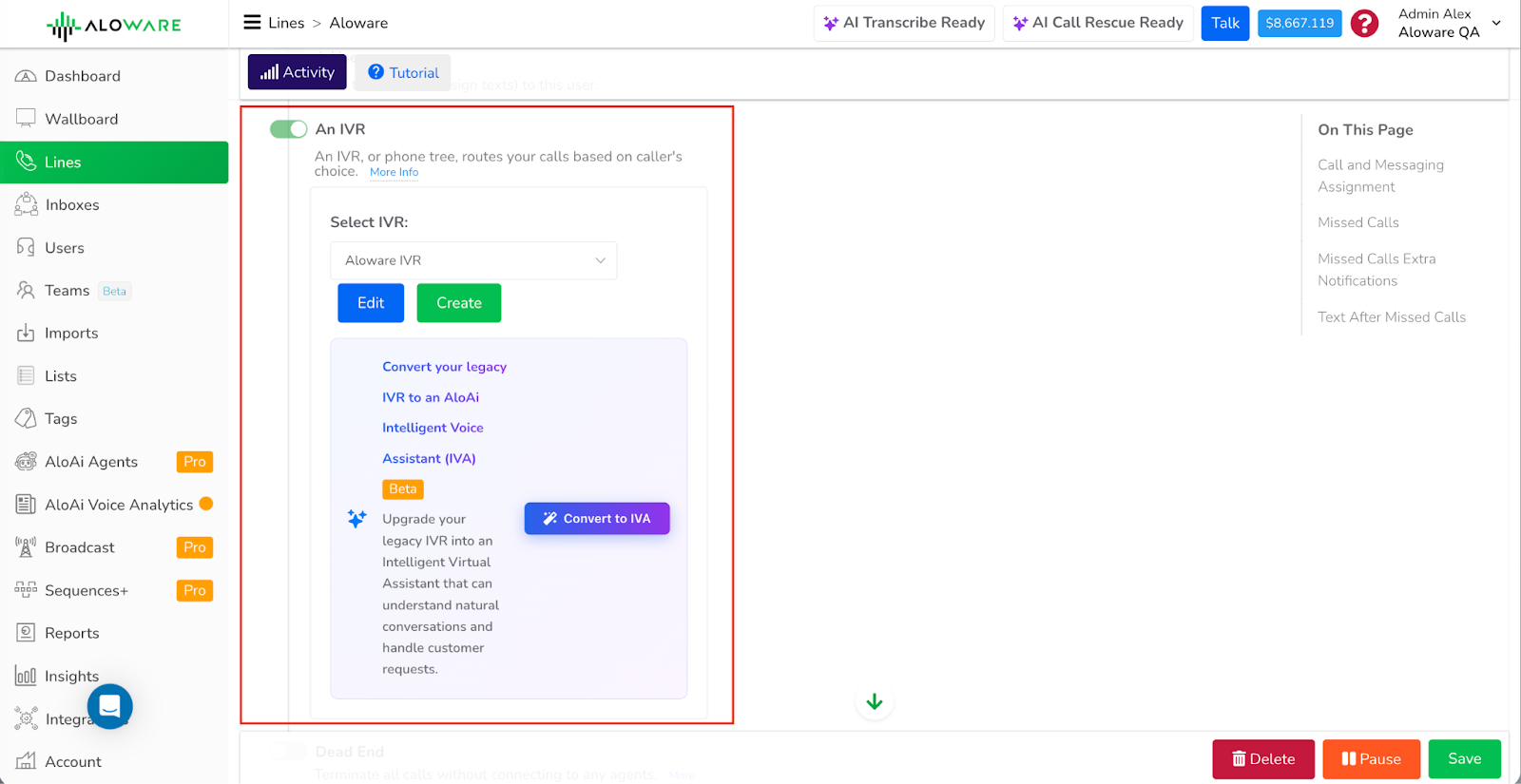
Admins can convert an existing legacy IVR into an AloAi Intelligent Voice Assistant using a guided wizard available under Routing & IVR → Lines. The conversion is fully opt-in and enabled per line. No automatic changes are applied, and teams can switch back to the legacy IVR at any time.
This approach lets teams introduce AloAi inbound answering while keeping full control over existing call flows.
What this means:
- Convert existing IVRs without rebuilding call logic from scratch
- Use a guided wizard to configure AloAi inbound behavior
- Enable or disable AloAi per line, with easy rollback to legacy IVR
- Introduce AI-driven inbound handling at your own pace
New AloAi agent actions and UI improvements
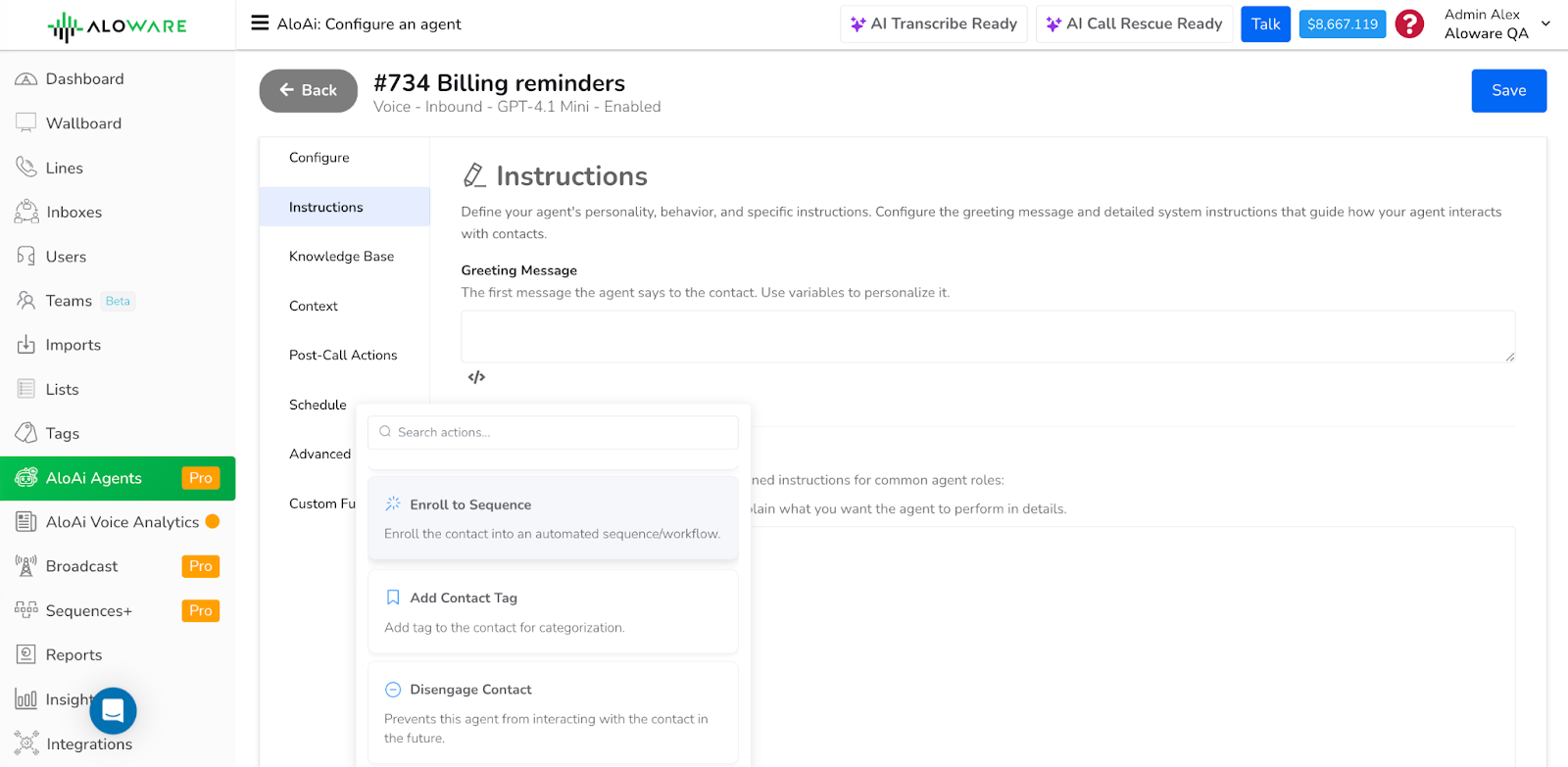
This release expands what AloAi Agents can do during live call handling and follow-up workflows. Agents can now take more precise actions based on call context, reducing the need for manual routing or post-call cleanup.
New and updated actions include:
- Enrolling contacts into sequences
- Applying communication tags automatically
- Routing calls to the HubSpot deal contact owner
- Routing calls directly to extensions
These additions make agent behavior more predictable and easier to configure, especially for teams that rely on CRM ownership, extensions, or structured follow-up workflows.
Inbound calling now supported in the HubSpot dialer
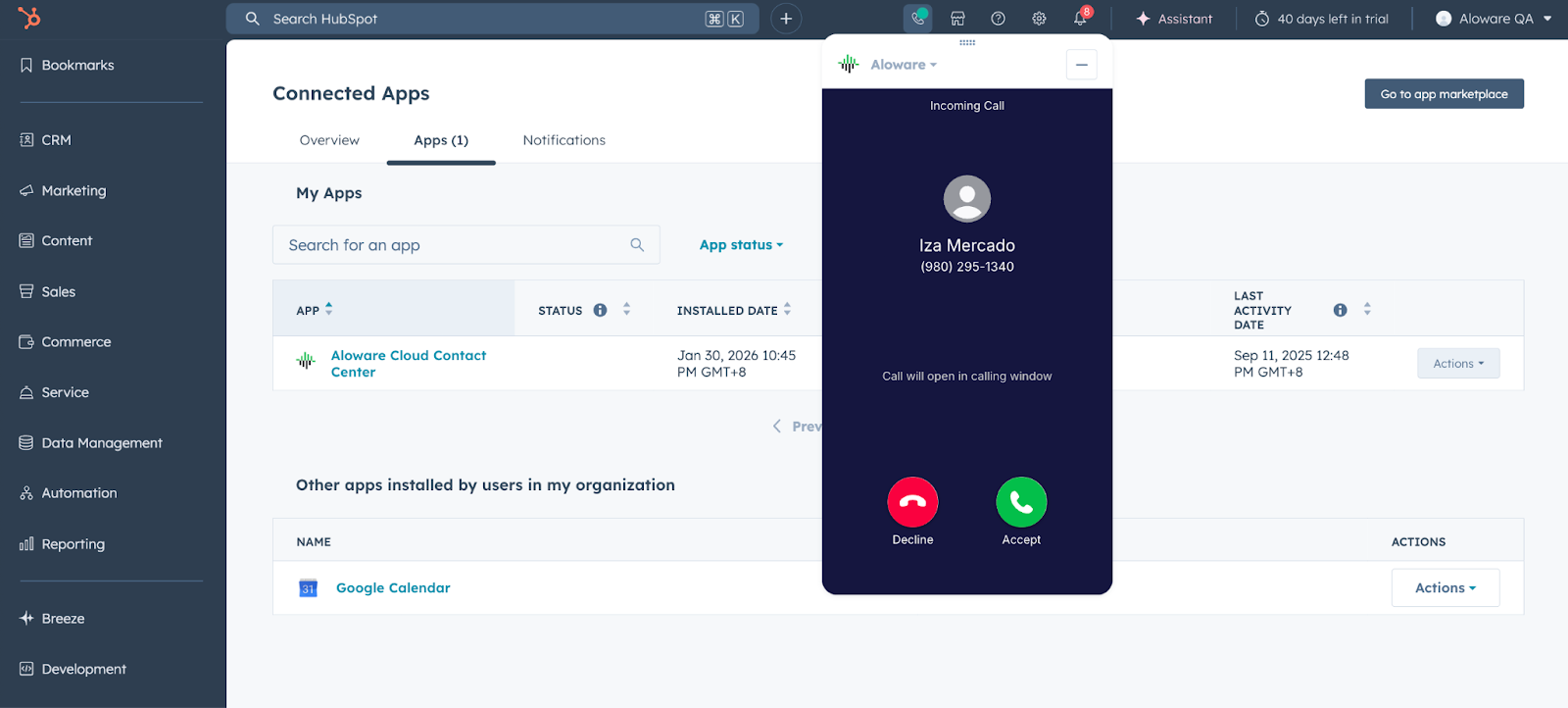
The Aloware in-app HubSpot dialer now supports inbound calls, allowing users to handle both inbound and outbound calls directly inside HubSpot.
This update builds on HubSpot’s Calling Extensions framework, improving how call state, events, and lifecycle data stay in sync between HubSpot and Aloware Talk2. Inbound calls can be answered and managed within the HubSpot UI using the same call controls available for outbound calls.
Inbound calling inside HubSpot supports:
- Real-time inbound call notifications
- Call waiting and call parking
- Transfers and warm transfers
- Automatic call logging
With inbound and outbound calling handled in one place, teams can manage calls without switching tools while maintaining accurate CRM records.
Mandatory disposition option for HubSpot call types
Admins can now configure HubSpot call types to require a disposition before a call can be completed.
This option helps enforce consistent call logging and ensures important context is captured after each call, supporting cleaner reporting and better CRM data quality.
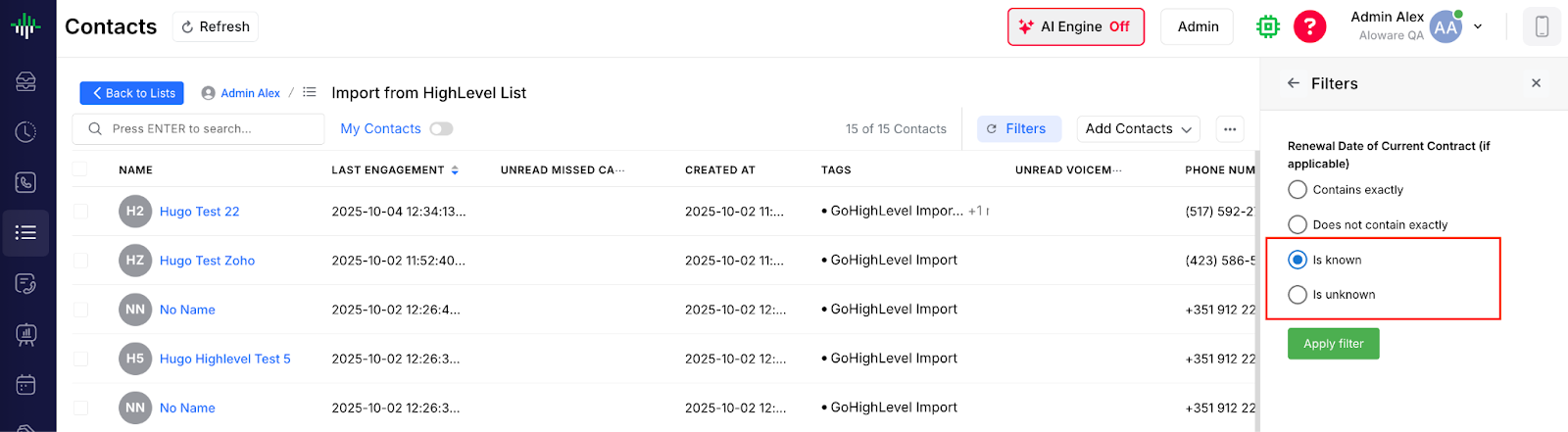
Expanded custom field filtering: “Is Known” and “Is Unknown”
Custom field filtering has been expanded with two new operators:
- Is Known – the field contains a value
- Is Unknown – the field is empty or null
In addition, all custom fields are now listed individually in filter builders, making it faster and easier to select the exact field needed when creating filters or workflows.
This update improves segmentation accuracy without requiring placeholder values or workarounds.
Clearer Inbox engagement filters
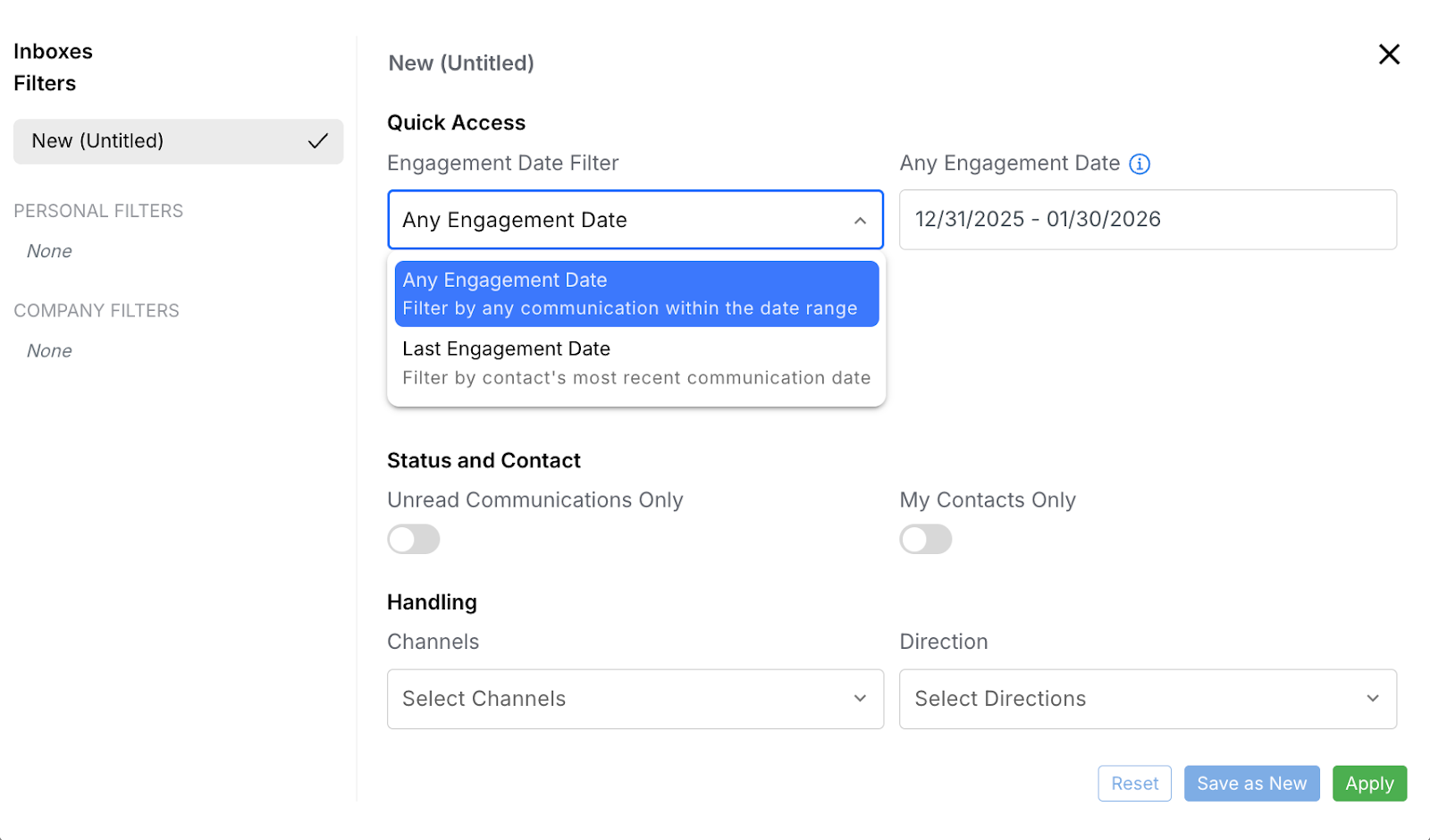
We’ve fixed an issue where the Last Engagement Date filter in the Inbox could return inaccurate results.
Inbox filtering now clearly separates two use cases:
- Last Engagement Date – shows contacts whose most recent interaction falls within the selected range
- Any Engagement Date – shows contacts with any interaction in the range, even if it wasn’t the most recent
This change ensures Inbox filters behave as expected and reflect true engagement recency.
STIR/SHAKEN auto-assignment and compliance banner fix
Eligible U.S. phone numbers (long code and toll-free) are now automatically assigned to approved STIR/SHAKEN bundles.
Once numbers are correctly assigned, the STIR/SHAKEN compliance banner is removed immediately, without requiring a refresh or waiting period.
This reduces manual steps, improves compliance accuracy, and provides clearer real-time feedback for internal admins.