.png)
Quick Summary: Aloware is our pick for outbound sales teams running Salesforce. It is $85 per user per month on the quarterly plan, $100 month to month, on xPro + AI. That is the plan that carries the Salesforce integration. Every tool below is checked at the plan that actually turns Salesforce on. On three of the seven, that sits a tier above the advertised entry price.
- Salesforce is gated above the entry tier on Aloware (xPro + AI), Aircall (Professional) and JustCall (Pro). Each price here was read off that vendor's own pricing page on 23 September 2026.
- RingCentral and Dialpad seat prices could not be read off their pricing pages on this pass, because both render in the browser rather than as text. Get the tier that carries Salesforce confirmed on the vendor page before you compare.
- Salesforce itself no longer publishes a standalone dialer product page or price on its sales and service pricing pages.
- Aloware, like most third-party dialers, needs API access on the Salesforce side, which means the Enterprise, Unlimited or Developer edition. Check yours before you shortlist.
A rep working Salesforce without a real dialer spends the day on everything except the conversation.
Copying phone numbers. Switching tabs. Logging calls by hand. Updating contact records after every conversation.
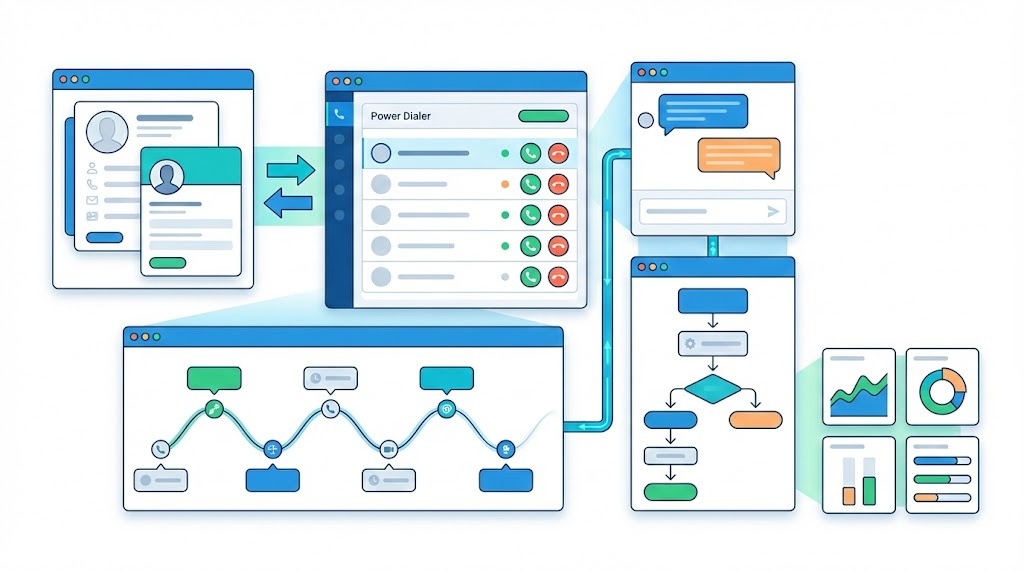
A good Salesforce dialer eliminates all of it. Calls happen inside your CRM. Data syncs automatically. Reps focus on conversations instead of admin work.
But not all dialers integrate equally. Some offer basic click-to-call and call it a day. Others provide deep native integration with bidirectional sync, power dialing, SMS, and AI features that actually move the needle.
How this list was priced. Every price on this page was fetched from the vendor's own pricing page on 23 September 2026 and read against that vendor's published plan matrix instead of its marketing copy. Where a vendor does not publish a number, this page says so instead of estimating one. Claims about Aloware come from our own product documentation.
Run this on any demo, in a Salesforce Sandbox. Load a real list view, run a live call block, hang up on a connected call, then open the Salesforce Task the dialer wrote and read three fields: talk-time duration, disposition, and the recording link. Then change a phone number on the vendor's side and watch whether it reaches Salesforce, and in which direction.
The duration field is worth the two minutes. A dialer can log every call faithfully and still write a number your forecast leans on incorrectly. Check it on every tool you trial, ours included.
Quick checklist: what to evaluate in a Salesforce dialer
☐ Native AppExchange integration (not iframe embed)
☐ Bidirectional sync for contacts, leads, and accounts
☐ Power dialer with automatic call logging
☐ SMS/MMS from the same interface
☐ Salesforce Flows integration for automation
☐ Self-service setup with no developer time
☐ Pricing that scales with your team
Quick comparison: best Salesforce dialers at a glance
*Price shown is the minimum tier that carries the Salesforce integration, read on the vendor's own pricing page on 23 September 2026.
Key takeaway: price every dialer at the tier that switches Salesforce on. Aloware is $85 per user per month on the quarterly plan, Aircall $50 per license on annual billing, JustCall $49 per user on annual billing. Salesforce sells its own engagement layer at $50 per user per month billed annually, and RingCentral and Dialpad make you ask.
Check the Salesforce side too. Aloware needs API access, which means the Enterprise, Unlimited or Developer edition on Sales Cloud, Service Cloud, or both. Most third-party dialers want the same thing, though the floor varies: RingCentral states Professional edition or above for its Salesforce app.
1. Aloware, the pick for outbound sales teams in Salesforce
Best for: Sales teams that need native integration, a power dialer and SMS in one platform
Pricing:xPro + AI, $85 per user per month on the quarterly plan, $100 month to month. That is the plan the Salesforce integration runs on, so it is the number a Salesforce team should budget.
Aloware connects to Salesforce as a managed package over a direct OAuth connection, with no iPaaS layer in between. It replaced an older Prismatic-based integration in March 2025 for that reason. Every middleware hop is a place a sync can fail quietly.
What makes Aloware stand out:
Native integration architecture: Direct OAuth connection to Salesforce Production or Sandbox environments. No middleware. No external platforms. This matters because every additional layer introduces potential failure points.
Bidirectional sync for Contacts, Leads and Accounts: records sync in near real time, and you set the direction per object and per field. Ask about this in a demo. By default, updates flow both ways while record creation is inbound only. Salesforce stays the system that makes new records until an admin turns outbound creation on. That default is a data-governance choice. Find out which way any dialer has it set before you trust it with your org.
Salesforce Flows integration: Trigger SMS messages and automate follow-ups directly from Salesforce Flow Builder. Mark a call as "Interested" and automatically send a follow-up text, update lead status, and create a task. No Zapier required.
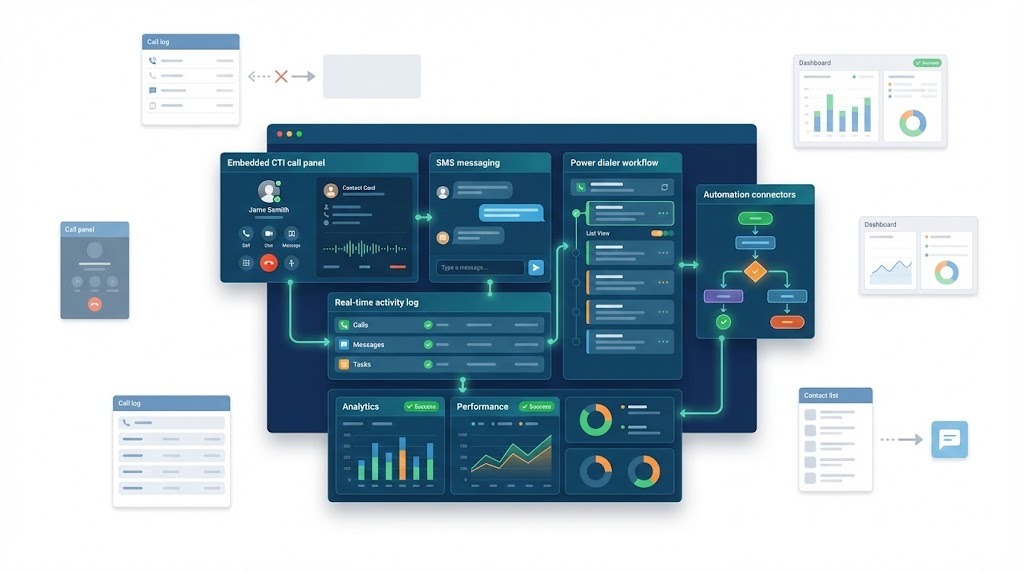
Embedded CTI dialer: The Talk2 Dialer lives inside Salesforce via Open CTI, outbound and inbound. Reps never leave the CRM. Click-to-call works from any Salesforce page, contacts, leads, accounts, list views, reports.
SMS Messenger in Salesforce: Send and receive SMS/MMS inside Salesforce through the embedded Talk2 Messenger. Messages log automatically as activities with full content preserved.
Power dialer from Salesforce lists: Import Salesforce list views as Aloware contact list. Run power dialer campaigns directly from your CRM data without manual exports.
Complete activity logging: Every call, SMS, voicemail, AI voice analytics summary (if enabled) and recording logs to Salesforce Tasks automatically. Includes call duration, disposition, notes, and direct links to recordings and transcription.
Sync priority for duplicates: When a phone number exists across multiple Salesforce objects (Contact + Lead + Account), you configure which takes priority. No duplicate record confusion.
Aloware Salesforce integration specs:
Verdict: Aloware is the pick for a team that calls and texts out of Salesforce all day. A legal intake desk triaging personal injury leads, a solar outfit chasing quoted homeowners, an insurance agency working a renewal list: all three want the dial, the text and the Salesforce write-back in one seat, and all three are the shape of team this plan is priced for.
2. Aircall, for support desks already in Service Cloud
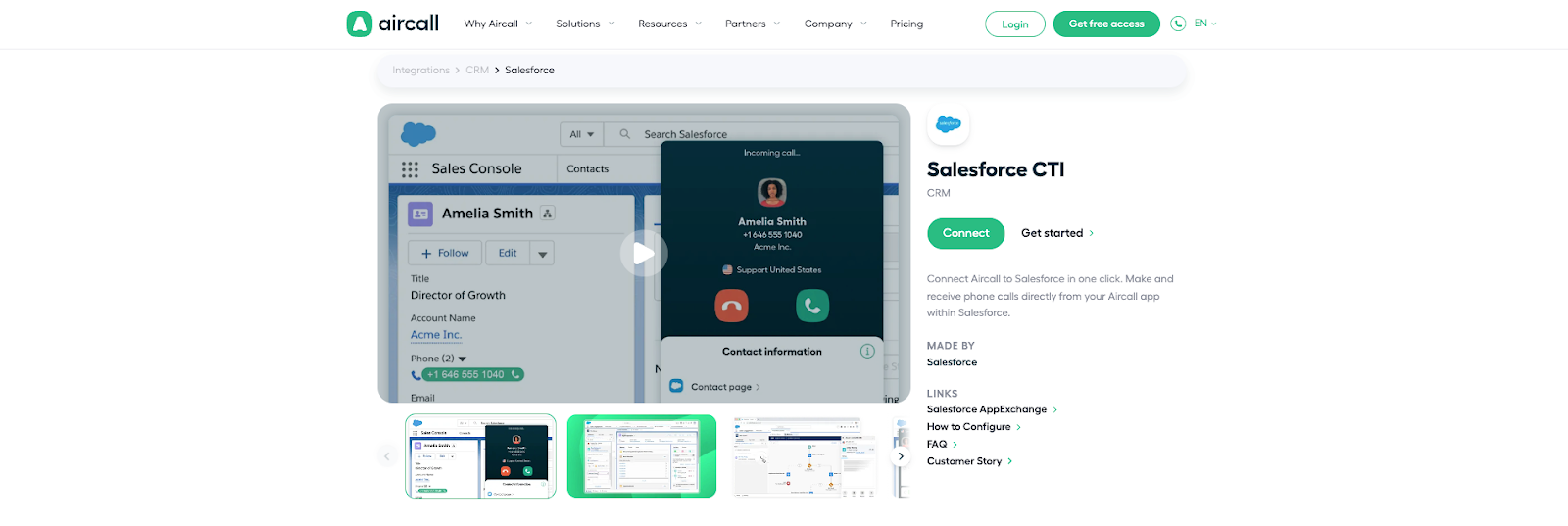
Built for: support desks working cases inside Service Cloud
Pricing: Professional, $50 per license per month on annual billing, three license minimum. The $30 Essentials plan does not include the Salesforce integration.
Aircall is a support product first, and its own plan matrix says so. It lists Salesforce Service Cloud and Sales Cloud integrations as not included on Essentials and included from Professional up, while HubSpot, Zendesk and Pipedrive sit on every tier. Salesforce is the one CRM it gates. If Salesforce is your CRM, Essentials will not do the job. The side-by-side is here.
What to add up: Professional is $50 per license per month on annual billing. Aircall for Salesforce Voice, which brings calling and transcription into Service Cloud, is a separate add-on at $30 per seat per month. AI Assist Pro, the real-time assist layer, is another $49 per seat per month. Extra numbers are $6 each per month.
Where Aloware wins: the outbound side. Power dialing, SMS and the Salesforce write-back are in the seat price on xPro + AI. Aloware is built around a rep working a list. Aircall is built around an agent working a queue.
3. RingCentral, for company-wide unified communications
Built for: IT teams standardizing phone, video, messaging and fax across a whole company
Plan that carries Salesforce: Advanced or Ultra. RingCentral's own App Gallery listing states that RingCentral for Salesforce is available to Advanced and Ultra customers, and that your Salesforce org must be Professional edition or above.
The seat price is the part you will have to ask for. This pass could not read a RingEX seat price off the plans page, which serves its figures through a seat-count selector rather than as text, so pin the number for Advanced or Ultra at your seat count before you compare it with anything here. The side-by-side is here.
The product itself is a unified communications suite. A sales team that wants to dial a list and text back is buying the video and fax stack underneath it. The outbound dialer is not in RingEX at all: it sits in RingCX, the separate contact-center product.
Where Aloware wins: a published price you can budget from, and a Power Dialer inside the plan.
4. Dialpad, for teams buying AI coaching first
Built for: teams that want real-time transcription and live coaching on every call
Pricing: could not be read off dialpad.com/pricing on this pass, checked 23 September 2026. Get the tier and the number in writing.
Dialpad leads with its AI layer, and for onboarding new reps that is a real draw. What this pass could not establish is which tier carries the Salesforce integration, because the pricing page builds its plan matrix in the browser and serves no readable figures to a plain fetch. Ask two questions on the call. Which plan includes Salesforce? And is contact data synced and stored, or fetched live on every record view? The second answer decides whether your list view still works when the API throttles. The side-by-side is here.
Where Aloware wins: coaching and analytics sit beside a persistent CRM sync and a Power Dialer, instead of in front of them.
5. JustCall, for small teams buying on seat price
Built for: small teams shopping on seat price
Pricing: Pro, $49 per user per month billed annually, two license minimum. The advertised $29 Team plan does not carry the Salesforce CTI.
JustCall lists Salesforce CTI integration as a Pro feature, so the entry price in its headline is not the price a Salesforce team pays. AI coaching sits higher again, on Pro Plus at $89 per user per month. The side-by-side is here.
The segment allowance has an exclusion list. Pro includes 1,000 SMS segments per user. JustCall states what those segments do not cover: SMS sent through Sales Dialer workflows, SMS sent through bulk campaigns, and SMS sent through CRM automations. That is most of the texting an outbound team does. The allowance covers your one-to-one replies. The campaigns bill separately.
Where Aloware wins: one-to-one agent SMS to the US and Canada is in the plan, and the automation rates are published up front.
6. Salesforce Sales Dialer, for light calling inside Sales Cloud
Built for: teams making a handful of calls a day inside Sales Cloud
Pricing: no standalone Sales Dialer price. Salesforce sells editions (Starter Suite $25, Pro Suite $100, Core $195 per user per month) plus Sales Engagement, which the old sales-dialer-pricing URL now redirects to, at $50 per user per month billed annually. All checked 23 September 2026.
This one has changed under buyers' feet and most comparison pages have not caught up. Salesforce's old Sales Dialer product page now returns a 404, and neither the sales pricing page nor the service pricing page names Sales Dialer or a per-user dialer price. The old sales-dialer-pricing URL now redirects to Salesforce's Sales Engagement page, which prices Sales Engagement at $50 per user per month billed annually, added on top of your Sales Cloud edition. Salesforce marks that figure as indicative and points you at a rep, so treat it as a starting line.
The shape of the product, as Salesforce last described it, is click-to-call from a record, logged to the record: no power dialer and no list pacing. Since the product page is gone, get the current capability list from your account team before you plan around it.
Where Aloware wins: a rep working 150 records a day needs list pacing.
7. Service Cloud Voice, for enterprise service centers
Built for: enterprise service centers running telephony inside Salesforce
Pricing: no standalone price published. Salesforce's service pricing page lists it, under the name Salesforce Voice, among capabilities marked available for purchase, with no per-user rate. Checked 23 September 2026.
It is real enterprise telephony and it is good at the job it was built for. A large support organization gets voice, transcription and case data in one console. It was never built for outbound sales. There is no power dialer, it sits on top of a Service Cloud license you are already paying for, and the build is an admin project: ask who in your org would own it before you price it.
Where Aloware wins: the whole outbound half of the job, at a price that is on a page.
How do you choose the right Salesforce dialer?
Choose Aloware if:
- You need deep native Salesforce integration without middleware
- SMS is critical to your sales workflow
- You want Salesforce Flows automation for follow-ups
- Bidirectional sync for Contacts, Leads, AND Accounts matters
- You want a Salesforce-inclusive price that is printed on the pricing page
Look elsewhere if:
- Your calls are inbound support cases worked in Service Cloud rather than outbound lists (Aircall, or Salesforce's own voice tooling)
- You are standardizing phone, video and messaging across the whole company, not just sales (RingCentral)
- Live AI coaching on every call matters more to you than what lands in Salesforce afterwards (Dialpad)
Get the tier and the total in writing before you sign anything, and run the sandbox test above on the shortlist. A dialer that demos well against a clean org can still break against yours.
What mistakes should you avoid when choosing a Salesforce dialer?
Mistake 1: Comparing base prices instead of total cost
The plan on the homepage is rarely the plan you end up on. Salesforce is gated a tier up on three of the seven tools here, SMS allowances are capped, and the AI layer is usually a separate line.
Fix: Calculate total monthly cost including the plan tier required for Salesforce and any features you'll actually need.
Mistake 2: Ignoring integration depth
"Salesforce integration" can mean anything from basic call logging to full bidirectional sync with Flows automation. Surface-level integration creates manual work.
Fix: Ask specifically: Does sync work bidirectionally? Can I trigger actions from Salesforce Flows? Does the dialer embed in Salesforce or open in a separate window?
Mistake 3: Skipping the sandbox test
Production Salesforce orgs have custom objects and workflows that can break integrations. A dialer that works in demos may fail in your environment.
Fix: Every serious dialer supports Salesforce Sandbox. Test with your actual data and workflows before going live.
Mistake 4: Underestimating SMS importance
If your team texts as well as calls, the SMS caps are where the budget surprise lives. A real estate team working new inquiries and an HVAC shop confirming service windows both send far more automated texts than one-to-one replies, and those are usually the ones an included allowance excludes.
Fix: Verify SMS capabilities upfront: Can you send from Salesforce? Do messages log automatically? Are there volume caps?
Mistake 5: Forgetting about mobile
Field reps need mobile functionality. If the mobile app doesn't sync with Salesforce, you'll have data gaps.
Fix: Test the mobile app specifically. Verify everything syncs to Salesforce within 60 seconds.
All five mistakes have the same root. The spec sheet is written by the vendor and the bill is written by your usage.
Which Salesforce dialer should you buy?
Price the shortlist at the tier that switches Salesforce on, not at the headline. For Aloware that is xPro + AI at $85 per user per month on the quarterly plan. For Aircall it is Professional at $50 per license on annual billing, for JustCall it is Pro at $49 on annual billing, and for Salesforce it is Sales Engagement at $50 on top of your edition. For RingCentral and Dialpad you will have to ask.
Then run the sandbox block on each finalist and open the Salesforce Task it writes. The tool that logs a real talk time, a real disposition and a working recording link into the record your manager reports on is the one that survives the quarter.
Book a demo to see power dialing run straight off a Salesforce list view, or read how the Salesforce integration is set up.
Frequently Asked Questions
What is the best dialer for Salesforce?
Aloware is our pick for sales teams running outbound out of Salesforce. It connects as a native managed package with no middleware, syncs Contacts, Leads and Accounts both ways, triggers SMS from Salesforce Flows, and puts calling and texting in one embedded CTI. The Salesforce integration runs on the xPro + AI plan, which is $85 per user per month on the quarterly plan and $100 month to month. Price any dialer at the tier that switches Salesforce on: on three of the seven tools on this list, that sits a tier above the advertised entry price.
Does Salesforce have a built-in dialer?
Yes, and it is deliberately basic. Salesforce Sales Dialer handles click-to-call from a record with no power dialing, and Service Cloud Voice is built for support centers rather than outbound sales. Neither carries a published standalone price any more. As of 23 September 2026 the Salesforce sales and service pricing pages list editions (Starter Suite $25, Pro Suite $100, Core $195 per user per month) and the old Sales Dialer product page returns a 404. Salesforce's old sales-dialer-pricing URL now redirects to its Sales Engagement page, which prices Sales Engagement at $50 per user per month billed annually, on top of your edition. The service pricing page lists Service Cloud Voice under the name Salesforce Voice with no per-user rate. If a comparison quotes you an older figure, ask where the number came from.
How much does a Salesforce dialer cost?
Price it at the tier that includes the Salesforce integration, not at the headline. Checked on each vendor's own pricing page on 23 September 2026: Aloware is $85 per user per month on the quarterly plan (xPro + AI), Aircall is $50 per license per month on annual billing (Professional, since the $30 Essentials plan excludes Salesforce), and JustCall is $49 per user per month billed annually (Pro). Salesforce sells its own Sales Engagement layer at $50 per user per month billed annually on top of your edition. RingCentral and Dialpad seat prices could not be read off their pricing pages on this pass, so get those in writing. Add the extras before you compare: Aircall's Salesforce Voice add-on is $30 per seat per month and its AI Assist Pro is $49 per seat per month.
What Salesforce editions work with dialers?
Most third-party dialers need API access, which means Salesforce Enterprise, Unlimited or Developer edition on Sales Cloud, Service Cloud, or both, and that is what Aloware requires. The floor does vary by vendor: RingCentral's App Gallery listing states Salesforce Professional edition or above for its Salesforce app. Check your edition against the vendor's own stated requirement before you shortlist anything.
Can Salesforce dialers send SMS?
Third-party dialers do. Aloware sends and receives SMS and MMS inside Salesforce through an embedded messenger, logs each message to the record as an activity, and can fire texts from Salesforce Flows. One-to-one agent SMS to the US and Canada is included in the plan; automated sends through sequences, broadcasts and CRM workflows are metered at published rates. Watch the allowances elsewhere: JustCall's included 1,000 segments per user on Pro exclude bulk campaigns, Sales Dialer workflows and CRM automations.
What's the difference between a power dialer and auto dialer?
A power dialer calls one contact at a time and connects a live rep to every answer, so the prospect never hears the pause that gives an automated dial away. An auto dialer or predictive dialer places several calls at once and drops the ones it cannot staff, which is where abandoned calls and carrier spam flags come from. Aloware builds on the power dialer for that reason and does not sell parallel or predictive dialing.
How long does Salesforce dialer setup take?
Aloware installs as a managed package from Integration Settings and configures from there, with no developer time required. The enterprise builds are the long ones: Service Cloud Voice is an admin project, so ask who in your org would own it before you price it. Whatever you pick, do the install in a Salesforce Sandbox first, then run a live call block and open the Task the dialer writes.
Do I need a Salesforce admin to set up a dialer?
You need admin permissions in both systems for the initial setup, including the rights to manage installed packages and connected apps in Salesforce. Aloware's setup is self-service from there. Heavier platforms such as Service Cloud Voice need ongoing admin involvement after go-live.
.png)

Ruby Kootval is Head of Product Marketing at Aloware. She has 12 years in digital marketing, including 8 in B2B SaaS and 5 in telecom, and writes about AI voice agents, dialers, CRM integrations, and contact center operations.