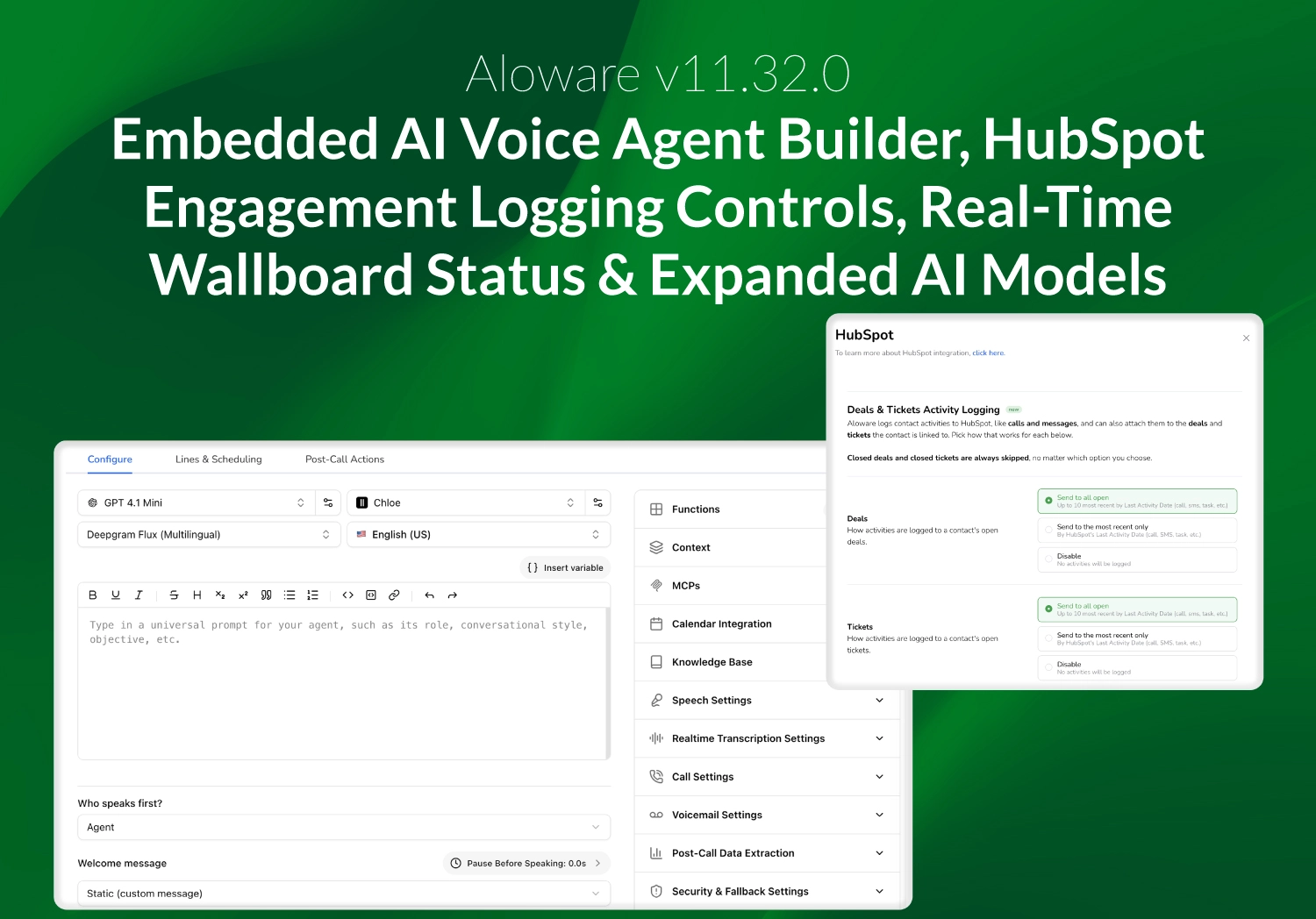
The v11.32.0 release brings AI voice agent building directly into Aloware, gives admins precise control over how activity is logged to HubSpot Deals and Tickets, delivers real-time agent status on the Wallboard, and expands the set of AI models available to voice agents. This release also includes a wide range of call routing, inbox, and mobile reliability improvements.
Build and Manage AI Voice Agents Without Leaving Aloware
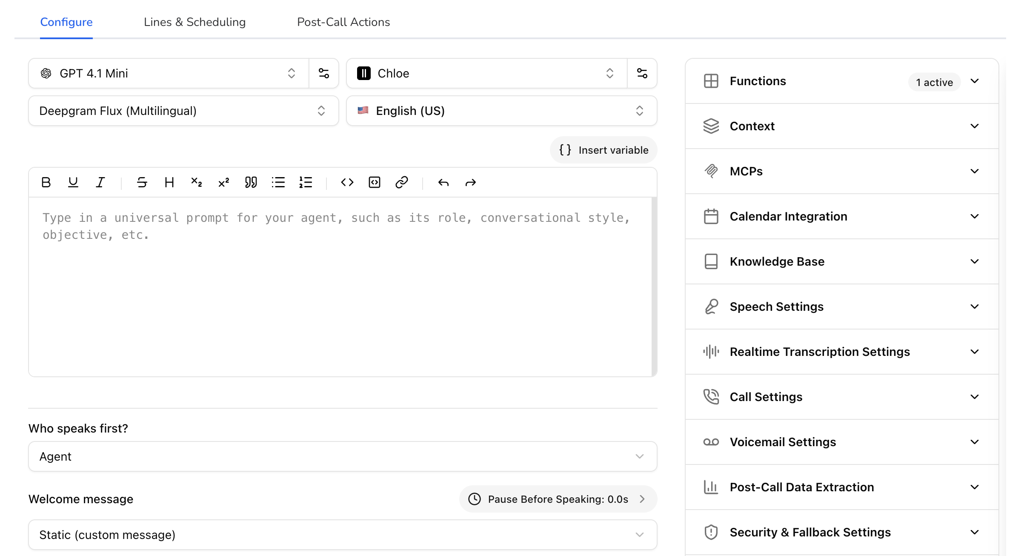
Aloware's real-time voice agent builder now runs fully embedded inside Aloware, under AloAi Agents. You can build, configure, and manage your voice agents end to end in a single, native experience — no separate tool and no admin-level access required.
The builder behaves like any other Aloware tab: your session stays live as you move around the app, calendar and appointment write-back flow directly into Aloware, and your existing Aloware custom functions are available right inside the builder.
Expanded AI Model Options for Voice Agents
Voice agents now support a broader set of OpenAI models, giving you more control over the balance between cost, speed, and quality. This includes the latest real-time speech-to-speech model for natural live conversations, along with additional GPT-5 family models for everyday agent tasks.
AI Voice Agents Now Speak at the Right Moment
When an outbound AI voice agent is set to speak first, it now waits until the call is actually answered before beginning its greeting. The agent holds until ringing stops and a person picks up, or until a voicemail prompt finishes, so greetings are no longer cut off or played into a ringing line or voicemail.
Control How Activity Logs to HubSpot Deals and Tickets
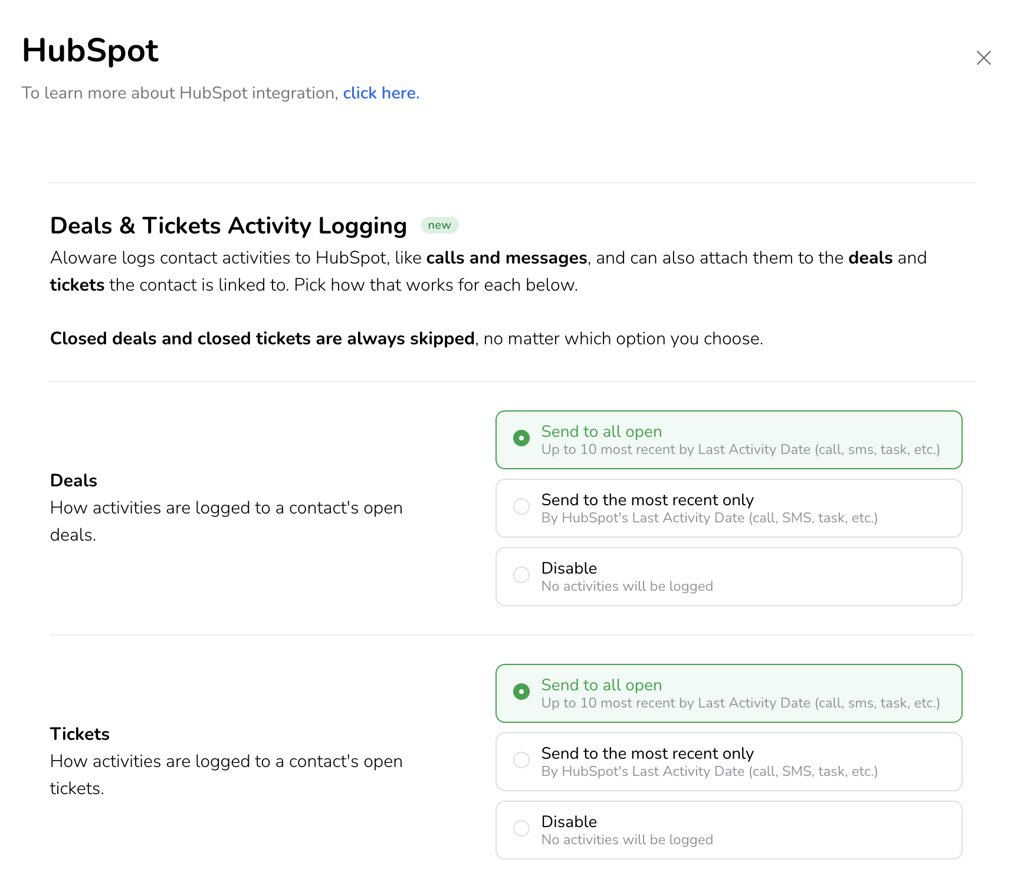
Admins can now decide exactly which open Deals and Tickets receive activity logs from Aloware. Under Settings > Integrations > HubSpot > Communication, Deals and Tickets each have their own independent setting with three options:
- Send to all open (default): logs activity to all open records, up to 10 per Contact or Company.
- Send to most recent only: logs only to the single most recently active open record, ranked by the latest call, SMS, or note activity.
- Disable: turns off logging for that object type entirely.
Closed Deals and Tickets are always skipped, regardless of the option you choose, so your logging stays focused on active business.
A Cleaner HubSpot Disconnect Experience
Disconnecting HubSpot from Aloware is now cleaner and more transparent. When an admin disconnects, Aloware automatically unregisters itself on HubSpot's side — removing the integration, stopping syncs, and unmounting Aloware's cards from HubSpot records. A confirmation modal walks you through exactly what will change before anything happens, and all of your historical data remains in HubSpot.
Letters of Authorization Saved Directly to HubSpot
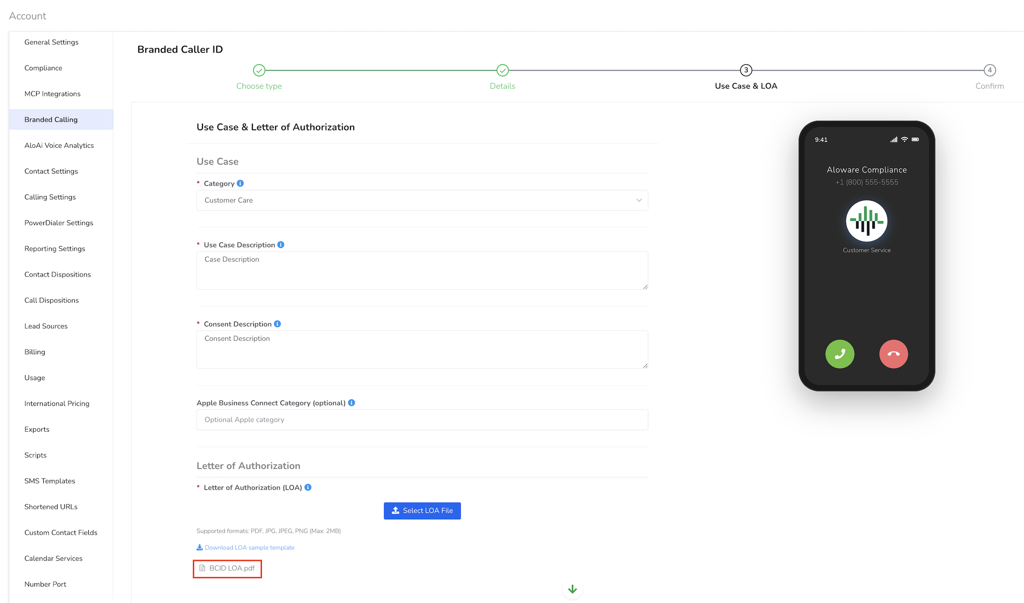
Branded Calling (BCID) Letters of Authorization submitted through the registration flow are now saved automatically as permanent attachments on the matching HubSpot Company record. Previously these files were only available through a temporary link that expired after seven days. Your team can now access an LOA at any time directly from the Company record.
Manage Do Not Contact Status Through the Lead API
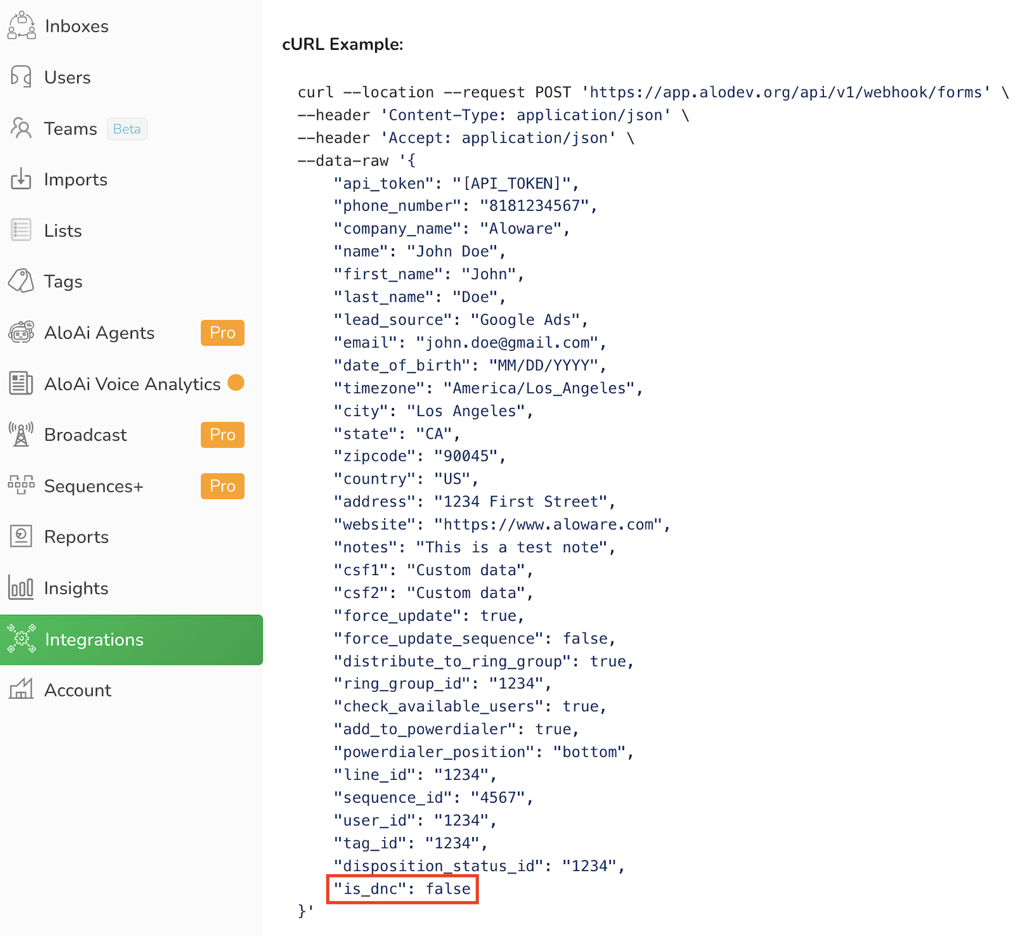
The Lead API now supports setting and updating the Do Not Contact (DNC) flag on contacts programmatically. If you manage DNC lists in an external system, you can now keep that status in sync with Aloware through the API instead of relying on the interface. DNC rules are fully enforced and audit-logged just as they are for manual updates, and existing API integrations that don't use the field are unaffected.
Smarter, More Reliable Call Routing
This release includes a significant round of call routing improvements built on Aloware's new telephony engine:
- Smart Queue now reliably dispatches incoming calls to available agents instead of leaving callers on hold, including when Fishing Mode is enabled, and callback requests are honored correctly.
- AI bots and live agents can no longer end up on the same call at the same time. When the bot is active, agents are blocked from joining, and a deliberate take-over removes the bot before the agent connects.
- Calls are now properly torn down when the last agent hangs up after a warm transfer or conference, so contacts are no longer left connected and calls no longer linger as active.
- Additional fixes address calls dropping after a transfer and transferred calls being routed to more than one agent.
Real-Time Agent Status on the Wallboard
Supervisors now see agent status update the moment it changes. The Wallboard has moved from polling every few seconds to a real-time push, so rapid transitions — such as moving from On Call to Wrap Up to Available — are captured accurately instead of being missed. This also resolves an issue where agents could become stuck cycling between Offline and Available.
Inbox Filter Improvements
Company-level filters from the classic inbox have been migrated to the new inbox, so filter management now lives entirely in the new Talk inbox experience. Outdated filter fields are cleaned up as part of the move, keeping your filters consistent and easier to manage going forward.
Mobile (iOS) Improvements
The iOS Talk app receives several reliability fixes in this release:
- Agents can change their status from the app again.
- The post-call disposition screen appears as expected, including when call disposition is required.
- Incoming call ringing, call pop-ups, and audio are more reliable on both WiFi and cellular.
- You can now start an SMS to a brand-new contact with no prior history directly from mobile.
- All Contacts, My Contacts, and public lists load correctly again.
Additional Fixes and Improvements
v11.32.0 also includes a broad set of smaller fixes across the platform, including blocked contacts no longer being able to send inbound SMS, more reliable Dashboard exports with consistent columns, corrected AI Voice Analytics call disposition and speaker labeling for transferred calls, AI text bot message cleanup, and several inbox and dialer interface fixes.