TL;DR
Call analytics only moves pipeline when it lives inside your CRM. The metrics that matter — pickup rate, connect rate, time-to-first-touch, and follow-up latency — have to auto-log to the right contact or deal record to be actionable. Conversation signals like keywords, sentiment trends, and next-step detection turn recordings into coaching and tasks. The most common failures are vanity metrics, bloated disposition lists, incomplete logging, and ignoring SMS. Fix the data foundation first; the automation follows.
A lead calls back at 7:12 p.m., leaves a voicemail, and buys from the vendor who responds first. Your CRM shows “missed call.” No transcript. No next step. No alert. By the time someone notices, the moment is gone—and your dashboard still says you “hit activity.”
That gap is why call analytics has to live inside the CRM where SDRs, AEs, RevOps, and support teams actually work. When call outcomes, recordings, transcripts, summaries, and follow-up tasks attach to the right contact, deal, or ticket automatically, you stop guessing. You can see speed-to-lead, pickup and connect rates, follow-up latency, and what was said on the call—then fix the bottlenecks that slow pipeline and drag out resolution.
This guide breaks down the call analytics signals that hold up under high volume: which metrics predict revenue and closure, how conversation cues turn into coaching and next steps, and how to catch issues like spam labeling, trust failures, and messy CRM logging before they tank pickup rates. The goal is simple: faster follow-up, clearer accountability, and fewer lost conversations hiding in the cracks.
What Is Call Analytics (and What It Is Not)?
When you are trying to catch hot leads after hours or explain a sudden pickup-rate drop, “calls made” and “minutes talked” barely help. Call analytics is the layer that turns raw calling and texting activity into operational signals you can act on inside your CRM.
Call analytics is the measurement and interpretation of phone and SMS interactions, including outcomes (connected, voicemail, no-answer), timing (speed-to-lead, follow-up latency), and conversation-derived data (transcripts, topics, sentiment, summaries, action items). The goal is simple: decide what to do next, faster, with fewer blind spots.
Call Reporting vs Conversation Intelligence
Most teams start with call reporting or call tracking. Those are useful, but they answer different questions than sales call analytics or contact center analytics.
- Basic call reporting: counts and timestamps. Think outbound attempts, inbound volume, average talk time, missed calls, agent availability, and a simple disposition. It helps managers see workload and coverage.
- Call tracking: attribution and routing context. Common in marketing, it ties calls to sources (Google Ads, landing pages) using tracking numbers, and it supports routing by campaign or geography.
- Conversation intelligence: what was said and what to do next. It adds transcription, keyword and topic detection (pricing, competitor names, cancellation intent), sentiment trends, objection patterns, and next-step extraction (demo scheduled, contract requested, escalate to Tier 2).
The practical difference shows up in execution. Call reporting tells you an SDR dialed 80 times. Conversation intelligence tells you 12 connects mentioned “budget freeze,” 4 asked for “SOC 2,” and 3 agreed to a meeting but never received a calendar invite.
For CRM-native teams, the bar is higher: call analytics has to write back to the CRM automatically. If transcripts, summaries, dispositions, and follow-up tasks live in a separate dashboard, reps stop using them and RevOps stops trusting the data. Tools that combine CRM calling, SMS, and AI call summaries can keep the workflow in one place and keep reporting clean.
Which Call Analytics Metrics Actually Predict Revenue and Resolution?
Call analytics only predicts revenue and resolution when you treat it as an operational scoreboard, not a pile of call counts. The metrics below map cleanly to speed-to-lead, pipeline movement, and ticket closure, as long as they are logged to the right CRM record and measured consistently.
- Pickup rate: Percent of dials answered by a human. It reflects list quality, dial timing, and caller trust (CNAM, STIR/SHAKEN attestation, spam labeling). Common misread: blaming reps when the real issue is number reputation or calling at the wrong local hour.
- Connect rate: Percent of dials that reach a live conversation (often excludes IVR, voicemail, wrong numbers). It is a better predictor of meetings than pickup rate alone. Common misread: inflating “connects” by counting gatekeepers or short “hello” calls.
- Time-to-first-touch: Minutes from lead creation (or inbound request) to the first call attempt. This is the metric that punishes slow routing and after-hours gaps. Common misread: measuring from assignment time instead of the actual inbound timestamp.
- Follow-up latency: Time from a meaningful event (missed call, demo request, pricing question, unresolved ticket) to the next outbound attempt. This predicts conversion and resolution because intent decays fast. Common misread: counting an internal note as “follow-up.”
- Disposition outcomes: A consistent taxonomy (for example: Qualified, No Answer, Left Voicemail, Bad Number, Competitor, Do Not Call) turns activity into forecastable stages. Common misread: letting reps choose from 40 options, then expecting usable reporting.
- Talk time: Useful as a distribution, not an average. Short calls can be efficient qualification, long calls can be stuck objection loops. Common misread: coaching to “increase talk time” without checking outcomes and next steps.
- Voicemail rate: High voicemail rates often signal poor call windows or spam flagging. Pair it with pickup rate and local presence dialing usage to diagnose the cause.
- Responsiveness: Speed to answer inbound calls, speed to return missed calls, and SLA adherence for support queues. Common misread: ignoring ring time and abandoned calls, which hide customer frustration.
How to Make These Metrics Actionable in a CRM
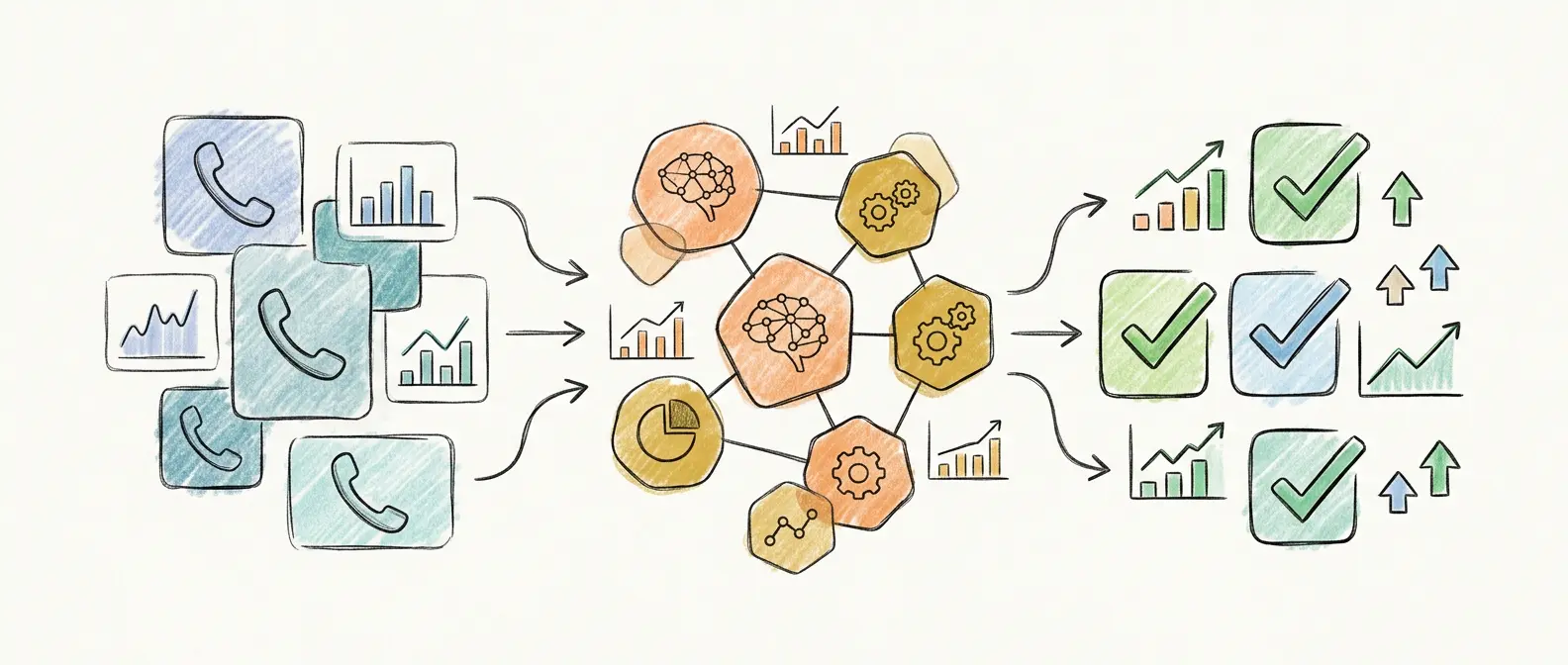
Define each metric once in RevOps, then enforce it with automation: auto-log every call and SMS to the correct contact, deal, or ticket; require a small disposition set; and trigger tasks when time-to-first-touch or follow-up latency crosses your SLA. If your platform also tracks deliverability signals (spam labeling risk, number health), you can separate rep behavior from telecom trust issues fast.
How Do Conversation-Level Signals Turn Calls Into Coaching and Next Steps?
Automation can enforce clean logging and SLAs, but call analytics starts paying off when you measure what happened inside the conversation. Conversation-level signals turn recordings into coaching cues and pipeline actions, and they do it at the contact, deal, or ticket level in your CRM.
Use this short chain of custody for every call: transcript (what was said) → signal (what it means) → action (what to do next). If the chain breaks, managers coach from memory and reps miss next steps.
Conversation Intelligence Signals That Drive Coaching
- Transcription quality: Treat transcripts as data, not a nice-to-have. Track word error rate indirectly by sampling calls across accents, noisy environments, and speaker overlap. If your transcript misses product names or numbers, keyword tracking and summaries will drift, and coaching will target the wrong behavior.
- Keywords and topics: Create a short, owned dictionary in RevOps: competitor names, pricing terms, security requirements (SOC 2, HIPAA), cancellation language, procurement steps. Route signals to actions—for example, “SOC 2” triggers a security one-pager task, “pricing” triggers a quote workflow, “cancel” triggers a retention playbook.
- Sentiment trends: Use sentiment as a trend line across many calls, not a verdict on one call. Coach with concrete moments: interruptions, long monologues, or unanswered questions. Pair sentiment with talk-to-listen ratio and hold time before you label a rep “good” or “bad.”
- Objection patterns: Tag objections by category (timing, authority, budget, security, competitor). Then coach the highest-frequency objection with one approved rebuttal and one proof asset. If “budget” spikes after a pricing change, fix enablement before blaming activity.
- Next-step detection: Extract commitments (“send the deck,” “loop in legal,” “book Tuesday at 2”). Auto-create CRM tasks with due dates, and alert a manager when the next step is agreed but no meeting exists in Google Calendar or Outlook.
Teams that call and text inside Salesforce, HubSpot, or Zoho get the most value when the platform writes AI transcripts, summaries, and action items back to the same record automatically. That keeps coaching specific and follow-up fast.
How Does Call Analytics Trigger Routing, Sequences, and After-Hours Coverage?
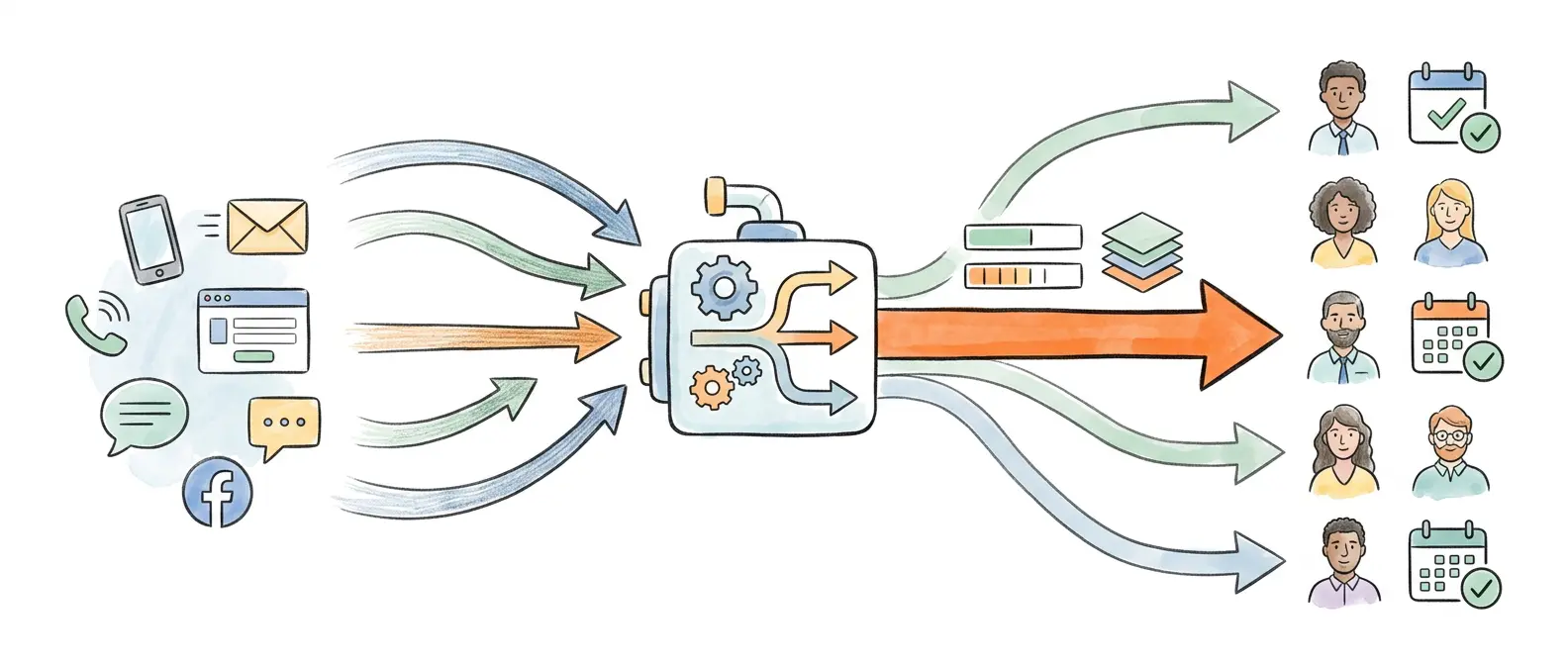
When call analytics writes transcripts, summaries, and action items back to the CRM record, you can turn those signals into automation. The point is simple: the system should decide what happens next when a call outcome or conversation cue changes, instead of waiting for a rep to notice.
In practice, CRM-native call analytics becomes an event stream. A “missed inbound call,” “pricing mentioned,” or “bad number” disposition should trigger routing changes, sequence steps, and alerts in Slack or the CRM task queue.
Automation Triggers That Actually Move Speed-to-Lead
- Prioritize intent: If the transcript contains “pricing,” “security questionnaire,” “SOC 2,” or a competitor name (Salesforce, HubSpot, Gong), route the lead to a senior rep or an AE queue and create an “Immediate follow-up” task with a tight due time.
- Hot-lead escalation: If an inbound call goes unanswered or abandons quickly, fire a callback workflow and a parallel SMS. Log both attempts to the same contact or deal, so RevOps can measure follow-up latency accurately.
- Sequence branching: If a call disposition is “Left Voicemail,” move the contact to a voicemail-specific cadence. If it is “Bad Number,” stop dialing and request an email or enrichment before the next attempt.
- Compliance flagging: If a rep marks “Do Not Call” or the transcript includes opt-out language, update the CRM field, suppress future calls and texts, and notify the owner. For texting, keep A2P 10DLC registration and opt-out handling aligned with The Campaign Registry requirements.
After-hours coverage is where these triggers pay off. Route missed calls to an on-call rotation, an IVR, or an AI voice agent that qualifies, captures intent, and schedules a callback. Log the agent’s summary and next step to the CRM, then assign the follow-up to the right owner at the next business hour. Aloware supports this pattern with CRM calling and texting, automatic activity syncing, routing, and AI agents for 24/7 handling.
What Breaks CRM-Native Call Analytics Most Often (and How to Fix It)?
After-hours AI agents and routing rules look great in a demo, then call analytics falls apart when the underlying data is messy. CRM-native teams usually fail for the same reasons: they measure the wrong thing, they label outcomes inconsistently, or they never get complete call and SMS activity into the CRM record.
Common Failure Modes and Fixes for Call Analytics
- Vanity metrics drive the wrong behavior. “Dials per day” and “minutes talked” reward spammy calling and long, unproductive conversations. Fix: tie dashboards to pickup rate, connect rate, time-to-first-touch, follow-up latency, and disposition outcomes. Review distributions, not averages, for talk time.
- Disposition taxonomies collapse under real life. Teams create 30 to 50 dispositions, reps pick random ones, and reporting becomes fiction. Fix: keep a small required set (10 to 15 max), define each disposition in one sentence, and lock mappings to CRM stages or ticket statuses. Add one “Other” bucket, then review it weekly and promote only high-frequency items.
- Incomplete logging poisons attribution and coaching. If reps call from personal phones, switch dialers, or forget to save notes, RevOps loses source-of-truth activity and managers coach from partial recordings. Fix: enforce CRM calling and auto-logging for calls, voicemails, recordings, transcripts, and summaries. Alert on “unlogged call” events and treat them like a broken workflow, not rep forgetfulness.
- Teams ignore SMS and inbound context. A “no answer” outbound call often becomes a reply by text. Inbound calls often come from the same lead that got three missed follow-ups. Fix: report call analytics and SMS deliverability together, and measure responsiveness across inbound calls, missed calls, and text replies on the same contact or ticket timeline.
- Low adoption hides in plain sight. Reps avoid a separate analytics dashboard. Fix: surface insights inside Salesforce, HubSpot, or Zoho records, and push alerts to Slack for hot-lead and SLA breaches.
- Sentiment gets treated like a score. Sentiment models misread sarcasm, accents, and support frustration. Fix: use sentiment trends across many calls, then coach from specific transcript moments (interruptions, unanswered questions, long holds).
What to Look for in a CRM-Native Call Analytics Platform (Including Aloware)
If your call analytics depends on reps remembering to log calls, pick the “right” disposition, or paste notes into a CRM field, it will fail under load. A CRM-native platform has to capture every call and text automatically, attach it to the correct contact, deal, or ticket, then turn it into actions that protect speed-to-lead.
Use this checklist when you evaluate any call analytics, conversation intelligence, or contact center analytics tool.
CRM-Native Call Analytics Platform Checklist
- CRM calling and CRM texting in the record: Reps place calls, send SMS, and view history from Salesforce, HubSpot, Zoho, or your CRM of record. If reps have to live in a separate dialer UI, adoption drops and attribution breaks.
- Automatic activity syncing: Every inbound and outbound call, voicemail, recording link, SMS thread, and disposition writes back to the CRM with the right owner and timestamps. Look for two-way sync that also respects CRM field rules and dedupes contacts.
- AI transcription and summaries you can trust: Transcripts, call summaries, and action items should be searchable and stored on the CRM object. Ask how the vendor handles noisy audio, speaker separation, and multilingual calls. Sample real calls before you commit.
- Keyword, topic, and sentiment tracking: You need a RevOps-owned dictionary for pricing, competitors, security terms (SOC 2, HIPAA), and opt-out language. Treat sentiment as a trend line across many calls, then coach with recordings and timestamps.
- Routing, queues, and agent management: The platform should route by business hours, intent signals, geography, and ownership rules. It should support IVR, ring groups, and after-hours coverage, including AI agents or bots that log outcomes back to the CRM.
- Deliverability and trust controls: Pickup rate drops often come from spam labeling and caller identity issues, not rep effort. Ask about STIR/SHAKEN attestation, CNAM management, local presence dialing, and number health tools that reduce spam flags.
- Compliance monitoring: Confirm A2P 10DLC support for business texting and opt-out suppression that updates the CRM. The Campaign Registry is the reference point for A2P 10DLC requirements.
Aloware fits teams that want CRM calling and texting, automatic syncing, AI transcription and summaries, keyword and sentiment tracking, routing and agent management, plus deliverability features such as NumberGuard and Local Presence.
Frequently Asked Questions
What is call analytics?
Call analytics is the measurement and interpretation of phone and SMS interactions—including outcomes, timing, transcripts, sentiment, and next steps—so teams can act faster and with fewer blind spots inside their CRM.
What’s the difference between call reporting and conversation intelligence?
Call reporting counts activity: dials, talk time, missed calls. Conversation intelligence tells you what was said—keywords, objections, sentiment trends, and agreed-upon next steps—so managers can coach and reps can follow up on the right signals.
Which call analytics metrics actually predict revenue?
Pickup rate, connect rate, time-to-first-touch, and follow-up latency are the four that map most directly to pipeline movement and closed deals. Vanity metrics like dials per day and average talk time can mislead without outcome context.
Why does call analytics need to live inside the CRM?
When transcripts, dispositions, and follow-up tasks write back automatically to the right contact or deal record, reps don’t need a separate dashboard, attribution stays clean, and RevOps can trust the data for forecasting and coaching.
What causes pickup rates to drop—and is it always a rep problem?
Often not. Spam labeling, weak CNAM registration, missing STIR/SHAKEN attestation, and calling outside local business hours can all tank pickup rates independently of rep effort. Separate deliverability signals from rep behavior before coaching.
How should disposition taxonomies be structured?
Keep the required set to 10–15 options, define each in one sentence, and map them to CRM stages. Add a single “Other” bucket and audit it weekly. Anything over 20 dispositions produces unreliable reporting.
What breaks CRM-native call analytics most often?
Incomplete logging (calls from personal phones, unsaved notes), inconsistent dispositions, ignoring inbound SMS context, and surfacing insights in a separate tool reps don’t open. Fix the data plumbing before layering on AI call transcription or other advanced features.
.png)

Ruby Kootval is Head of Product Marketing at Aloware. She has 12 years in digital marketing, including 8 in B2B SaaS and 5 in telecom, and writes about AI voice agents, dialers, CRM integrations, and contact center operations.