


.webp)
TL;DR: A phone extension is a short internal number that routes a caller to a specific person, desk, department, or device on a business phone system. Callers reach it by dialing the company's main number and entering the extension, or by being routed there by an auto-attendant. Extensions let one main number serve a whole organization. In a modern cloud system they are virtual, tied to a user's app rather than a desk phone, so you get them without any on-premise hardware.
Key facts:
- An extension is usually three or four digits and maps to a person, a team, or a device on the phone system.
- An extension is internal and reached through the main line; a direct line (DID) is a full external number that rings one person directly.
- To save an extension in your contacts, dial the main number, add commas for pauses, then the extension (e.g. 15551234567,,204).
- Cloud and VoIP systems still use extensions, but they are virtual and tied to a user's softphone or mobile app.
- You do not need a PBX. A cloud contact center provides extensions, auto-attendant menus, ring groups, and dial-by-name routing as software.
- Not every inbound call gets completed. Across 6,780,095 inbound calls on Aloware (September 1, 2025 to August 31, 2026), 43.09% ended as a completed call, 16.19% ended in voicemail, and 19.44% were abandoned by the caller.
If you have ever heard "dial 305-555-0100, extension 204," you have used a phone extension without thinking about it. It is one of the oldest ideas in business telephony, and it is quietly still everywhere, even as desk phones disappear and calls move to laptops and cell phones.
The concept is simple, but the way it works has changed underneath the surface. Here is what a phone extension actually is, how it differs from a direct line, how to dial one, and whether the extension model still earns its place in a cloud-first business.
What is a phone extension?
A phone extension is a short internal number assigned to a specific person, desk, department, or device on a business phone system. Callers reach it by dialing the company's main number and then entering the extension, or by being routed there through an auto-attendant menu that says something like "press 2 for sales."
The point of an extension is consolidation. Instead of publishing a separate outside phone number for every employee, a business publishes one main number and lets extensions fan out to everyone behind it. On a traditional system, each device connected to the phone system is treated as an extension and has its own designated extension number. That device could be a desk phone, a conference-room phone, or, on a modern setup, a softphone app.
Extensions are usually three or four digits, though systems range from two to five. Most organizations use a logical scheme, for example 2xx for sales and 3xx for support, so the number itself hints at where the call is going. Shorter extensions are quicker to dial from inside the building; longer ones give a large company room to grow without renumbering.
Key takeaway: A phone extension is a short internal number that routes a caller to a specific person or department behind a single main business number.
How do phone extensions work?
Extensions came out of the PBX, the private branch exchange, which is the switch that connects a company's internal phones to each other and to the outside phone network. The PBX holds the map: extension 204 belongs to this desk, extension 305 rings that team. When someone dials an extension, the PBX looks it up and connects the call to the right endpoint.
Two paths get an outside caller to an extension:
- Through the main number. The caller dials the company's main line, hears a greeting or an auto-attendant, and enters the extension. The system routes the call internally.
- Straight to the extension with a direct number. This is where Direct Inward Dialing (DID) comes in. DID is a service that lets an outside caller dial a full external number that maps directly to an internal extension. The phone company signals the dialed number to the system, typically using the last few digits, and the call lands on that extension without touching the main menu.
In a cloud or VoIP phone system the mechanics are the same, but the PBX is software instead of a box in a closet, and the extension is virtual. It is tied to a user account and their softphone or mobile app, not to a specific piece of hardware bolted to a desk. That is the key modern shift: extension 204 follows the person to their laptop at home or their phone in the field, because the routing lives in the cloud. If you want the fuller picture of how the underlying system changed, our guide to what a VoIP phone system is and how it works walks through it.
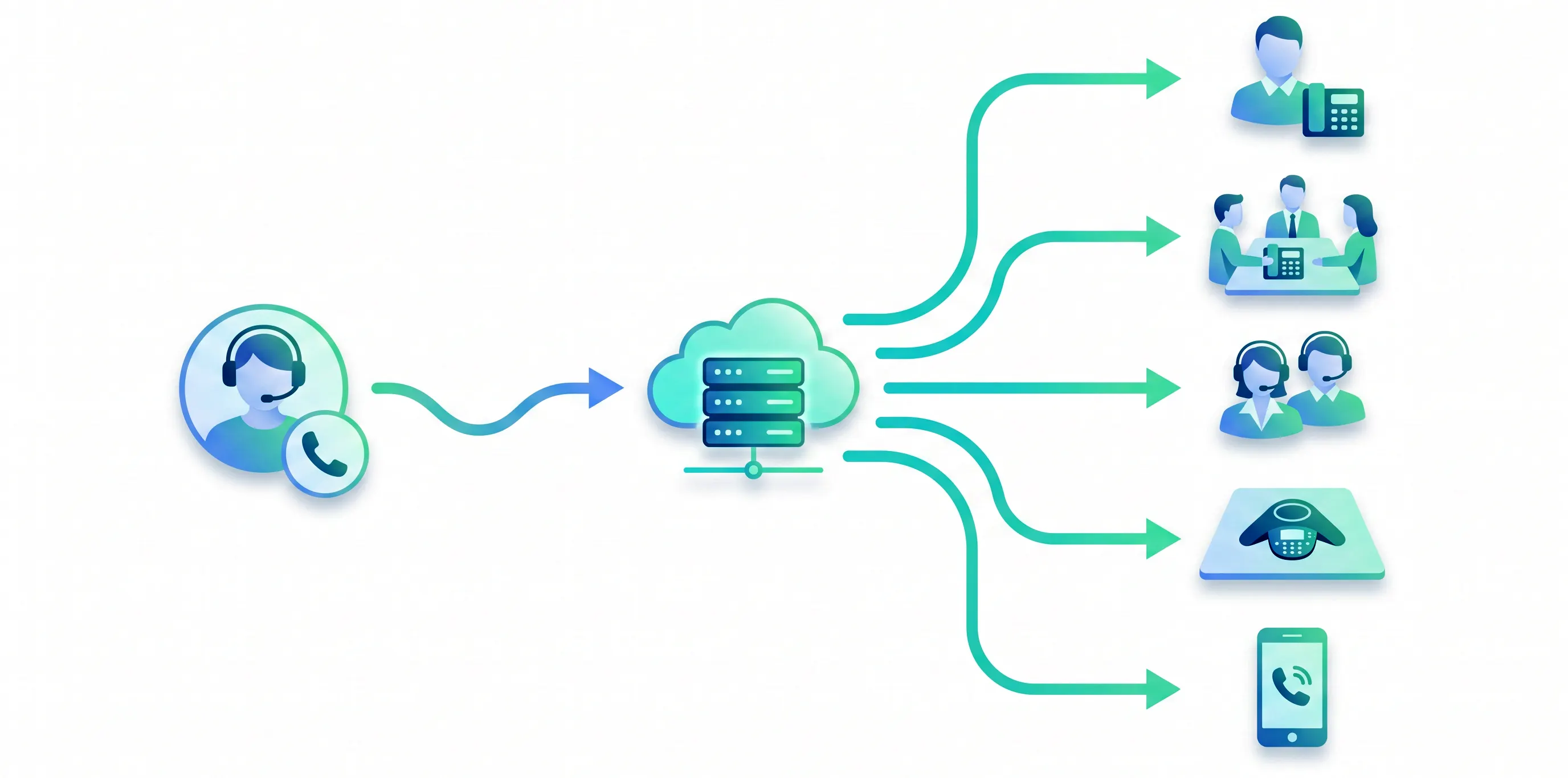
Key takeaway: A PBX, physical or cloud-based, maps each extension to an endpoint. DID lets an outside number route straight to an extension, and in the cloud the extension follows the user instead of a desk phone.
Phone extension vs. direct line (DID): what is the difference?
These two get used interchangeably, and they should not be. The difference decides how easily people reach the person they actually want.
A phone extension is internal. It is a short number reached through the company's main line or auto-attendant. On its own it is not something an outside caller can dial cold from the street; they have to go through the main number first.
A direct line, or DID number, is a full external phone number that rings one specific person or team directly, with no main menu in between. It looks like any normal phone number because it is one.
Most modern systems give a single user both: an internal extension so colleagues can reach them with a few digits, and a DID number so customers can call them directly. Here is how they compare side by side.
| Attribute | Phone extension | Direct line (DID) |
|---|---|---|
| What it is | A short internal number on the phone system. | A full external phone number. |
| How a caller reaches it | Dial the main number, then enter the extension (or use the auto-attendant). | Dial the number directly with no menu or extension required. |
| Number format | 2–5 digits (for example, 204). | Standard 10-digit number (for example, (305) 555-0142). |
| Best for | Internal quick-dial and routing behind one main business number. | Giving customers a direct way to reach a specific representative. |
| Typical cost | Included with the phone system; no additional number to purchase. | Usually billed as a per-number charge by the provider. |
Key takeaway: An extension is an internal shortcut reached through the main line; a DID is a full external number that rings someone directly. Most users have both.
How do you dial a phone extension?
From inside the same phone system, you just dial the extension: pick up, enter 204, done. The interesting part is dialing one from the outside, especially from a cell phone.
The manual way: call the company's main number, wait for the greeting or auto-attendant, then enter the extension when prompted. Many systems also let you enter the extension during the greeting without waiting for the "please enter your party's extension" prompt.
The automatic way (worth saving in your contacts): enter the main number, then one or more commas, then the extension. Each comma is a short pause that gives the line time to connect before the digits are sent. So a contact saved as 15551234567,,204 dials the main number, waits, then punches in extension 204 for you. This is the single most useful trick for anyone who calls the same extension often.
You will also see the shorthand ext. in printed numbers, as in (555) 123-4567 ext. 204. It means exactly this: dial the main number, then reach extension 204 once connected.
When a caller does not know the extension, a good phone system offers a dial-by-name directory, an auto-attendant feature that routes a caller to an employee by keying or speaking the letters of their name, no operator required.
Key takeaway: Internally, dial the extension alone. From outside, go through the main number, or save the number with commas as pauses (e.g. 15551234567,,204) so it dials the extension automatically.
Do you still need phone extensions in 2026?
Short answer: the desk-phone-per-extension world is fading, but the extension itself is not going anywhere. What changed is why you use one.
A decade ago an extension was a physical fact: a wire ran to a phone on a specific desk, and that phone had a number. Today most business users carry their number in an app on a laptop or cell phone. The "desk" is wherever they are. So the old reason for extensions, mapping wires to seats, mostly evaporated.
What survives are the reasons that were never about hardware:
- A clean caller experience. "Press 2 for sales, or dial your party's extension" is still a fast, familiar way to route a caller without publishing everyone's personal number.
- Internal speed. Colleagues reaching each other with three digits instead of a full number is genuinely quicker.
- Privacy and control. One main number out front means you can reorganize who sits behind which extension without reprinting a single business card.
But here is the thing worth saying out loud: for a sales or support team, the real question is not "how many extensions do we have." It is whether an inbound call reaches the right person fast, and whether a missed one gets caught. Extensions are a routing tool. If a caller navigates a menu, lands on extension 204, and hits voicemail because the rep is on another call, the extension did its job and you still lost the conversation. The system around the extension, the ring groups, the routing rules, the follow-up, is what actually protects the pipeline.
Our own call data puts numbers on that gap. Across 6,780,095 inbound calls on Aloware between September 1, 2025 and August 31, 2026 (test and demo accounts excluded), 43.09% ended as a completed call. Those calls averaged 257.77 seconds of talk time. Another 16.19% ended in voicemail, 18.03% were logged as missed, and 19.44% were abandoned: the caller hung up while still waiting. The remaining 3.25% failed or hit a dead end.
The waits matter as much as the outcomes. Callers who abandoned had waited 20.57 seconds on average. Completed calls were picked up after an average wait of 29.78 seconds. Both figures are means across different calls, so they do not say a caller hangs up at second 21. They do show that callers who abandoned had waited 9.21 seconds less, on average, than callers whose calls were completed. Design the path to an extension with that in mind. If extension 204 is the intake line at a law firm or the claims desk at an insurance agency, point it at a ring group so the call has more than one phone to land on. Keep the menu in front of it short. Decide where the call goes when nobody picks up, before the caller decides for you.
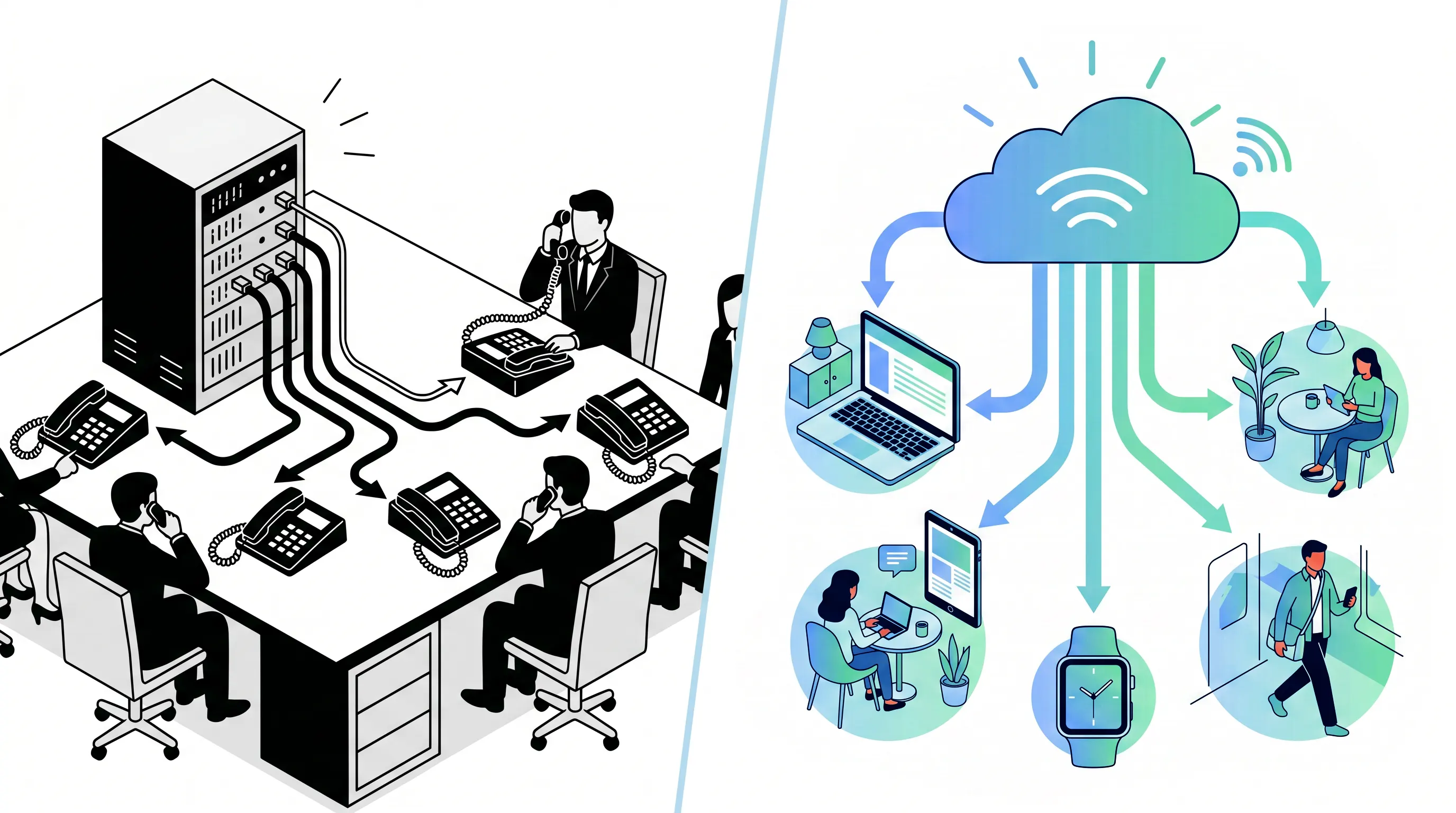
Key takeaway: Extensions still earn their place for clean routing, internal speed, and privacy, but the goal is connecting callers to the right person fast, not the extension number itself.
How Aloware handles extensions and internal routing
Aloware is an AI cloud contact center platform built for CRMs, which means extensions and internal routing are handled entirely in software. There is no PBX in a closet to configure and no per-desk hardware to maintain.
Calls route the way a well-run phone system should. An IVR menu greets callers and sends them down the right path. Ring groups let one published number, say a "sales" line, ring a whole team at once or in order until someone picks up, so a single extension is never a single point of failure. And when you want routing to feel like a receptionist rather than a menu tree, an AloAi voice agent can list the available extensions, capture the caller's spoken or keyed choice, confirm it, and transfer to the right person's line, or simply play an extension directory.
The advantage of running this inside a contact center platform rather than a standalone phone system is that the routing sits next to the CRM. When a call lands, the rep sees the contact record, and the call and its outcome log back automatically. The extension gets the caller to the right desk; the platform makes sure the conversation is captured and followed up, which is the part a plain extension was never built to do.
Want to see cloud-based routing, IVR, ring groups, and an AI voice agent working inside your CRM? Book a 20-minute demo and we will show how calls get to the right person, and what happens to the ones that would otherwise slip through.
Key takeaway: On Aloware, extensions and routing are software, not hardware. IVR menus, ring groups, and an AI voice agent get callers to the right person, and the CRM captures the conversation.

The bottom line
A phone extension is a small, durable idea: one main number out front, short internal numbers routing callers to the right person behind it. The hardware it used to depend on is disappearing, but the routing job is not. In 2026 the extension lives in software, follows the user instead of the desk, and works best when it sits inside a system that does more than connect the call, one that also makes sure the conversation gets answered, logged, and followed up.
Frequently Asked Questions
What is a phone extension?
A phone extension is a short internal number assigned to a specific person, desk, department, or device on a business phone system. Callers reach it by dialing the company's main number and then entering the extension, or by being routed there through an auto-attendant menu. Extensions let one main business number serve an entire organization without publishing a separate outside number for every employee.
How many digits is a phone extension?
Most phone extensions are three or four digits, though systems can use anywhere from two to five. The length is set by whoever configures the phone system, and it usually maps to a logical scheme, for example 2xx for sales and 3xx for support. Shorter extensions are faster to dial internally; longer ones give a bigger organization more room to grow without renumbering.
What is the difference between a phone extension and a direct line?
A phone extension is an internal short number reached through the company's main line or auto-attendant. A direct line, or DID (Direct Inward Dialing) number, is a full external phone number that rings one person straight away without going through the main menu. Many modern systems give each user both: an internal extension for colleagues and a DID number so outside callers can reach them directly.
How do you dial a phone extension from a cell phone?
Call the company's main number, wait for the greeting or auto-attendant, then enter the extension when prompted. To save it in your contacts so it dials automatically, enter the main number followed by commas (each comma is a short pause) and then the extension, for example 15551234567,,204. Some systems also let you enter the extension during the greeting without waiting for a prompt.
Do VoIP and cloud phone systems still use extensions?
Yes. In a cloud or VoIP system, extensions are virtual: they are tied to a user account and a softphone or mobile app rather than to a physical desk phone. The system routes calls by extension number the same way an old PBX did, but the user can answer on a laptop or phone anywhere. You get extensions without buying or maintaining on-premise hardware.
What does ext. mean in a phone number?
The abbreviation ext. stands for extension. A number written as (555) 123-4567 ext. 204 means dial the main number, then reach extension 204 once connected. It is a shorthand way to publish one main line plus the specific internal number for a person or department, instead of a unique external number for each.
Can one extension ring more than one person?
Yes. An extension can point to a single user or to a ring group, where one number rings a whole team at once or in a defined order until someone answers. This is how a business can publish a single 'sales' or 'support' extension that reaches the next available rep rather than one specific person's phone.
Do you need a PBX to have phone extensions?
No. Extensions originated with the on-premise PBX (private branch exchange), but modern cloud phone systems provide the same extension and routing features as software, with no hardware to install. A cloud contact center platform gives you extensions, auto-attendant menus, ring groups, and dial-by-name directories out of the box.
What is a dial-by-name directory?
A dial-by-name directory is an auto-attendant feature that lets a caller reach an employee by keying or speaking the letters of that person's name, and the system routes the call to their extension without an operator. It is useful when callers know who they want but not the extension number, and it keeps a main menu short by handling individual routing automatically.
Does Aloware use phone extensions?
Yes. Aloware is a cloud contact center platform, so extensions and internal routing are handled in software. Calls can route through ring groups and an IVR menu, and an AloAi voice agent can list available extensions, capture the caller's choice, and transfer to the right person's line, or play an extension directory. There is no PBX hardware to manage.
.png)

Ruby Kootval is Head of Product Marketing at Aloware. She has 12 years in digital marketing, including 8 in B2B SaaS and 5 in telecom, and writes about AI voice agents, dialers, CRM integrations, and contact center operations.