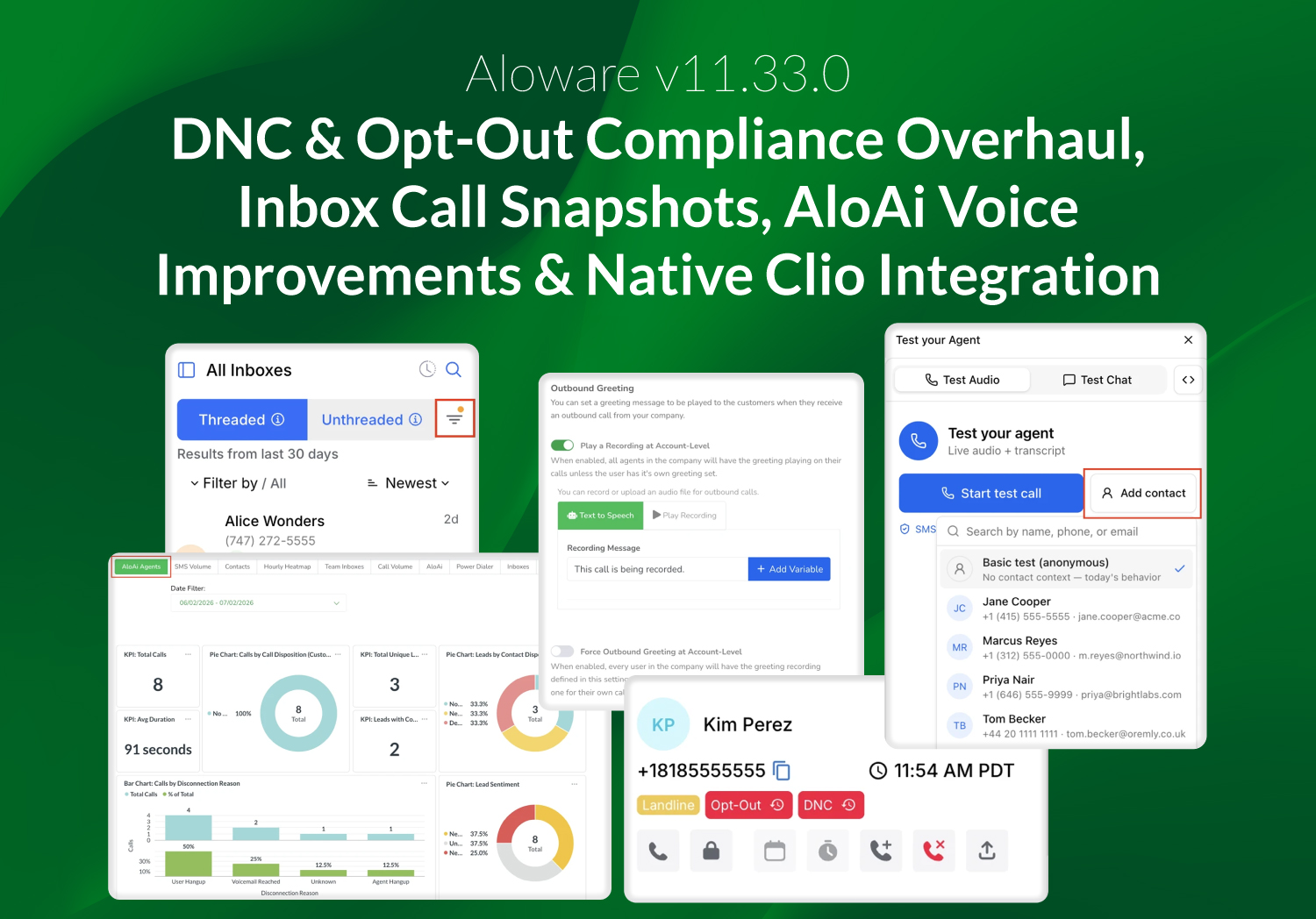
Aloware v11.33.0 delivers a major compliance upgrade to how Do Not Call (DNC) and SMS opt-outs work, greater visibility into how inbound calls move through your agents, and a set of AloAi Voice improvements that make automated calls sound more natural and easier to test. It also introduces Aloware's first native integration with Clio Manage for legal firms.
Stronger DNC and opt-out compliance
Aloware now enforces DNC and SMS opt-outs at the contact level, closing several long-standing compliance gaps in one coordinated update.
A STOP reply from any of a contact's phone numbers now opts out the entire contact, not just the number that replied. DNC and opt-out are also treated as distinct states with clear rules: placing a contact on DNC blocks all outbound calls and texts and also opts them out of SMS, while an SMS opt-out never automatically escalates to a full DNC.
Removing a contact from DNC is now an admin-only action. It requires a logged reason, is gated behind an account-level waiver, and does not re-subscribe the contact to SMS. Because marking a contact as DNC blocks every number and cannot be casually undone, a new two-step confirmation now shows exactly what will happen and requires an explicit acknowledgment before the change is applied.
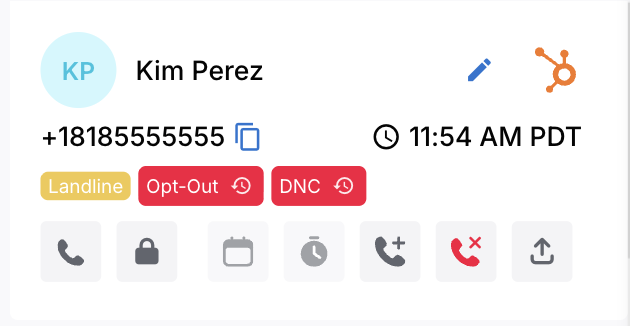
For teams using HubSpot, enforcement now carries through to HubSpot as well, so contacts flagged in Aloware stay protected even if their numbers change on the HubSpot side.
To learn more, see Understanding DNC (Do-Not-Call) rules with Aloware and Contact-level SMS opt-out.
See exactly how a call moved through your agents
Call routing details now capture a fresh snapshot at each stage a call passes through, rather than a single snapshot taken when the call first started.
Each layer shows which agents were involved and their real availability at that moment, along with a timestamp and attempt number, viewable in a paginated view with simple left and right navigation. This makes it far easier to understand why a call reached, or skipped, a particular agent.
To learn more, see Effective call management with Aloware's communication info.
More reliable inbound call handling
The answer and reject pop-up now stays visible for the full duration of the ring. Previously it could disappear mid-ring, leaving agents with no way to pick up a call that was still ringing on their headset. Agents also no longer get stuck flipping between Offline and Available on their own, an issue that was most common when Aloware was open alongside the HubSpot dialer or across multiple browser tabs. Status is now set from a single source after each call, so it stays consistent no matter how many tabs or dialers are open.
Missed-call notifications now arrive promptly instead of after a built-in delay, and the notification "ding" for missed calls and voicemails has been removed. In the dialer, the Leave Voicemail button is now disabled while a call is still ringing and becomes available only once the call connects.
To learn more, see Lines: Routing and IVR settings.
AloAi Voice: More natural, Easier to test
AloAi Voice agents now stay conversational during longer tasks such as calendar booking or knowledge base lookups. Instead of going silent, the agent speaks a natural interim line like "Let me check the calendar, one moment," then delivers the result as soon as it is ready, with configurable filler phrases covering any remaining wait. On outbound calls, agents now wait for the contact to actually answer before starting the greeting, so leads no longer pick up to silence or a half-spoken opening.
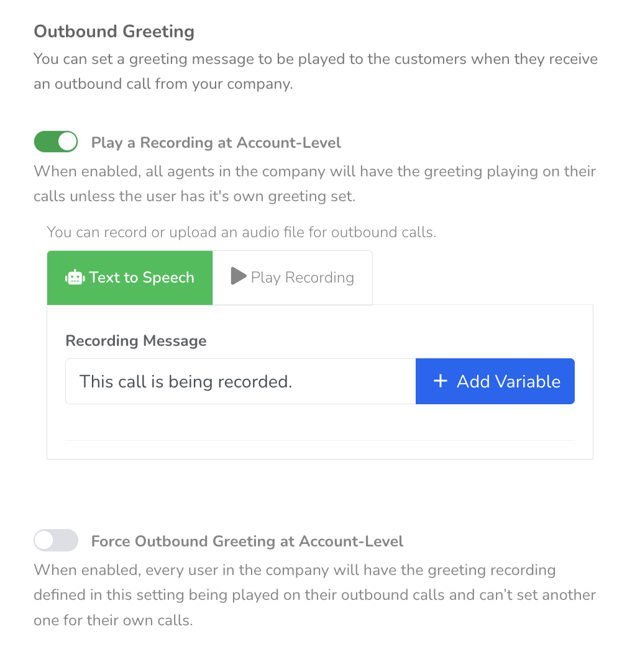
Outbound AloAi calls now play your account's outbound greeting before the agent begins speaking, bringing them in line with the FTC recording disclosure that human-agent calls already play. This requires no per-agent setup.
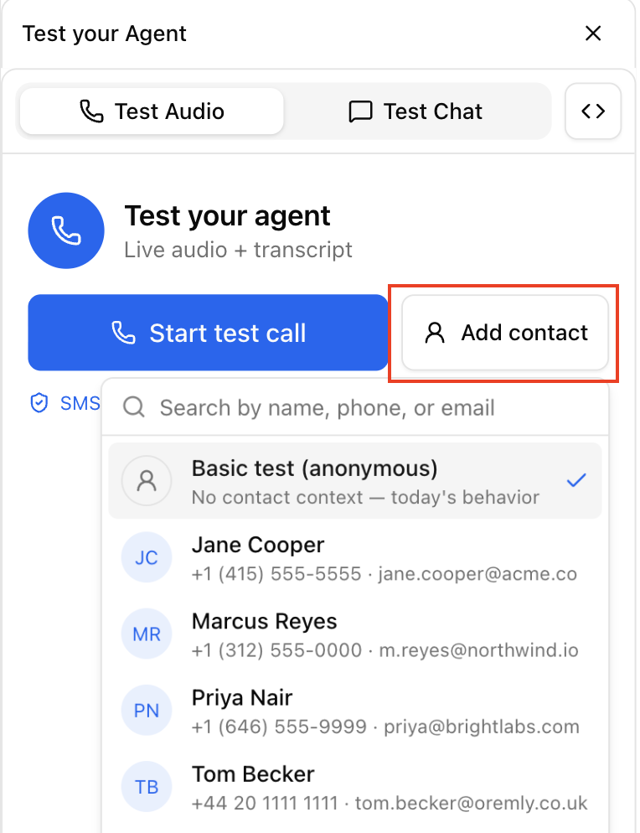
Testing agents is also more accurate. A new "Test as contact" option lets you run the in-browser agent test against one of five fully populated mock contacts, or against a real contact you search for by name, phone, or email. The contact's fields resolve exactly as they would on a live call, so what you test matches what ships. Action-type functions such as sending an SMS never execute during testing.
Agent configuration received several refinements as well.
- The voice and model picker now surfaces recommended providers and models first, each tagged with its tier and a "Recommended" badge.
- The Lines and Scheduling tab now explains each default outbound line option inline.
- And email notifications can now be sent to a Team, which resolves its membership at send time, so call summaries and voicemail alerts reach the right group without notifying your entire organization.
To learn more, see AloAi Agent actions – Admin setup walkthrough (Voice & Text Agents).
New AloAi Agents Report in Insights
Accounts using AloAi Agents now have a self-serve "AloAi Agents" tab in Insights. It shows call volume, disposition breakdown, lead sentiment, and a daily trend, scoped automatically to the logged-in company, with no need to request a report from support. The tab appears only for accounts that have AloAi Agents enabled.
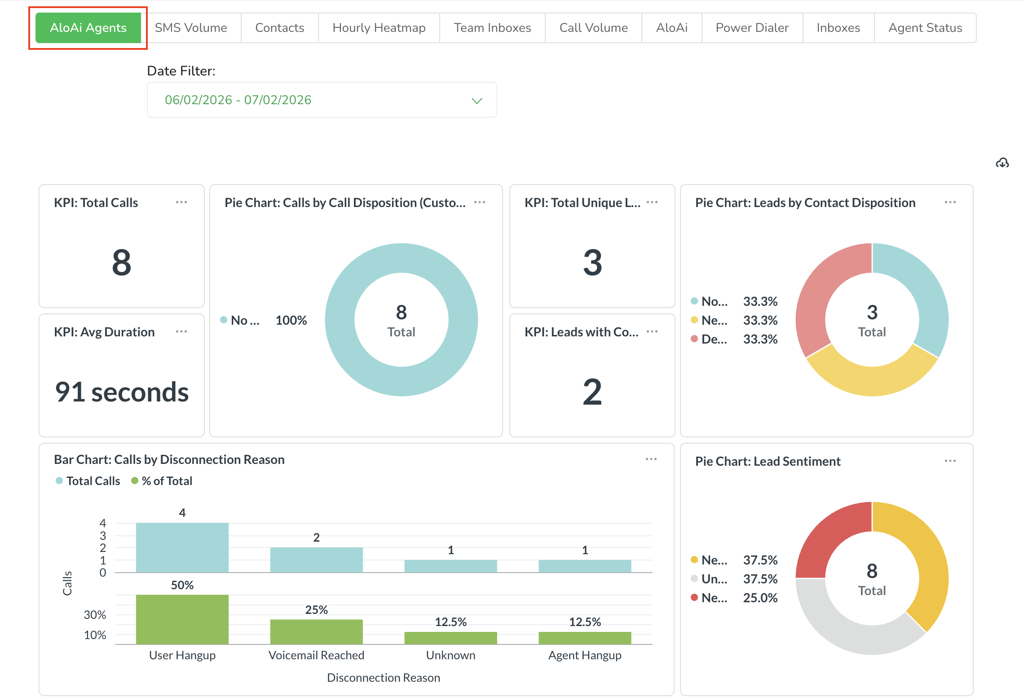
To learn more, see Understanding AloAi conversation insights.
Custom send time for the AVA daily digest
Admins can now choose when the AloAi Voice Analytics Daily Digest is delivered. A new Daily Digest Send Time setting accepts half-hour increments in the account's own time zone. Left unset, the digest continues to arrive at 7:00 PM Pacific. The content still reflects the previous day's data.
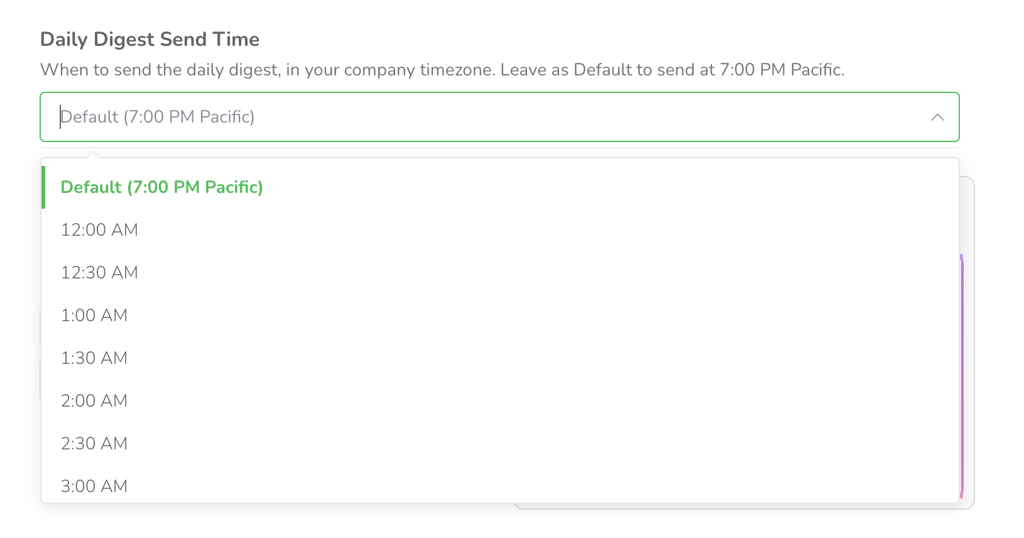
To learn more, see How AloAi generates daily digest reports.
Native Clio Manage integration for legal firms
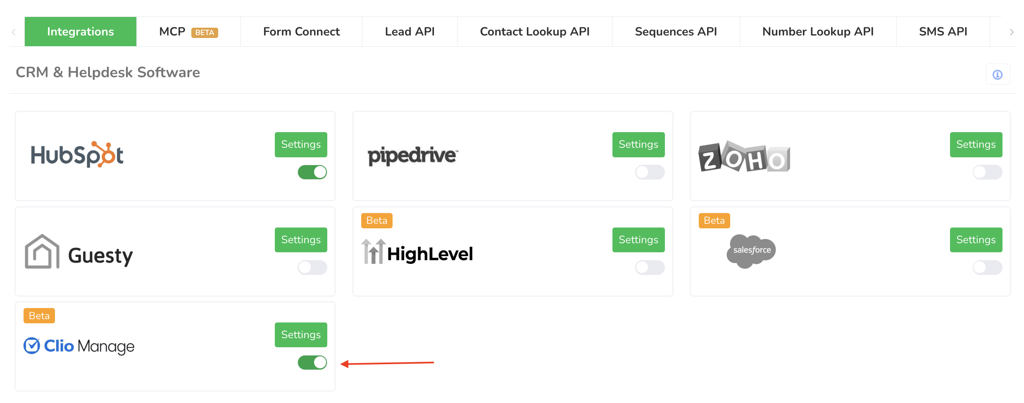
Aloware now integrates natively with Clio Manage, the most widely used case management platform for small and mid-size law firms. With a simple OAuth connection, firms can automate their intake-to-case pipeline: leads are captured and qualified inside Aloware through calls, texts, and AI-assisted qualification, and when a retainer is signed, a Contact, a linked Matter, and all structured intake fields are created automatically in Clio. Only signed retainers reach Clio, keeping the case system focused on active clients.
This release enables Clio Manage for internal demo accounts first, with broader availability to follow. Case-by-case enablement is available for customers who use Clio Manage exclusively.
Inbox and contact improvements
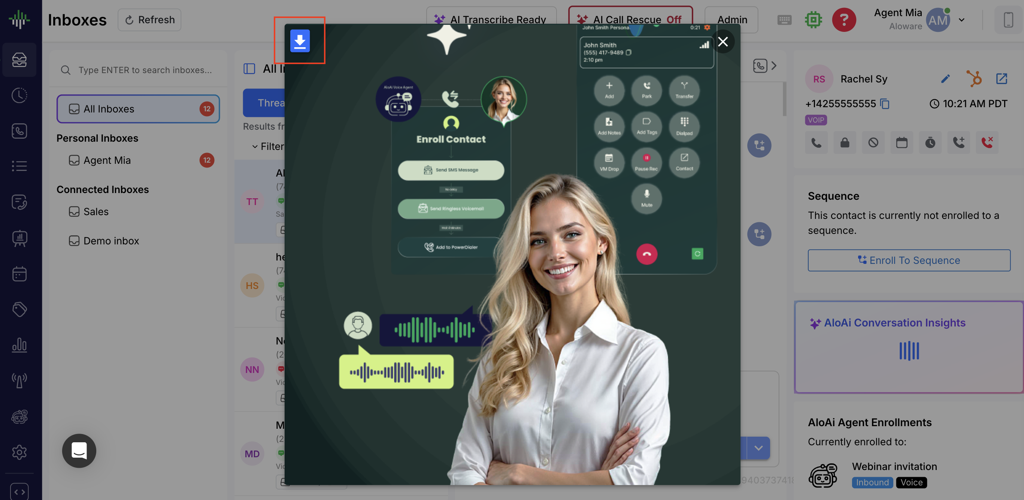
Image attachments in the Inbox now open in an in-app modal preview instead of downloading automatically. Supported formats include PNG, JPG, GIF, and WEBP, and downloading remains available as an explicit action.
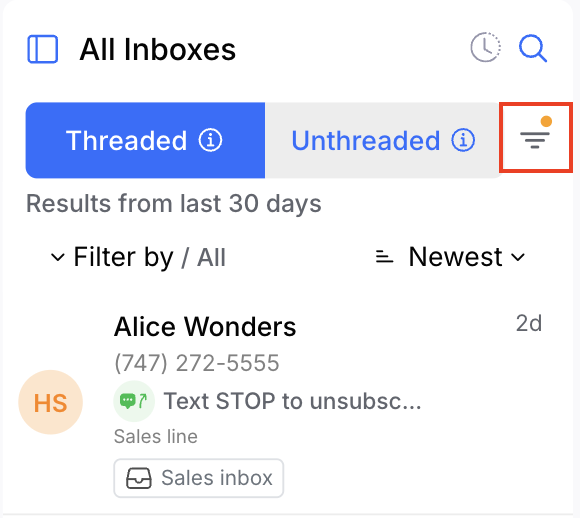
The Inbox also now shows an amber badge on the filter icon whenever a filter is active, along with a contextual empty-state message, so a filtered view is no longer mistaken for an empty or broken inbox.
Contacts with no time zone on record now have one inferred from the phone number's area code, which feeds calling-hour enforcement across the inbox, contact page, and power dialer. If the area code cannot be mapped, such as for VoIP or international numbers, the system falls back gracefully without blocking the call.
To learn more, see How Aloware's automatic timezone detection works.