.jpeg)


TL;DR: the calling window runs on your contact's clock, not yours
Federal telemarketing rules bar solicitation calls to a residential subscriber before 8 a.m. or after 9 p.m. in the time zone where that person actually is, which means a single calling window set on your office clock stops being safe the moment your list crosses a state line. Keeping sessions inside the window is a settings problem, not a training problem.
- The federal window is 8 a.m. to 9 p.m., and the regulation defines it as "local time at the called party's location" (47 CFR § 64.1200(c)(1)).
- State rules narrow it. Texas permits solicitation only after 9 a.m. and before 9 p.m., and not until noon on Sunday.
- Texas now counts texts as solicitation. S.B. 140 expanded the definition to cover a text, graphic or image message, effective September 1, 2025.
- Reps are the wrong control. The limit has to live in four places at once: account settings, session settings, sequence schedules and broadcast schedules.
- One window across four time zones is not one rule. Either narrow the window to the safe overlap or run one session per zone.
Most outbound teams set one calling window during setup and then dial four or five time zones through it. A session that opens at 7:30 a.m. in Phoenix is already ninety minutes late on the East Coast, and nobody catches it, because the dialer did exactly what it was configured to do.
I have sat through enough onboarding reviews to know how this happens. An admin sets business hours once, using the hours the office actually works. Nobody revisits the setting when the team starts buying leads outside the region, and a compliance control quietly turns into a compliance assumption.
The cost is not only regulatory. A 7 a.m. text to a Boston number does not just create exposure, it comes back as an angry reply that lands in your team's shared inbox and burns a lead you paid for. Bad timing costs you the conversation before consent ever becomes the argument.
What are the legal calling hours?
Under federal telemarketing rules, a telephone solicitation may not be initiated to a residential telephone subscriber before 8 a.m. or after 9 p.m. The regulation states the window as "local time at the called party's location", which is the clause that does all the operational work. The hours are fixed. The clock they are measured against moves with every contact on your list.
Two things sit outside this window and get confused with it constantly. Consent is a separate question, and it governs whether you may place the call at all rather than when: if you are working bought or scraped records, start with whether you have consent to call that list at all. Do-not-call status is separate again, and it survives regardless of what time you dial.
Key takeaway: the hours are federal and fixed, but they are enforced against the recipient's local time, so the window is a per-contact rule wearing an account-level costume.
Whose clock does the window run on?
Your contact's. That single fact is what breaks the common setup, because a dialer window is a pair of times you type into a settings screen, and those times belong to whoever typed them.
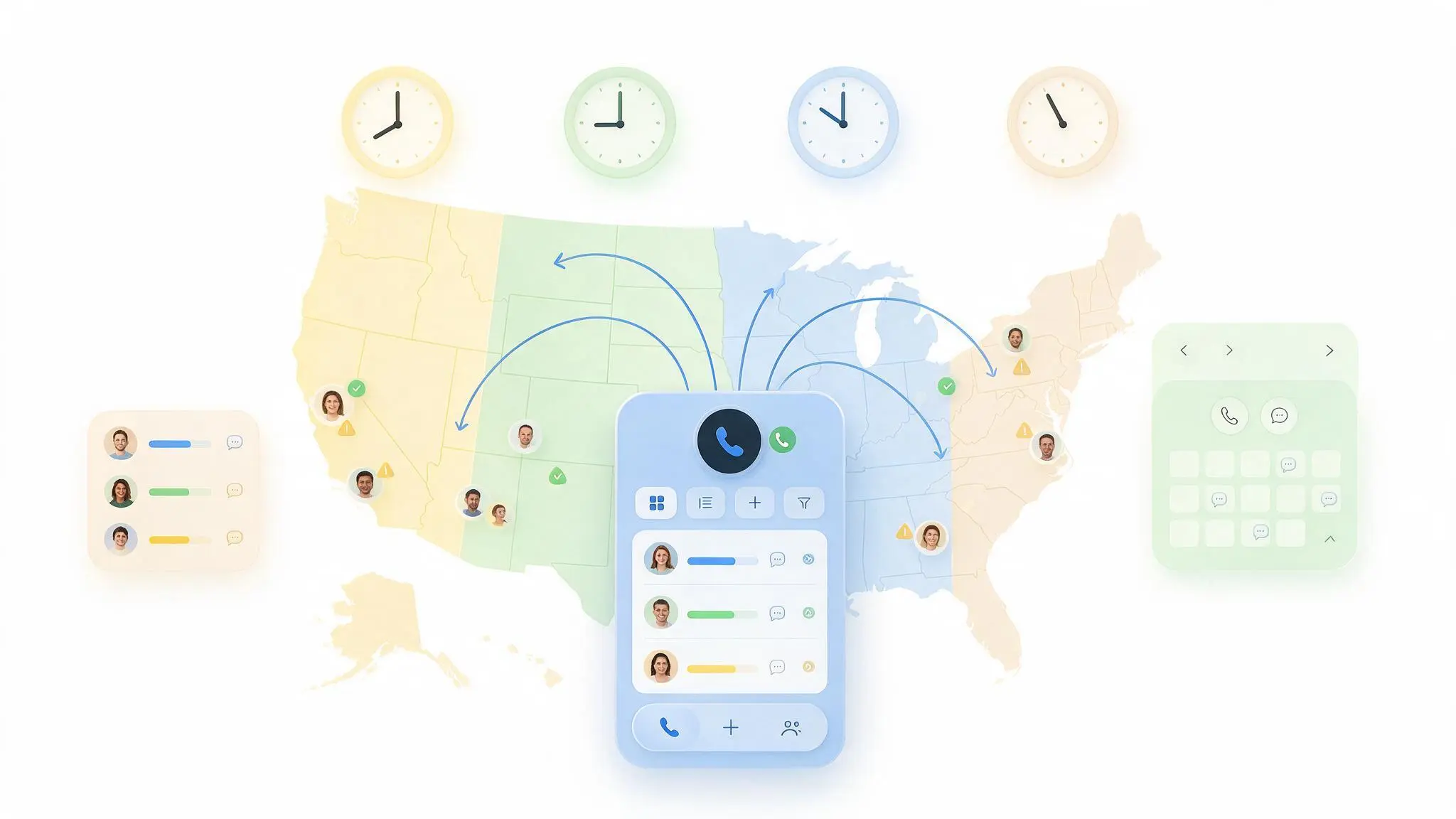
Work the arithmetic on a list that spans the continental United States. If your window opens at 8 a.m. Pacific, the East Coast is already at 11 a.m. and you have burned three legal calling hours. If it opens at 8 a.m. Eastern, it is 5 a.m. in California and every West Coast dial in the first three hours is outside the federal window. The same is true at the other end of the day: 9 p.m. Pacific is midnight in New York.
Wrong: one window, four time zones. Right: one session per zone, or a window narrowed to the overlap where every contact on the list is inside 8 to 9 locally.
The narrow-overlap approach is the simpler of the two. For a coast-to-coast list, a window of 11 a.m. to 6 p.m. Eastern keeps every contact between 8 a.m. and 9 p.m. locally, at the price of a shorter dialing day. The segmentation approach keeps the full day and costs you an extra session per zone. Teams that run real volume end up segmenting, because three extra hours of dial time per rep per day is not a rounding error.
Key takeaway: pick deliberately between a narrow window and per-zone sessions. Defaulting to your own office hours is choosing neither.
Which state rules narrow the window further?
State mini-TCPA laws layer stricter windows on top of the federal one, and the strictest applicable rule wins. Texas is the worked example worth knowing, because it moved recently and it moved toward texts.
Texas permits a telephone solicitation only after 9 a.m. and before 9 p.m., and on Sunday only after noon. Then S.B. 140 redefined "telephone solicitation" to include a transmission of a text or graphic message or of an image, effective September 1, 2025. Marketing SMS to Texas residents now sits inside the state telemarketing regime, quiet hours included, with registration duties for sellers who do not qualify for an exemption.
Other states run their own variations, and this is the point where an operations walkthrough stops and counsel starts. Whether a specific state law reaches your business, and whether an exemption applies, is a question for your own legal advisor rather than your phone system.
Key takeaway: build to the strictest window that applies to any segment you call, then treat Sunday as its own rule rather than an afterthought.
How to enforce the window on dials, sequences and broadcasts
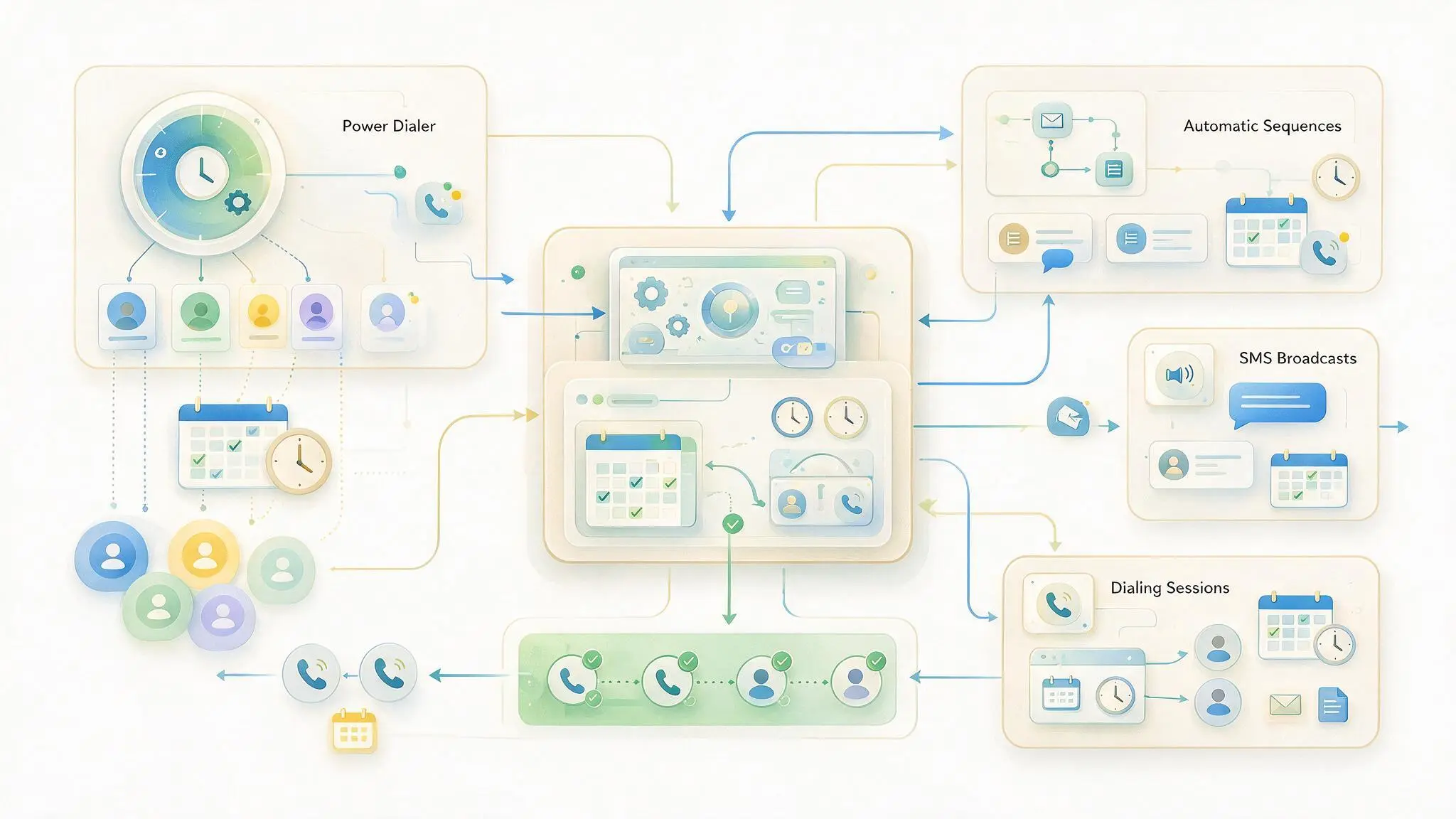
Four surfaces place outbound traffic, and each one has its own schedule. Setting the window on one of them and assuming the rest inherit it is the most common gap. Here is the order to configure them in, and each path below is documented step by step in the Help Center.
- Set the account-level dialing window. In Alo Admin, go to Account → Power Dialer Settings and set the Open Time and Close Time. Every dialing session on the account runs inside this range. Set it to the strictest window that applies to the segments you call, not to your office hours.
- Make each session obey the window. Go to Account → Power Dialer Settings → Power Dialer Session Settings → Session Settings and enable Skip Outside Daytime Hours. Agents can set the same toggle per session in Talk under Power Dialer → Start Dialing. With it on, only contacts inside the Open and Close times are dialed, and contacts outside the window are pushed to the bottom of the list rather than failed, so nobody has to rebuild the list to catch them later.
- Put the same limits on sequences. Under Sequences → New Sequence, set Process On to Business Days, set Day Schedule to Set Time Range, and enter the Start Time and End Time for the whole sequence. Then constrain individual steps: Add Step → pick the Step Type → under Delay, choose Time of Day. One behavior to plan around: if the previous step finishes after a step's scheduled time of day, that step runs the following day instead of firing late.
- Put the same limits on broadcasts. Bulk sends have their own ceiling under Account → General Settings → Broadcast Settings → Business Hours for Broadcasts. Per send, Broadcast → New Bulk Message lets you choose Send now or Pick a time, and Talk offers the same under Broadcast → Select Contacts → Select Message → Set Schedule. A time earlier than the allowed window is moved to the earliest available hour that day, and a time after it is rescheduled to the next day's first available slot.
- Segment the list by time zone. This is the step that turns the settings above into actual compliance. Aloware keeps a Timezone property on the contact record and syncs it with your CRM, and Power Dialer lists can be custom-sorted on default and custom CRM fields, with the saved sort setting the dialing order when the session starts. Build one list per zone, or sort by time zone so a session works a single zone at a time, and set the window to match the zone you are calling.
Step 5 is the one teams skip. Steps 1 through 4 give you a window; step 5 is what makes the window mean the same thing for every contact inside it. If you only have appetite for one change this week, make it that one.
Want to see how the same scheduling logic applies once conversations are automated? Look at how automated SMS follow-up is built, then see how AloAi Text Agent handles inbound SMS at scale inside those same hours.
Key takeaway: configure all four surfaces in one sitting, and treat the time-zone segmentation step as mandatory rather than optional polish.
What the calling window does not cover
A correct window is one control among several, and two adjacent mechanisms get miscredited to it constantly. Both are worth stating precisely, because believing you are covered when you are not is worse than knowing you have a gap.
- A reply of STOP suppresses texts, not calls. In Aloware, SMS opt-out blocks outbound texts to every phone number on that contact while calling stays available. Only the Do Not Contact state blocks calls and texts together, and setting DNC also sets SMS opt-out. The reverse never happens automatically, because some people want calls and not texts.
- Your platform's suppression list and the national registry are different things. Aloware's suppression system enforces the opt-out and DNC intent captured inside your own account, stored per account and preserved even if a contact is deleted and re-imported. Screening against the national and state do-not-call registries is a separate obligation with its own process, so plan for it separately.
Calling hours, consent, opt-out state and registry status are four independent gates, and traffic has to clear all four. Aloware's compliant calling controls and the power dialer handle the hours and the suppression states; the other two are yours to run.
Key takeaway: a clean calling window proves nothing about consent, opt-out or registry status. Track them separately or you will assume coverage you do not have.
Common mistakes to avoid
- Setting the window to your office hours. Your working day is not a legal window. Set it from the strictest rule that applies to the segments on your lists.
- Configuring the dialer and forgetting sequences and broadcasts. Automated steps place traffic without a human present, which makes them the likeliest source of an off-hours send.
- Treating Sunday like every other day. Texas alone is enough to break a schedule that assumes a uniform seven-day window.
- Leaving the time-zone field empty. A segmentation strategy built on a blank field sorts nothing. Audit how many contacts actually carry a time zone before you rely on it.
- Assuming a manual dial is exempt. The window applies to the solicitation, not to the mechanism that placed it.
- Never re-auditing. Territories change. Re-check the window whenever the team starts calling a region it was not calling last quarter.
Key takeaway: the failure is almost never the dialer. It is a setting that made sense when it was entered and was never revisited when the territory changed.
The bottom line
Calling hours look like a fact to memorize and behave like a system to configure. The rule itself takes one sentence: 8 a.m. to 9 p.m. where your contact is, narrower in states like Texas, and Sunday is its own case. Everything after that is whether your account window, your session settings, your sequence schedules and your broadcast schedules all agree with each other, and whether your lists are organized so the window means one thing rather than four.
Do this today: open your Power Dialer settings, compare the Open and Close times against the time zones actually represented in your active lists, and fix whichever of the two is wrong. It takes ten minutes and it is the difference between a control and an assumption.
Book a 20-minute demo and we will walk through calling-window setup, session settings and time-zone segmentation inside your own CRM.
Frequently Asked Questions
What are the legal calling hours under the TCPA?
Federal telemarketing rules bar a telephone solicitation to a residential telephone subscriber before 8 a.m. or after 9 p.m. The regulation, 47 CFR section 64.1200(c)(1), defines that window as local time at the called party's location, so the hours are fixed but the clock they are measured against belongs to the person you are calling. State laws can narrow the window further, and where they do, the stricter rule is the one you have to build to. Calling hours are also only one of several gates on an outbound call. Consent and do-not-call status are separate questions that apply regardless of what time you dial.
Whose time zone do TCPA calling hours use?
The recipient's. The federal rule specifies local time at the called party's location, not the time zone your office or your dialer runs on. This is the detail that breaks most outbound setups, because a calling window is a pair of times someone typed into a settings screen, and those times belong to whoever typed them. On a list that spans the continental United States, a window opening at 8 a.m. Pacific has already skipped three legal calling hours on the East Coast, and a window opening at 8 a.m. Eastern places every West Coast dial before 5 a.m. locally. Either narrow the window to the overlap where every contact is inside 8 to 9 locally, or segment lists by time zone and run one session per zone.
Do TCPA calling hours apply to text messages?
Marketing text messages are treated as telephone solicitation under federal telemarketing rules, so the same time restrictions apply to them. Several states have made this explicit in their own statutes. Texas S.B. 140, effective September 1, 2025, expanded the state definition of telephone solicitation to include a transmission of a text or graphic message or of an image, which puts marketing SMS to Texas residents inside the state telemarketing regime and its quiet hours. In practice this means the scheduling controls on bulk sends and automated sequences matter as much as the ones on your dialer, because those surfaces send without a person present to notice the clock.
What are the calling hours for sales calls and texts in Texas?
Texas Business and Commerce Code section 301.051 permits a telephone solicitation only after 9 a.m. and before 9 p.m., and on Sunday only after noon and before 9 p.m. That is narrower than the federal window at both the morning end and on Sundays. Since S.B. 140 took effect on September 1, 2025, the state definition of telephone solicitation also covers text, graphic and image messages, so marketing SMS to Texas residents falls under the same hours. The law also carries registration duties for sellers who do not qualify for an exemption. Whether your business is covered or exempt is a question for your legal counsel, not something a phone system can determine for you.
Where do I set calling hours in Aloware?
There are four places, and they are configured separately. For the dialer, go to Alo Admin, then Account, then Power Dialer Settings, and set the Open Time and Close Time. To make individual sessions respect that range, enable Skip Outside Daytime Hours under Account, Power Dialer Settings, Power Dialer Session Settings, Session Settings; agents can also toggle it per session in Talk under Power Dialer, Start Dialing. For sequences, set Process On to Business Days and Day Schedule to Set Time Range when creating the sequence. For bulk sends, set Business Hours for Broadcasts under Account, General Settings, Broadcast Settings. Setting one of the four does not configure the others.
What happens to contacts who fall outside the calling window during a session?
With Skip Outside Daytime Hours enabled, only contacts inside the Open and Close times are dialed, and contacts that fall outside the window are pushed to the bottom of the list rather than being failed. That distinction matters operationally, because it means nobody has to rebuild a list or manually re-add records to reach those contacts later in the day. The session simply keeps working through the contacts it is currently allowed to call. Broadcasts behave similarly at the scheduling layer: a send time earlier than the allowed window is moved to the earliest available hour that day, and a time after the window is rescheduled to the first available slot the next day.
Do calling-hour settings apply to sequences and broadcasts, or only the dialer?
Each surface carries its own schedule, so the dialer setting does not govern the others. Sequences have a sequence-level window, set with Process On and Day Schedule when you create the sequence, plus per-step timing you configure under Delay by choosing Time of Day. Broadcasts have an account-level ceiling under Broadcast Settings, plus a per-send schedule. This is the most common gap in an otherwise careful setup, because sequences and broadcasts send without a person watching, which makes them the likelier source of an off-hours message. Configure all four surfaces in one sitting and re-check them whenever your team starts calling a region it was not calling before.
Does replying STOP stop phone calls as well as texts?
No. In Aloware, an SMS opt-out blocks outbound texts to every phone number on that contact, while calling remains available. Calls stop when the contact is set to Do Not Contact, which blocks calls and texts together. Setting DNC also sets SMS opt-out automatically, but the reverse never happens, because some people are happy to take a call and simply do not want texts. Opt-out and DNC state are stored per account and preserved even if a contact is deleted and later re-imported, so the state cannot be reset by re-adding the record. Screening against the national and state do-not-call registries is a separate obligation with its own process.
.png)

Brandi Rice is the VP of Revenue at Aloware, focused on the operational side of running a contact center: SDR onboarding, connection-rate diagnostics, A2P 10DLC and STIR/SHAKEN compliance, healthy calling behavior, and the KPIs that predict revenue. She writes for sales managers, RevOps leaders, and ops practitioners.
.webp)