TL;DR
A power dialer only moves the needle when the loop is closed: clean CRM lists in, structured dispositions out, and every next step triggered automatically. The biggest pickup rate killers aren't call volume — they're bad phone data, missing dispositions, and numbers that get spam-flagged from hammering the same leads. Fix those first. Then layer in speed-to-lead prioritization rules (newest leads first, SLA timers, time-zone filters) so your dialer queue is always working the highest-intent records. Protect your caller ID with Local Presence, STIR/SHAKEN, and NumberGuard. And make sure your dialer, SMS, and CRM share one timeline — not three — so reps never double-touch a lead or lose a follow-up.
Power Dialer Workflows in Your CRM: How to Boost Volume
If your reps are ripping through a call list and still "can't get anyone," the problem usually isn't effort. It's the loop. A power dialer only helps when every attempt lands on the right CRM record, the outcome is captured in one click, and the next step is queued automatically—before the rep moves on.
This guide shows what that closed-loop workflow looks like in real life: how teams build CRM lists that stay clean, prioritize the newest leads to cut speed-to-lead, protect pickup rates by dialing in a way carriers trust, and keep compliance from turning high-volume outreach into a fire drill. You'll also see where teams get stuck (bad dispositions, duplicates, missing consent fields) and what to fix first so dialing faster actually produces more conversations.
When the CRM and dialer share the same record IDs and timelines, list calling stops feeling like data entry. It becomes a repeatable motion your managers can coach and your reps can run all day without losing follow-ups.
What Is a Power Dialer in a CRM (and What It Is Not)?
A power dialer inside a CRM is a calling workflow that automatically moves a rep through a predefined list of contacts, one call at a time, while writing the results back to the right CRM record. The point is simple: higher call volume without turning each call into a logging task.
In practice, a CRM-based power dialer pulls from CRM objects (Leads, Contacts, Deals, Tickets), dials the next eligible record, then requires a clean outcome like "Connected," "No Answer," or "Wrong Number." It also captures notes, call recordings, and next steps so your pipeline and tasks stay accurate.
Power Dialer vs Manual Dialing vs Predictive Dialers
These three approaches solve different problems, and mixing them up leads to bad expectations.
- Manual dialing: a rep clicks a number, talks, then remembers to log the call. It is flexible but slow, and data quality depends on rep discipline.
- Power dialing: the dialer queues the next call after the rep finishes the current one. It keeps human pacing and works well for outbound list calling, inbound lead follow-up, and support callbacks.
- Predictive dialing: the system dials multiple numbers per available agent and uses algorithms to predict when an agent will free up. Predictive dialers can maximize connects, but they raise compliance and customer experience risks (abandoned calls, "dead air") and often fit larger call centers with tighter controls.
If your team sells high-consideration services (real estate, lending, recruiting), power dialing usually matches the needed talk track quality better than predictive dialing.
CRM-native means the dialer does not treat the CRM as an export file. It logs each call to the correct record automatically, writes the chosen disposition, updates custom fields (for example, "best time to call"), and triggers follow-up actions like tasks, sequences, or an SMS template. Tools that do this well include HubSpot calling integrations, Salesforce Sales Engagement setups, and CRM-first platforms like Aloware, where calling and texting activity syncs in real time.
How Do CRM-Native Power Dialer Workflows Work End to End?
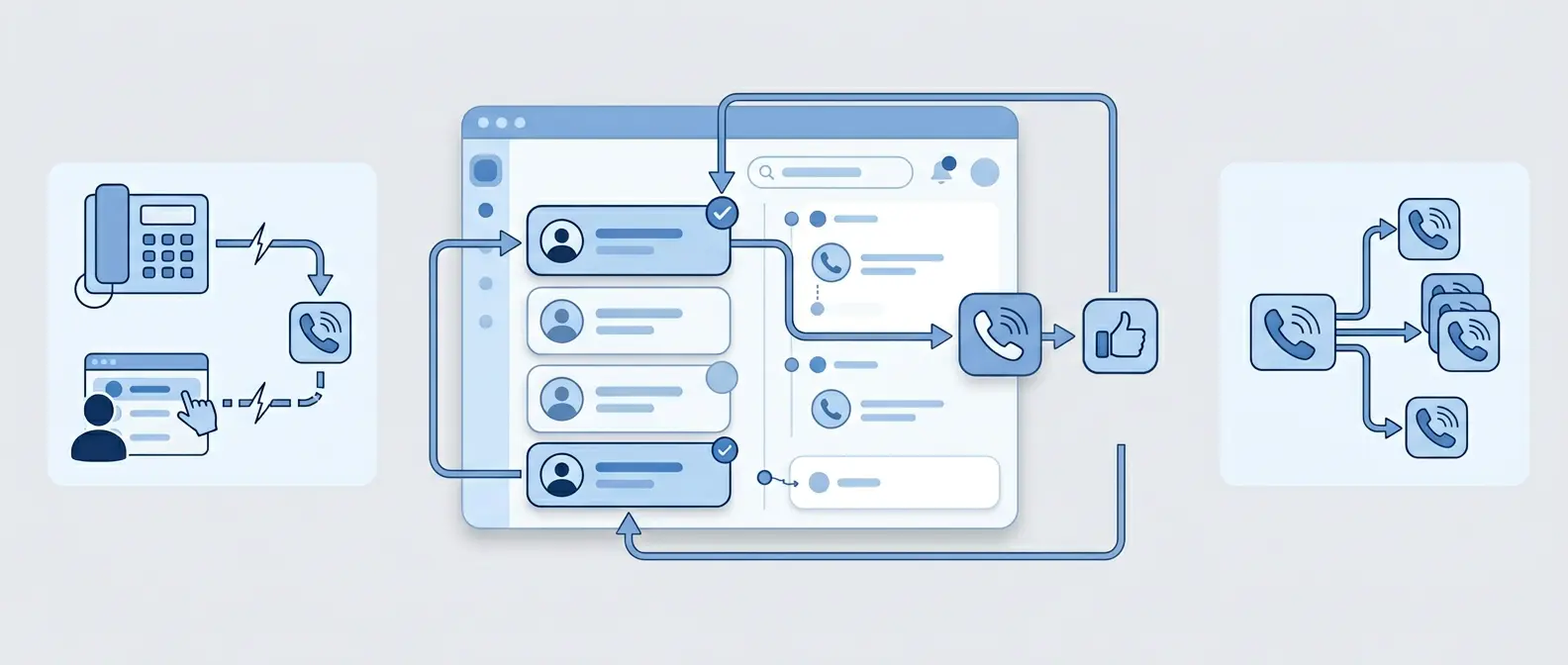
A CRM-native power dialer workflow is a closed loop: you build a list from CRM data, dial through it, save a disposition, and the CRM schedules the next action on the same record. When the loop works, reps spend time talking, not hunting for numbers or rewriting notes.
Here is the end-to-end loop most teams run for outbound, inbound follow-up, reactivation, and callbacks:
- Build a calling list from CRM filters. Use saved views like "New Inbound Leads (last 15 minutes)," "No Answer, Call Back Today," or "Re-Engage 90+ Days." Filter by owner, time zone, consent status, lifecycle stage, and last touch timestamp so reps do not dial the wrong people.
- Start dialing from the list. The dialer pulls the next record, shows the CRM context (source, last notes, open deal, last SMS), then places the call. For teams on HubSpot or Salesforce, this usually runs inside the CRM UI or a connected dialer panel.
- Capture outcomes in structured fields. After each attempt, the rep selects a disposition like Connected, Left Voicemail, No Answer, Wrong Number, or Do Not Call. The dialer writes the outcome, timestamp, duration, and recording link back to the CRM activity history.
- Write the note once, on the right record. Good setups attach notes and tags to the same Lead or Contact, and also roll them up to the Account and Deal when relevant. This matters in industries like real estate and home improvement, where multiple people share one household decision.
- Trigger the next step automatically. The disposition should create a follow-up task, enroll the lead in a sequence, send a post-call SMS template, or update a field like "best time to call." For example, "No Answer" can create a task for 3 hours later, while "Qualified" can move the deal stage and notify a manager in Slack.
- Sync across channels and users in real time. The next rep should see the latest call, SMS, and task instantly. CRM-first platforms like Aloware also sync texts and calls to the same timeline so teams avoid duplicate outreach and missed callbacks.
What "Synced Back to the Right CRM Record" Actually Means
Each call should map to the correct Lead or Contact, and also relate to the right Account and Deal when your CRM supports associations. If your integration cannot reliably match by record ID and falls back to phone number matching, you will see duplicates, broken attribution, and follow-ups assigned to the wrong owner.
How Do You Cut Speed-to-Lead Using CRM Prioritization Rules?
Duplicates and mis-assigned owners kill speed-to-lead because reps waste time hunting the "right" record. A power dialer fixes the calling motion, but CRM prioritization rules decide whether the first attempt happens in 2 minutes or 2 hours.
Speed-to-lead is a workflow metric: the time from lead creation (or form fill) to the first outbound attempt logged on that Lead. If your CRM can't sort and route reliably, your dialer queue becomes a random list.
Power Dialer Prioritization Rules That Cut Time-to-First-Attempt
Use a simple, explicit priority model that your CRM and dialer can enforce. Start with these rules and tighten them over time:
- Route first, then queue. Assign ownership immediately using your CRM's assignment rules (HubSpot Workflows, Salesforce Lead Assignment Rules, Zoho CRM Assignment Rules). If the owner field is blank, the record should be ineligible for dialing.
- Call newest leads first. Sort the dialer list by "Created date" or "Last inbound activity" descending. Lock the list so reps cannot cherry-pick older records.
- Score intent, then bump priority. Increase priority when the lead has high-intent signals: demo request, pricing page view, inbound call, or a reply SMS. Use HubSpot lead scoring, Salesforce Einstein Lead Scoring, or a custom score field.
- Enforce an SLA timer. Create an "SLA due" timestamp (for example: created_at + 5 minutes). When the timer expires without a logged attempt, escalate: reassign to a round-robin pool, alert in Slack, or create a manager task.
- Respect time zones and quiet hours. Filter by lead time zone and permitted calling window. This keeps your queue fast without racking up no-answers at 8 a.m. local time.
Real-world example: a home improvement team can run two live queues, "New Inbound (0-15 min)" and "No Answer, Retry Today," with dispositions automatically setting the next list membership and follow-up task.
Platforms that sync calls, dispositions, and timestamps back to the CRM in real time (including Aloware) make these rules enforceable because the queue updates the moment a rep logs "No Answer" or "Follow-Up Scheduled."
How Do You Increase Pickup Rates Without Getting Labeled Spam?
High-volume power dialer queues fail when carriers and consumers stop trusting your numbers. Pickup rate drops first, then you see "Spam Likely," higher voicemail rates, and more angry replies. Fixing it comes down to identity, consistency, and dialing hygiene.
- Show a recognizable caller identity: use stable numbers for each team or region, then keep them warm with steady daily traffic.
- Verify and publish your identity: set up STIR/SHAKEN attestation and CNAM so calls look legitimate on more endpoints.
- Dial like a human team: cap retries, vary attempt times, and stop hammering the same lead.
- Protect your number pool: quarantine numbers that start getting flagged and rotate responsibly.
Local Presence, Trust Signals, CNAM, and STIR/SHAKEN
Local Presence increases pickup rates by matching the outbound caller ID to the prospect's area code or region. Use it selectively. If you sell statewide or nationally, keep a consistent "home" number for follow-ups after the first connect so the contact recognizes you.
CNAM (Caller Name) is the name some US carriers display with your number. CNAM databases vary by carrier, and updates can take time, but a clean business name beats a blank label. Register CNAM through your voice provider or a managed platform, then keep the formatting consistent with your legal business name.
STIR/SHAKEN is a caller ID authentication framework carriers use to reduce spoofing. In plain terms, your provider signs the call so downstream carriers can trust it. Aim for the highest attestation level your provider can support for your use case, because weak attestation correlates with more blocking and labeling. The FCC tracks the program at fcc.gov/call-authentication.
Dialing hygiene is where most teams lose ground. Set clear CRM rules: stop after a defined number of attempts, space attempts across different hours, and auto-apply "Do Not Call" immediately when requested. If a number starts getting flagged, pull it from the power dialer rotation, investigate list quality, and use a protection feature such as Aloware's NumberGuard to monitor labeling risk and reduce repeat damage.
Keep your data clean. Wrong numbers, recycled leads, and missing time zones create the exact calling patterns carriers associate with spam.

The Contrarian Fix: Stop Dialing More—Fix Dispositions, Data, and Follow-Up First
Bad data creates the same calling patterns carriers associate with spam, and it also wrecks your power dialer math. If 20% of your list has wrong numbers, missing time zones, or duplicates, you can dial faster and still talk to fewer humans per hour.
The contrarian move is to pause "more dials" and fix the workflow inputs that decide whether a call turns into a next step.
Fix the Four Workflow Killers That Tank Connects Per Hour
- Unreliable dispositions. If reps pick random outcomes, your CRM cannot build the right next queue. Fix it by limiting dispositions to 8-12 options, defining each with one sentence, and requiring a disposition before the next call. Map every disposition to a specific action (task due time, sequence enrollment, field update).
- Dirty phone data. Standardize to E.164 formatting, store one primary number, and quarantine "maybe" numbers. Run regular dedupe and validation. In HubSpot, use Operations Hub tools and workflows; in Salesforce, use Duplicate Rules and Matching Rules. For number validation, teams commonly use Twilio Lookup or Telesign (phone intelligence and verification).
- No voicemail drops and SMS plan. Reps waste prime calling time typing the same message. Create two voicemail drops and 3 to 5 SMS templates tied to dispositions (Left Voicemail, No Answer, Follow-Up Scheduled). Add an automatic post-call text for missed connects when consent allows, and log it to the same CRM record as the call.
- Disconnected tools. When your dialer, SMS app, and CRM each keep their own timeline, reps double-touch every lead. Require real-time activity sync: call outcome, notes, recording link, and next task all write back to the Lead or Contact immediately. CRM-first systems like Aloware can keep calls and texts on one interaction timeline, which reduces duplicate outreach.
Measure the fix with two numbers: connects per hour and disposition accuracy (percent of calls with a valid outcome). When those rise, volume follows without burning your numbers or your team.
How Aloware Supports CRM-Native Power Dialing, Texting, and AI QA
When connects per hour and disposition accuracy rise, the next bottleneck is usually tool sprawl. A power dialer works best when calling, texting, routing, compliance controls, and QA all write back to the same CRM timeline with the same record IDs.
Aloware fits when you want CRM-native calling and texting without forcing reps to bounce between a dialer tab, an SMS app, and a separate QA tool. It connects to CRMs like HubSpot, Salesforce, Zoho, HighLevel, and Pipedrive, then logs calls, texts, recordings, dispositions, and notes back to the right Lead or Contact in real time.
Where Aloware Helps Most in a CRM Workflow
- Power dialing from CRM lists: reps work a filtered queue (new inbound, re-engage, callbacks), select a disposition, and the activity history stays clean for the next touch.
- Compliant texting tied to the record: send 1:1 SMS, templates, and follow-ups from the same CRM context, with opt-outs and consent status reflected in the workflow (important for A2P 10DLC and TCPA-aware outreach).
- NumberGuard and deliverability protection: monitor and reduce spam-label risk on outbound numbers so Local Presence and high-volume dialing do not burn your caller ID reputation.
- Automation after the call: trigger tasks, sequences, and post-call SMS based on dispositions, for example "No Answer" creates a retry task and sends a short confirmation text.
- AI QA for coaching and consistency: AI-generated summaries, transcripts, sentiment, and searchable conversation insights help managers review more calls without living in recordings.
- 24/7 coverage: AI voice agents and SMS bots can answer, qualify, and route leads after hours, then hand off to reps with context attached to the CRM record.
Aloware is a fit when your team already lives in the CRM and you want the dialer to enforce clean outcomes, compliant follow-up, and coachable conversations at scale. The next step is simple: pick one queue (like "New Inbound, last 15 minutes"), define five dispositions, and require every attempt to auto-create the next action in the CRM.
Start your free trial and run your first power dialer queue today →
Frequently Asked Questions
What is a CRM-native power dialer?
A CRM-native power dialer dials contacts directly from CRM lists — not exported CSVs — and writes every outcome (disposition, notes, recording link, next task) back to the correct Lead or Contact record automatically. The difference from a standalone dialer is that the CRM stays accurate in real time, with no manual logging required.
How is a power dialer different from a predictive dialer?
A power dialer calls one contact at a time and always has a live rep ready when someone picks up — zero abandoned calls, and TCPA-compliant by design. A predictive dialer calls multiple numbers simultaneously and routes the first live answer to an available agent, which creates abandoned call risk and compliance exposure. For B2B teams where conversation quality matters, power dialing is almost always the better fit.
What dispositions should a power dialer require?
Keep it to 8–12 options and define each one clearly. Standard dispositions include Connected, Left Voicemail, No Answer, Wrong Number, Do Not Call, Callback Scheduled, and Qualified. Each should map to a specific next action — a task due time, sequence enrollment, or field update — so your CRM builds the right follow-up queue automatically.
Why are my reps dialing more but connecting less?
Usually one of four things: dirty phone data (wrong numbers, missing time zones), unreliable dispositions that prevent correct re-queuing, no voicemail or SMS fallback plan, or numbers that have been flagged as spam from over-dialing. Fix the data and dispositions before increasing volume.
How do I prevent my numbers from getting labeled "Spam Likely"?
Use stable numbers with consistent daily traffic, set up STIR/SHAKEN attestation, register CNAM so your business name appears on caller ID, cap retry attempts per lead, and monitor your number health proactively. Tools like Aloware's NumberGuard scan carrier databases and remediate flagged numbers before they burn your pickup rates.
What is speed-to-lead and why does it matter for power dialing?
Speed-to-lead is the time between a lead being created in your CRM and the first logged call attempt. Research from Harvard Business Review shows that companies contacting leads within an hour are nearly 7x more likely to qualify them. A power dialer helps, but only if CRM prioritization rules sort newest leads first, assign ownership immediately, and enforce an SLA timer — otherwise the queue becomes a random list.
What CRMs work with a power dialer like Aloware?
Aloware connects natively to HubSpot, Salesforce, Zoho, HighLevel, and Pipedrive. CRM-native means calls, texts, dispositions, recordings, and tasks sync back to the correct record in real time — not through a middleware layer that introduces sync delays or match failures.
How do I measure whether my power dialer workflow is working?
Track two core metrics: connects per hour (live conversations, not just dials) and disposition accuracy (percentage of calls logged with a valid, structured outcome). When both rise, it signals your data is clean, your lists are prioritized correctly, and your follow-up automation is firing as intended.
.png)

Ruby Kootval is Head of Product Marketing at Aloware. She has 12 years in digital marketing, including 8 in B2B SaaS and 5 in telecom, and writes about AI voice agents, dialers, CRM integrations, and contact center operations.
.webp)
.webp)