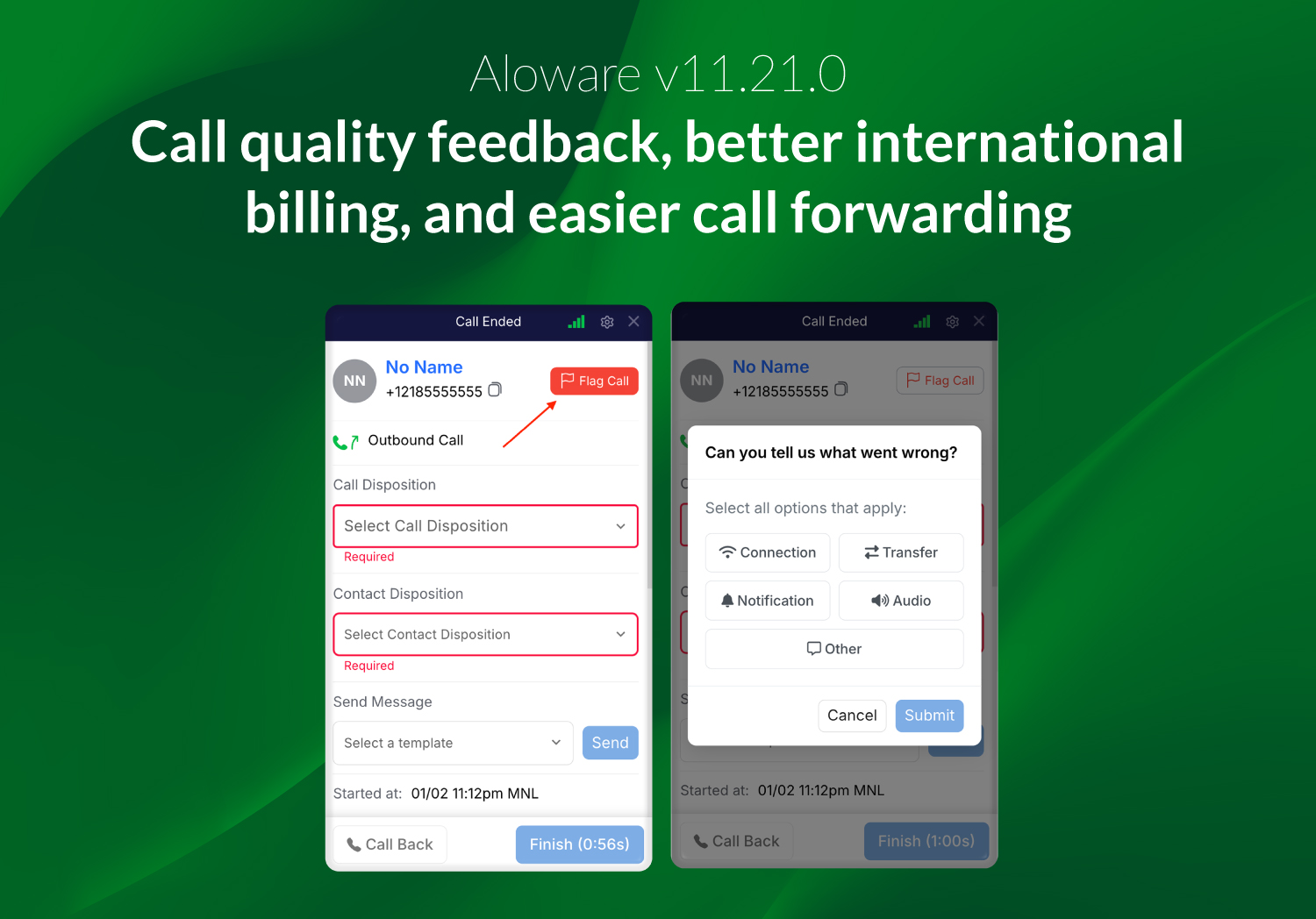
Aloware v11.21.0 focuses on making calls more reliable, billing more accurate, and international call handling easier to manage. This release introduces a new way to report call quality issues, improves how international call transfers are billed, removes limits on international call forwarding, and includes several fixes and performance improvements across the platform.
Report call quality issues with the new “Flag Call” button
A new “Flag Call” button allows users to report call quality issues during or immediately after a call.
The button is available across all Aloware dialers:
- Web
- Desktop
- Power Dialer
- HubSpot
- Salesforce
- HighLevel
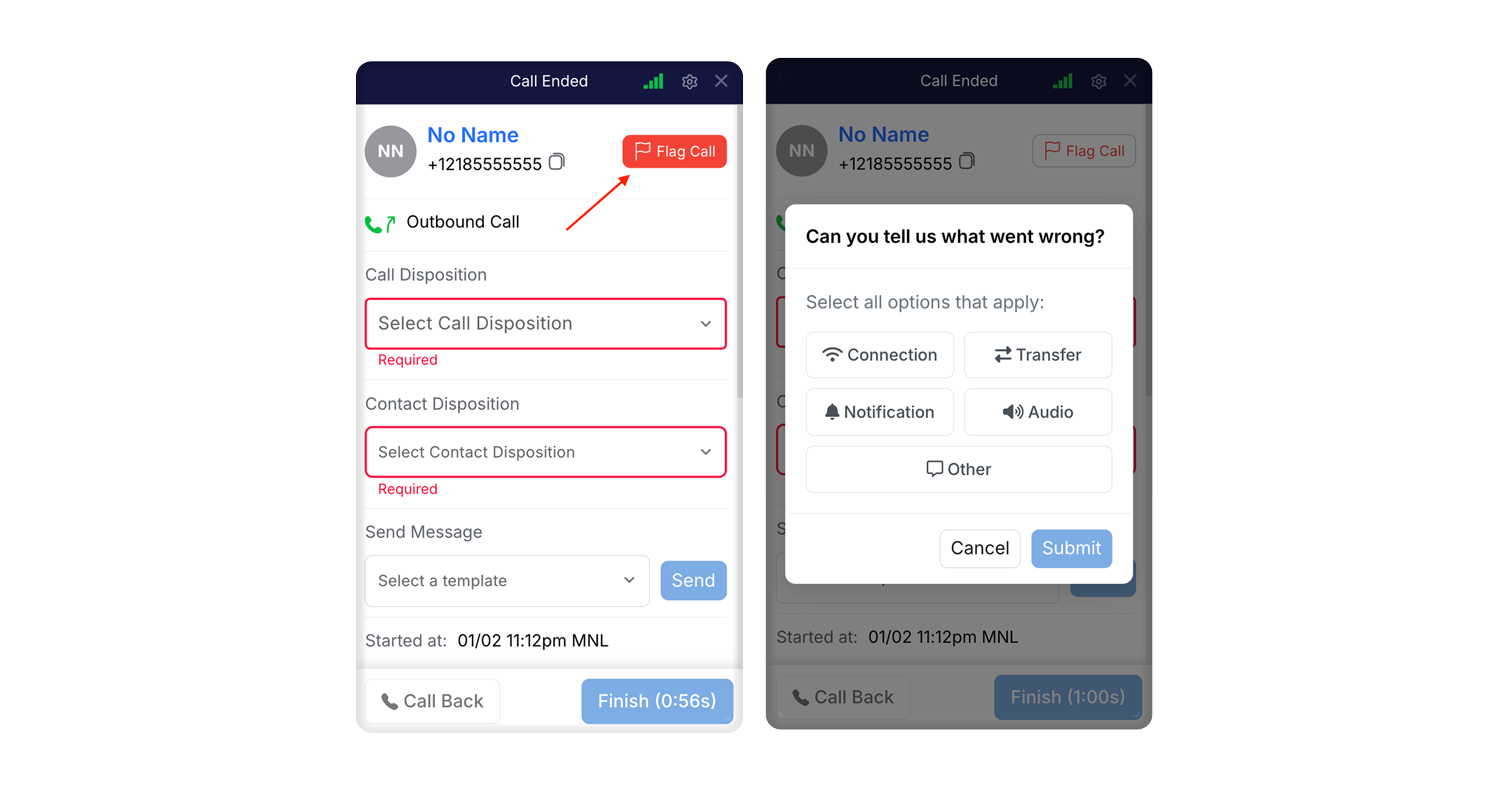
Clicking the button opens a pop-up where users can select the issues experienced, such as audio problems, connection issues, or transfer problems. This feedback provides better visibility into call quality and helps identify patterns to improve overall call reliability.
International call transfers are now billed correctly
Billing logic has been improved to ensure international call transfers are always charged correctly. This applies to all supported transfer situations, including transfers using Add or Introduce, whether the destination is a direct international phone number or an extension that forwards to an international number.
Calls transferred to international destinations are now billed as international calls, preventing them from being mistakenly charged at domestic rates. This ensures consistent, predictable billing across all transfer scenarios, including local-to-international and international-to-international transfers.
International call forwarding without account country limitation
Calls can now be forwarded to external phone numbers in any country, regardless of the account’s configured country. Previous restrictions based on account country settings have been removed.
This update makes international call forwarding simpler for teams with global operations. Calls can be routed overseas without workarounds, while billing and security rules continue to apply automatically.
- Forward calls worldwide: Calls can be forwarded to external phone numbers in any country
- Number validation: All forwarded numbers are checked to ensure proper formatting
- Accurate billing: Calls are billed based on the destination country
- Security remains: Existing international call limits and protections continue to apply
Internal improvements and beta updates
This release also includes internal system improvements and beta updates designed to improve reliability, scalability, and readiness for upcoming features.