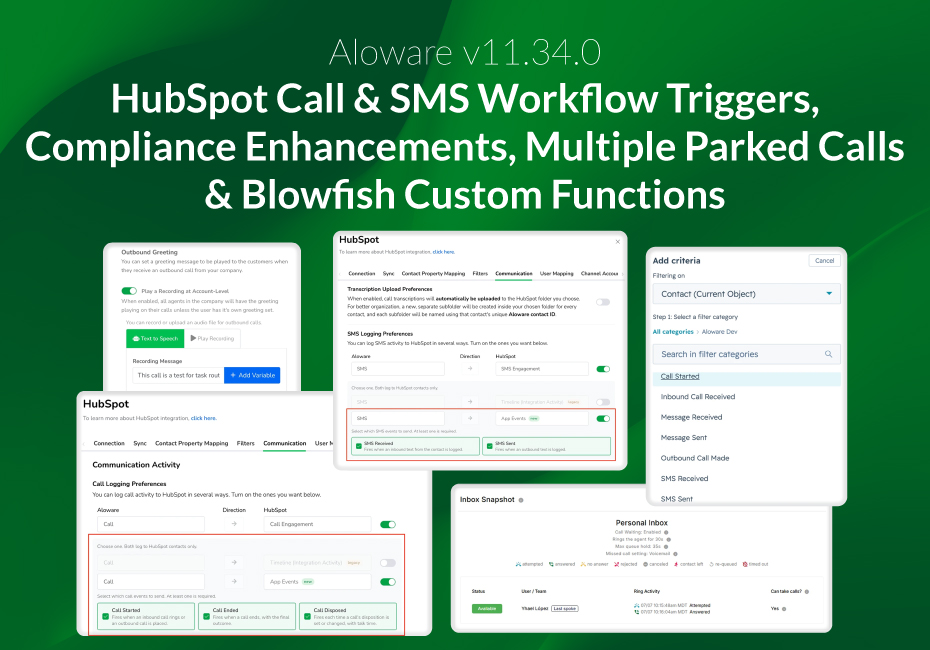
The v11.34.0 release introduces new automation, compliance, and agent-productivity capabilities. HubSpot workflows can now trigger on real Aloware call and SMS activity, AloAi and toll-free calling meet new compliance requirements, agents can manage multiple parked calls from the desktop, and Blowfish custom functions are now fully editable.
HubSpot Workflows Now Trigger on Real Call and SMS Activity
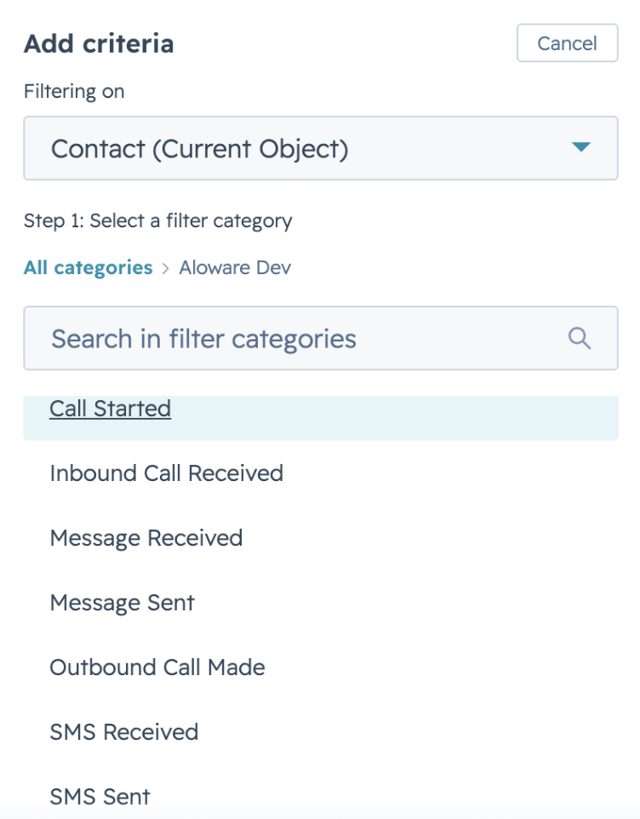
Aloware now sends five structured App Events directly to the HubSpot contact timeline — Call Started, Call Ended, Call Disposed, SMS Sent, and SMS Received. These events are available as enrollment triggers and filter criteria in HubSpot Contact-based workflows, replacing the older Timeline Events mechanism.
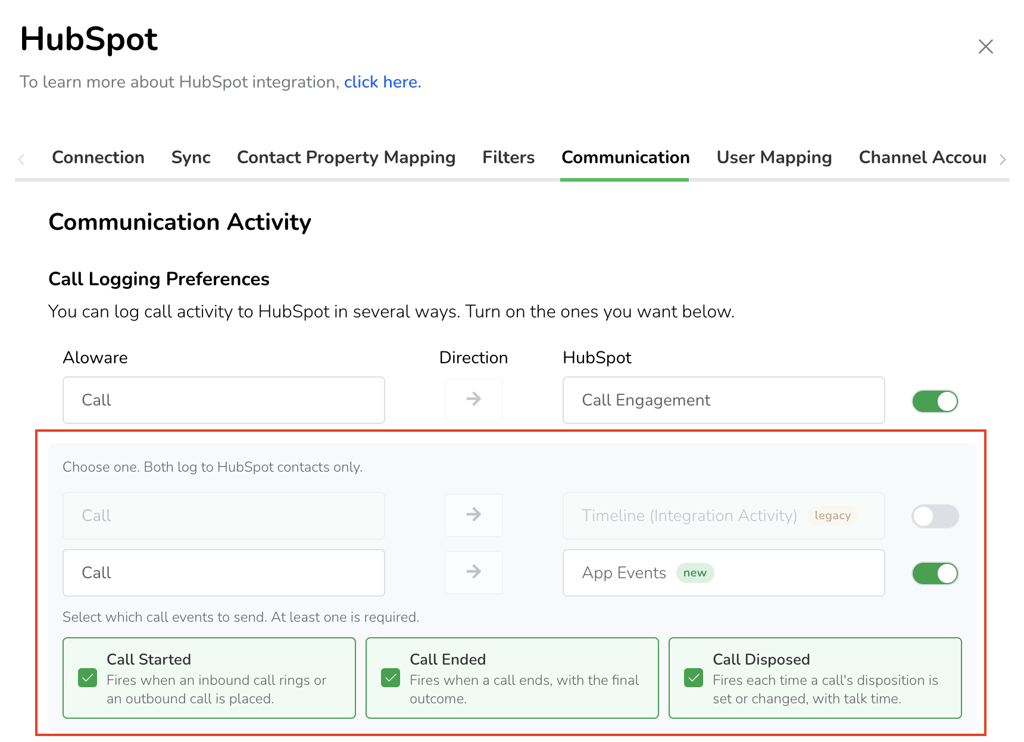
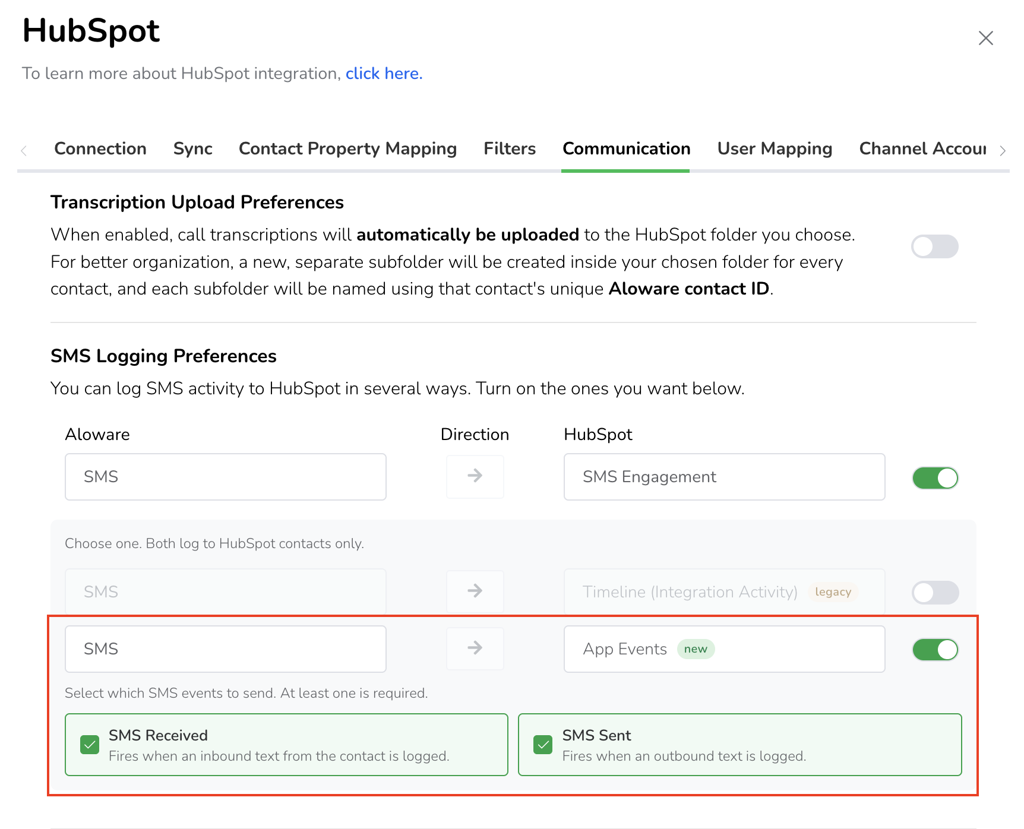
You can now filter workflow triggers on details that previously weren't available, including call outcome, disposition, talk time, agent type, line, and contact disposition. This unlocks the kind of activity-driven automation HubSpot customers have been asking for — for example, enrolling a contact in a follow-up sequence based on how their last call was dispositioned.
To learn more, see Aloware-HubSpot: Communication Settings
Compliance Enhancements for AI Calling and Toll-Free
AloAi outbound calls now play the FTC recording disclosure before the AI agent begins speaking, matching human-agent calls. The disclosure uses your existing Outbound Greeting (Account > Calling Settings), so there is no per-agent setup required.
The toll-free number verification form now includes two required fields — Privacy Policy URL and Terms of Service URL — which Twilio mandates on all new submissions starting September 15, 2026. Submissions missing either field are blocked before they reach Twilio, preventing rejections.

To learn more, see Account Menu: Calling Settings
Both Legs of a Transferred Call Are Now Recorded
When a call is transferred between users, Aloware now records both the original and the transferred leg and makes both accessible on the call record. Previously only the first leg was captured, so the post-transfer portion of the call — often the substantive part of the conversation — had no recording, which affected compliance and QA. Complete recordings across transfers are now available for review.
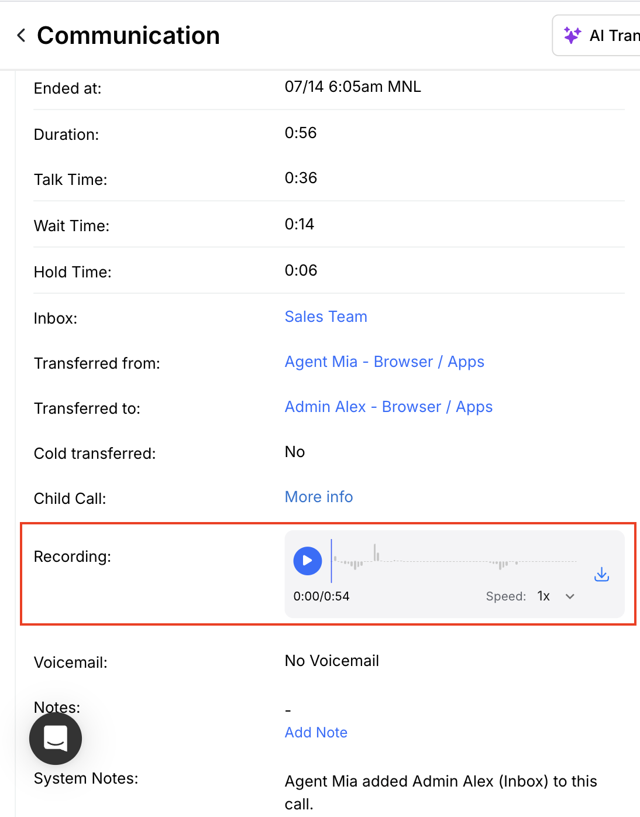
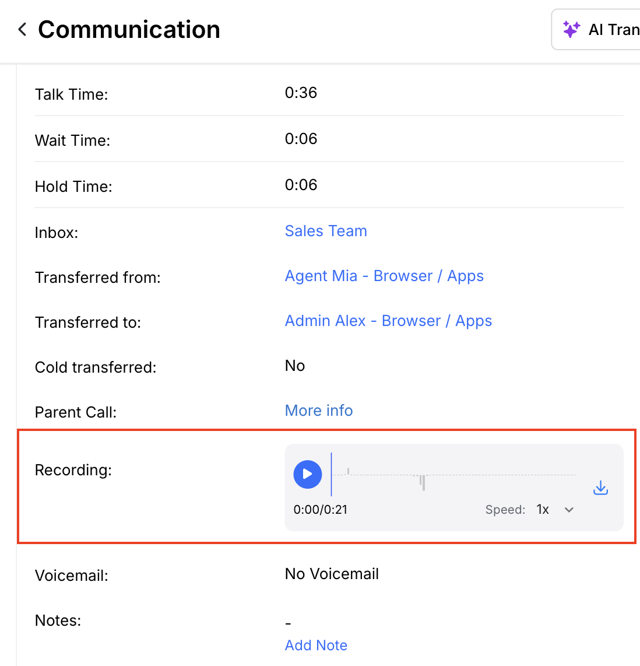
To learn more, see How to use Aloware’s call transfer feature.
Clearer Routing Detail for Personal Inboxes
Calls routed through a personal inbox now show a simplified, plain-language detail panel with the routing mode labeled "Personal Inbox," a "Call Waiting" on/off indicator, and ring duration. Ring-group terminology that doesn't apply to a single-agent inbox has been removed, making the call detail easier for agents and admins to read. Team inbox and ring group snapshots are unchanged.
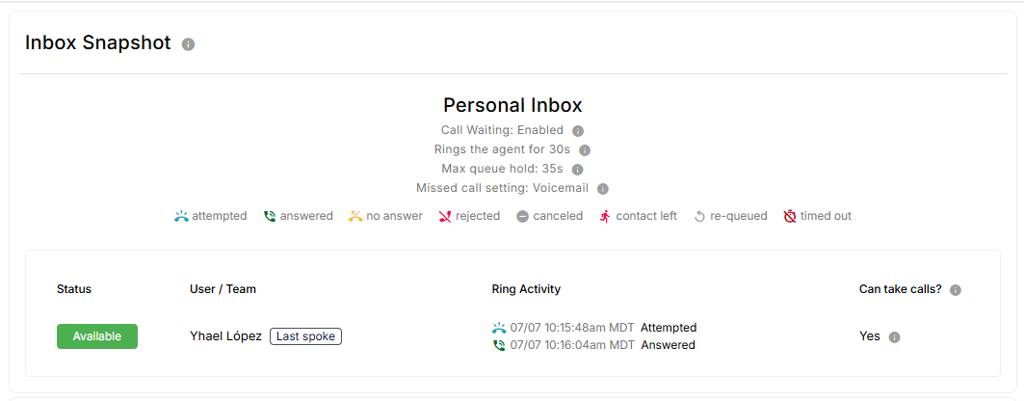
To learn more, see How to manage and use the personal inbox in Aloware.