Released: October 8, 2026
v11.40.0 adds template testing and call flow diagrams for AloAi Voice agents, inbound calls during Power Dialer sessions, new webhook events for answered and tagged calls, and custom phone field mapping for Salesforce and Pipedrive.
AloAi Voice: Test templates and see their call flow
Test an agent template before you create an agent from it. A Test tab in template details has the same controls as the Agent Testing page, and the test runs on the template, prompt, voice and model in the form, so you don't need to save the agent first.
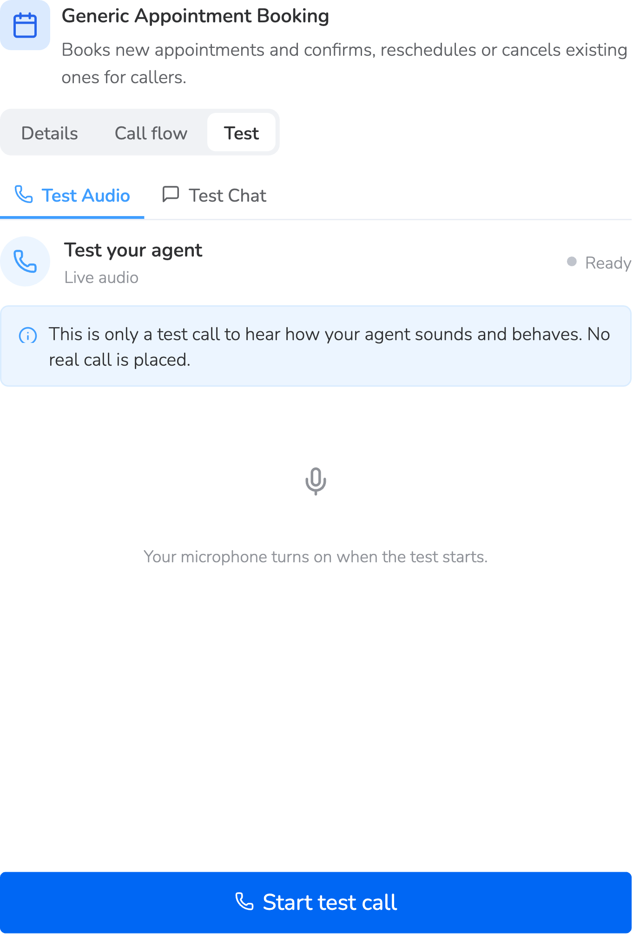
The Test tab in template details lets you test a template before you create an agent.
A read-only Call flow tab shows the template as a top-to-bottom diagram, with one step per stage and a short description, so you can see how a template branches before you use it.
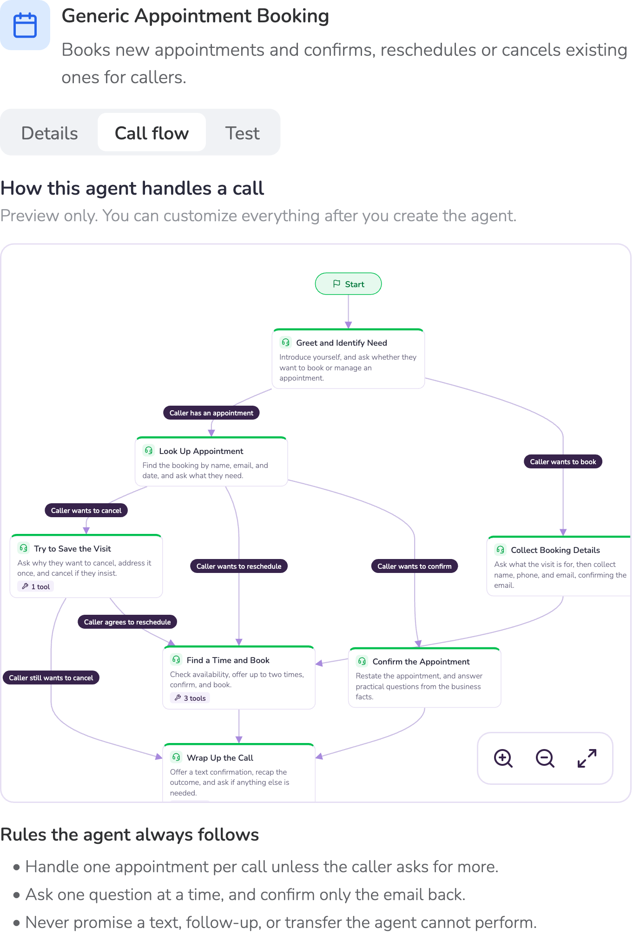
The Call flow tab shows the template as a read-only diagram, one step per stage.
AloAi Voice: Post-call email and data export
The post-call summary email is available again on AloAi Voice agents from Post-Call Actions. Every agent starts with it off, so turn it on for the agents where you want it.
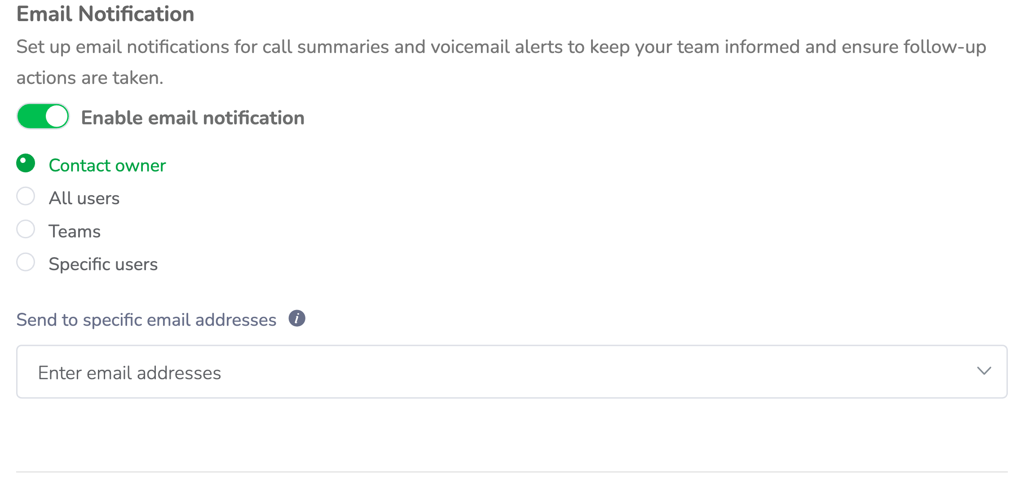
Turn on the post-call summary email and choose who receives it in Post-Call Actions.
You can also export an agent's post-call data extraction results for a date range as a CSV from the agent builder, instead of exporting every contact and searching.
AloAi Voice: Natural speech for contact details
AloAi Voice agents now speak emails, phone numbers, dates, times and time zones naturally by default, so callers can confirm their details on the first try. No prompt changes are needed.
Power dialer updates
Agents in a Power Dialer session are now offered inbound calls and can park the current call to take one. Agents can also pick the SMS line once in Session Settings for the whole session, instead of changing it for every contact, and still change it on a single message.
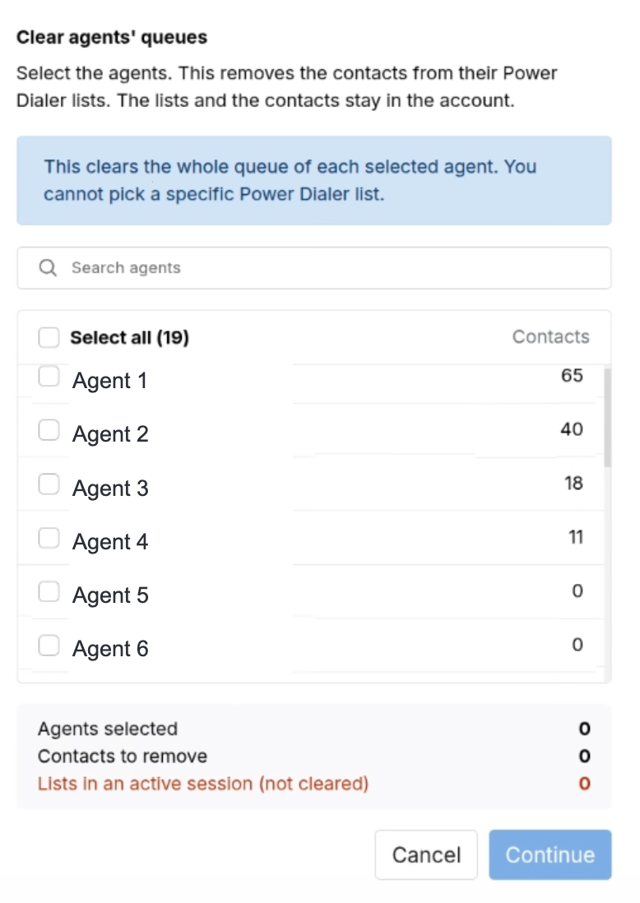
Select agents and clear their Power Dialer lists together. The contacts stay in the account.
Admins can select several agents on the Power Dialer page and clear their lists together, without impersonating anyone. Clearing a list does not delete the contacts. Customers connected to the Aloware MCP can now load contacts into the Power Dialer from their AI client, using the existing public Power Dialer API with the same permissions and inputs.
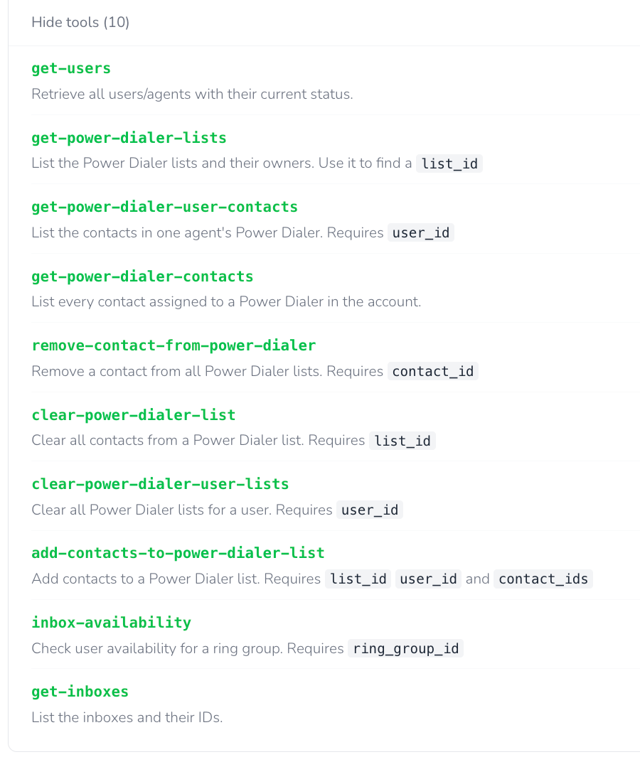
Power Dialer tools available in the Aloware MCP.
Inbox routing and missed call handling
Inboxes set to hold a caller indefinitely have a new option that ends the wait after one round of ringing, so an unanswered call is marked missed and your missed call settings take effect. The option is off by default. The max queue hold time setting now shows how long one full round of ringing takes, flags options that are too short and asks for confirmation before saving one. Every option stays selectable, and inboxes already set shorter than one round of ringing move to the new one-round option.
A new routing option sends a contact with no last spoken agent to the inbox, so a first call from a new lead is not missed. The existing option is unchanged. A line-level AloAi agent now overrides the account-wide AI Call Rescue setting for that line only, so a user can put their own agent on their personal line without turning AI Call Rescue off for everyone.
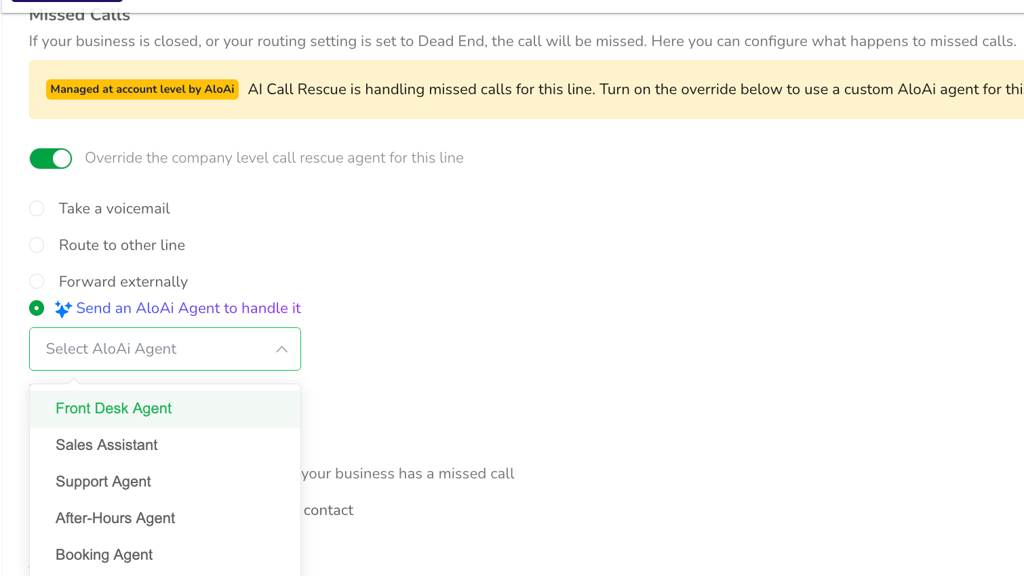
A line-level AloAi agent overrides the account-wide AI Call Rescue setting for that line.
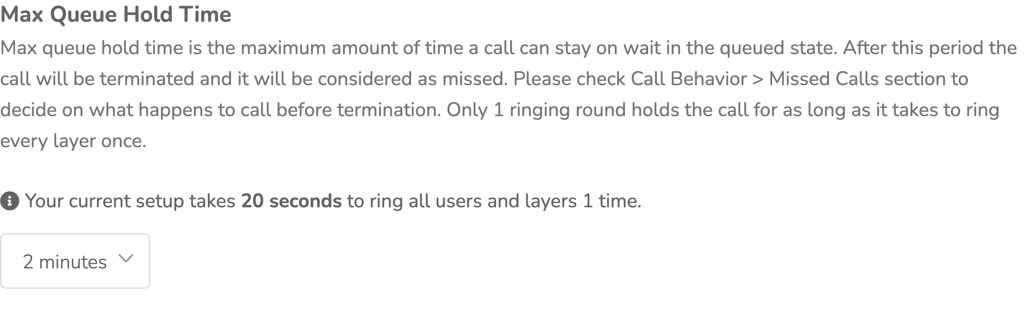
Max Queue Hold Time shows how long one full round of ringing takes.
Webhooks: Faster call alerts, answered calls and call tags
A new webhook fires the moment an agent answers an inbound call and carries that agent, so your CRM can show who is on the call while it is still live. Every communication webhook now includes the call's tags, and a new Communication Tagged event fires whenever tags are added, including tags from AloAi agents.
The Communication Initiated webhook is now sent without a fixed five-second wait, so it lands within a couple of seconds, with the same fields as before.
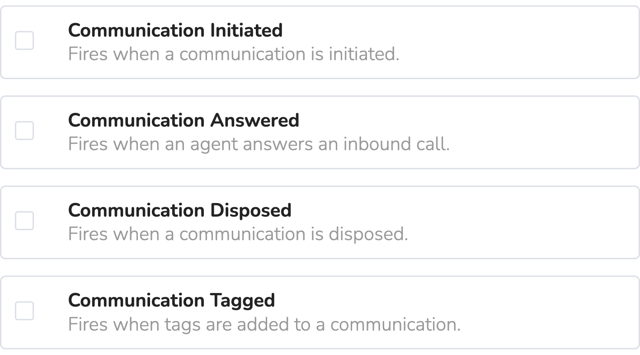
The new Communication Answered and Communication Tagged webhook events.
Salesforce and Pipedrive field mapping
Admins can choose which Salesforce phone fields Aloware reads and writes, per Lead, Contact and Account, including custom fields. Orgs on the standard fields see no change. Line name and line number are also available in the Salesforce communication property mapping, so admins can filter, group and report on them.
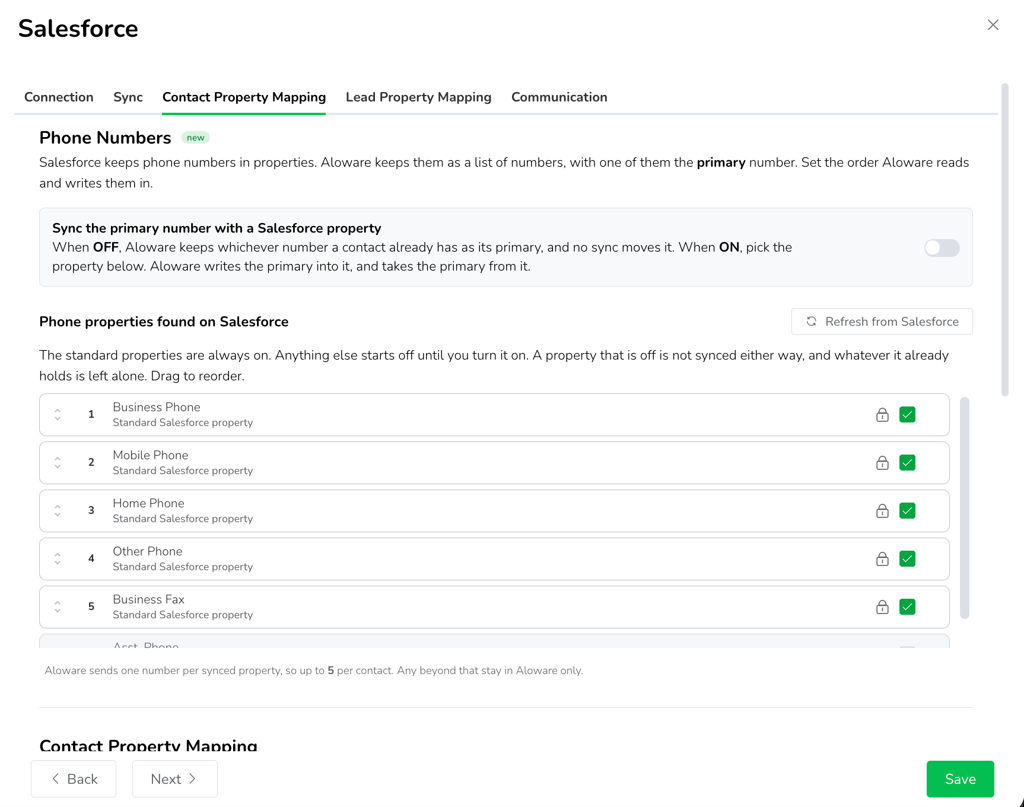
Choose which Salesforce phone fields Aloware reads and writes in Contact Property Mapping.
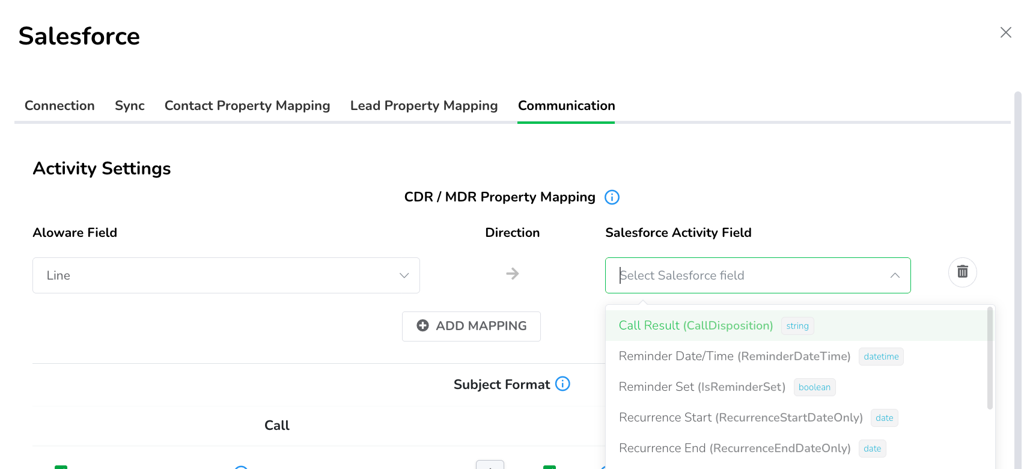
Map the line of a call to a Salesforce activity field in CDR / MDR Property Mapping.
Pipedrive settings now have Connection, Sync, Contact Property Mapping and Filters tabs, and every mapped field has its own sync direction. Admins can also pick which Pipedrive phone fields Aloware reads and writes, standard and custom.
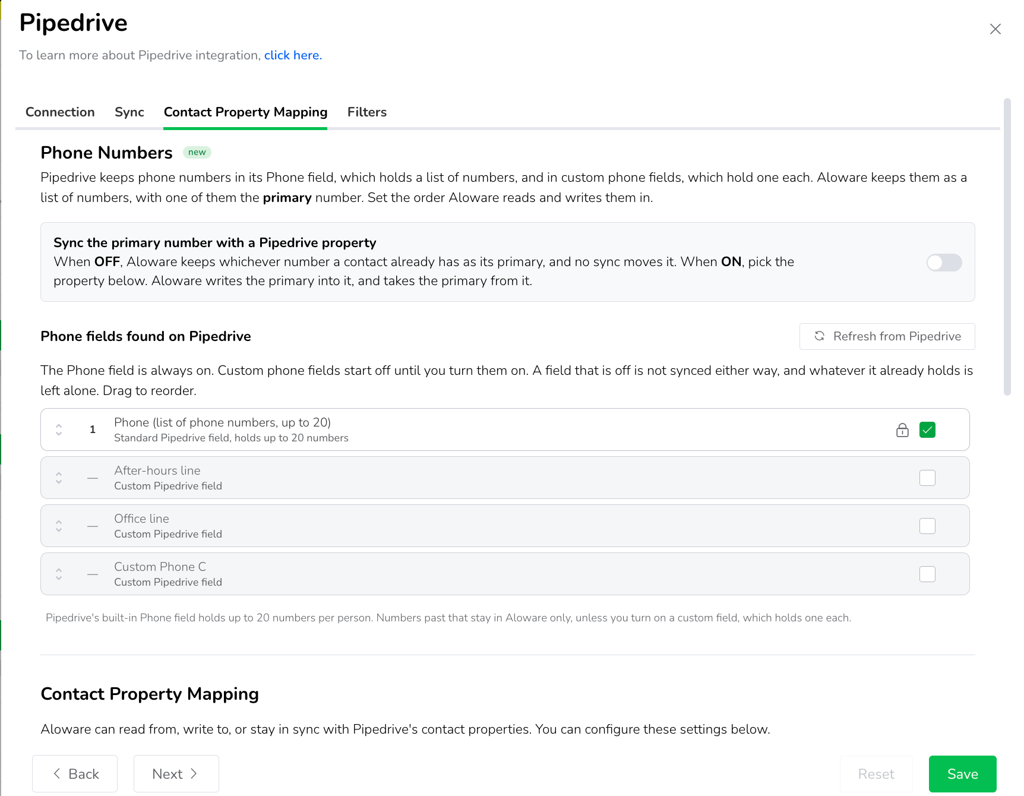
Pipedrive settings now have tabs, and you can pick which phone fields Aloware uses.
Opt-out visibility
A new Opt-Out Status property in Integrations → HubSpot → Property Mapping → Contact information shows Opted Out when any of the contact's phone, mobile or fax numbers has opted out, so HubSpot admins can see it without leaving HubSpot. In Aloware, a contact-level opt-out now carries the number and the event behind it.
Broadcast and Sequence updates
Broadcasts can send up to 300 messages a second, and a 10DLC line follows the speed its A2P campaign allows. The default is the fastest speed your line supports. On a short code line, the Sequence throttle offers up to 18,000 messages a minute.
You can name a Broadcast in the creation wizard, before sending. In the Broadcasts message composer, multi-part messages are counted at 152 characters a part on toll-free and 153 on 10DLC and short code, and the SMS length calculator on aloware.com uses the same rule with a line type selector.
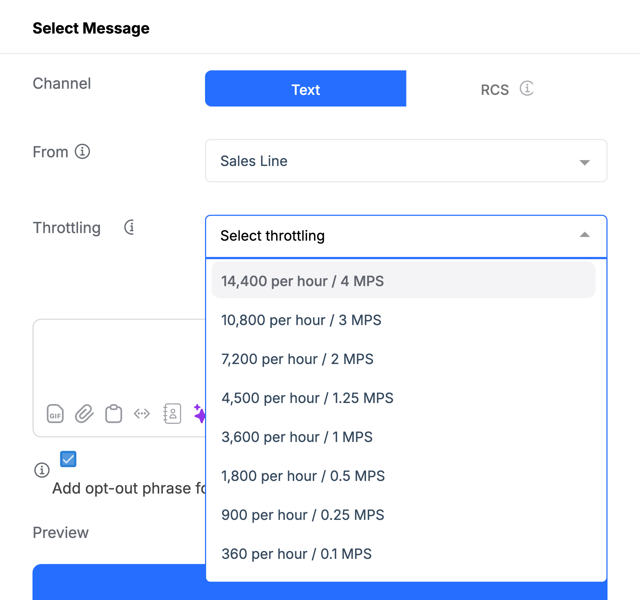
Broadcast throttling options, fastest first, based on what the line supports.
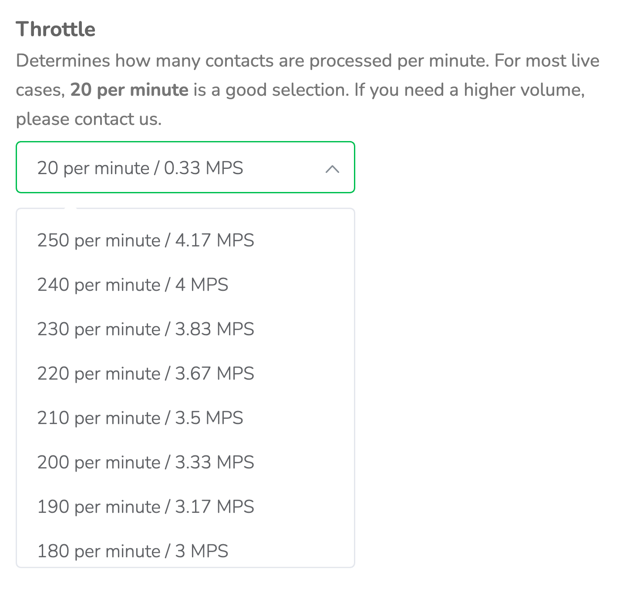
Sequence throttle options, fastest first, based on what the line supports.
More accurate call metrics
Duration, talk time, hold time and wait time now come from the call itself, so they cover what the caller experienced, including the greeting, the menu, the wait and the ringing. On the Communication Metrics dashboard, a call counts as connected when it has at least one second of talk time, the same rule Average Talk Time uses.
Reports and dashboards
Admins can add a CSV download link to the Daily Activity Report email, turned on per inbox. Voice Analytics has quick year filters on the report date filter, and a full leap year exports in one go. On the Wallboard, Set as default saves your current Line, Inbox and Team filters and applies them every time you open it. Defaults are saved per user. The NumberGuard report and its file name now include the account name.
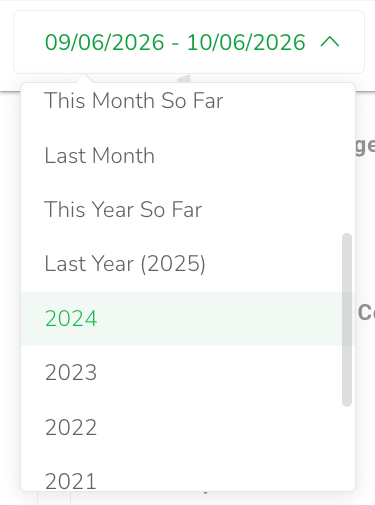
Quick year filters on the Voice Analytics date filter.
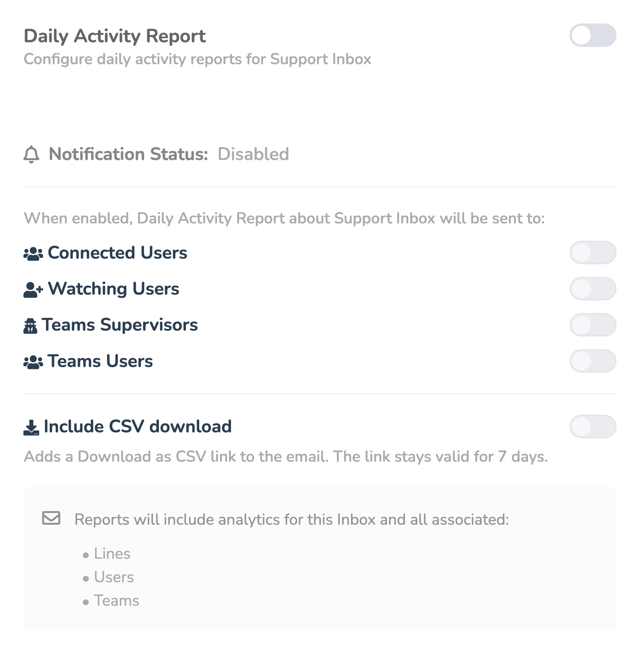
Turn on Include CSV download to add a Download as CSV link to the Daily Activity Report email.
Edit notes after saving
Edit a note on a contact record or in an inbox conversation after it has been saved, including notes written by AI. The note shows its current text with an Edited label, and the earlier text is not kept. Admins and any user who can see the contact can edit notes.
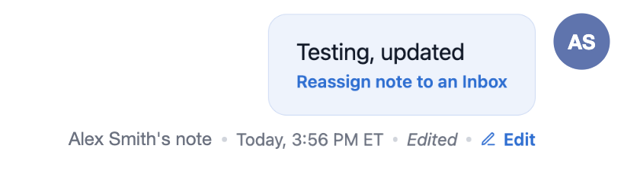
An edited note shows an Edited label next to the Edit option.
Account time zone and custom fields
Account admins can pick any time zone in the world from Account → General Settings → Timezone, without changing the account country. Custom Field 1 and Custom Field 2 are being retired. Their values move into named custom fields on the same contacts, so no values are lost and no action is needed.
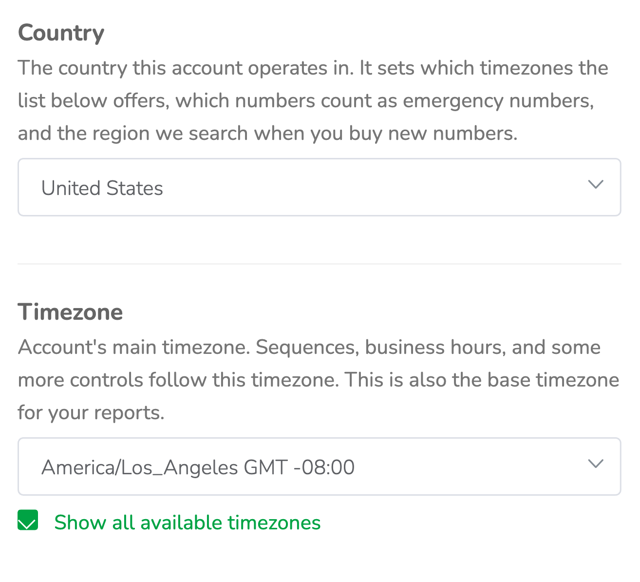
Check Show all available timezones to pick any time zone without changing the account country.
Bug fixes and performance improvements
This release also includes fixes in Aloware Talk calling and call routing, Guesty, HubSpot, the Chrome extension, Contacts, the Power Dialer, Team Inboxes, AloAi Voice Agents, Voice Analytics, Compliance, Sequences, Pipedrive, Slack notifications, AloAi Text Agents, AloAi Agents Insights, AI Call Rescue and the Lines page.