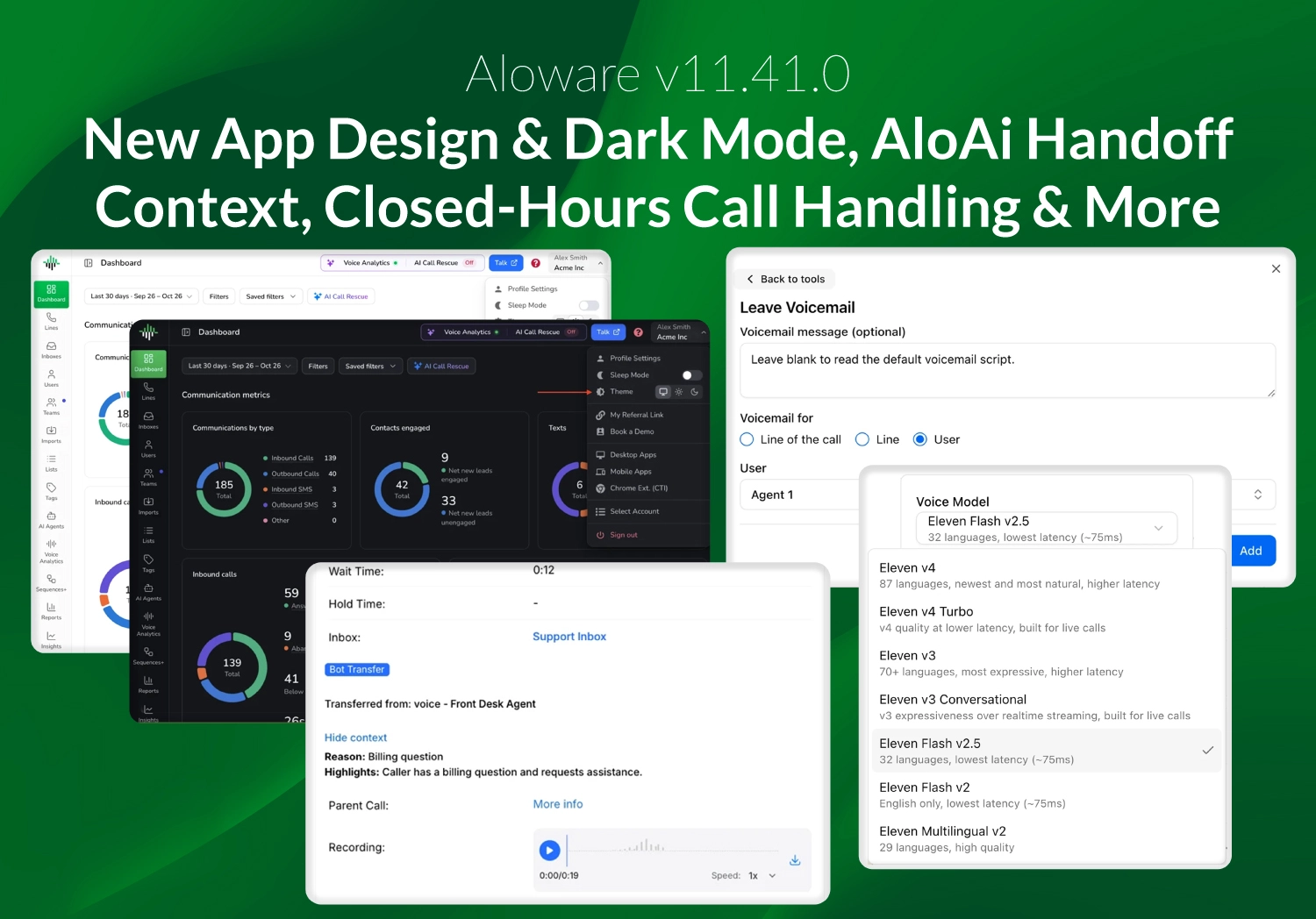
v11.41.0 adds a new look for the web app with dark mode, call context for AloAi transfers, separate missed call handling for business and closed hours, Sequence re-enrollment controls, and new HubSpot, HighLevel and webhook options.
A new look for the web app, with dark mode
Every Admin page now follows one layout, with a new sidebar and header, search and filters on the left and actions on the right. Settings pages are grouped and searchable, with one save bar, and Account Settings has a new Trust group for compliance.
Pick a System, Light or Dark theme from the profile menu. System is the default, so computers set to dark mode show the dark theme.
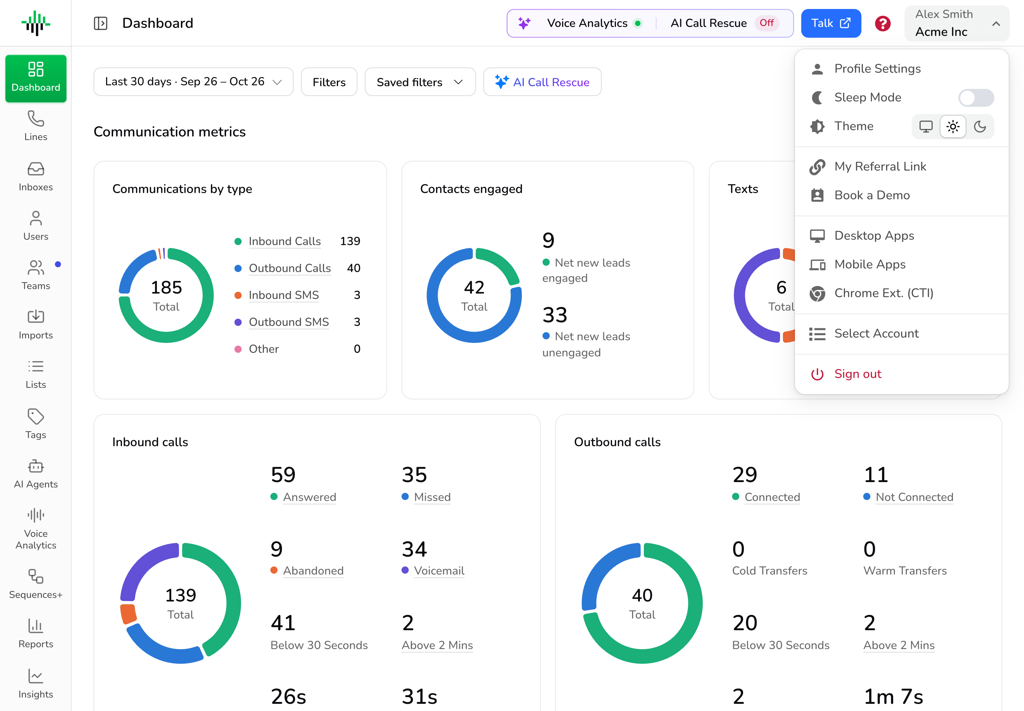
Light theme, with the Theme picker in the profile menu
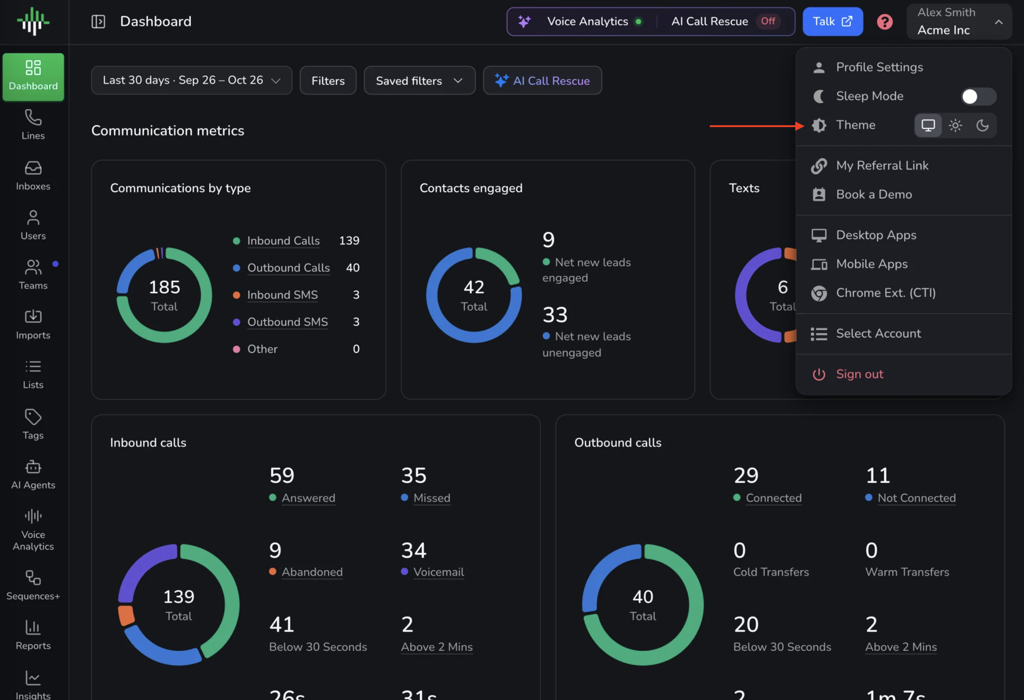
Dark theme, with the Theme picker in the profile menu
AloAi Voice: Transferred calls arrive with context
When an AloAi voice agent transfers a call, the call now shows the agent's name, the reason for the transfer and a short summary of the conversation, so the customer doesn't have to repeat themselves. Transfers and reporting work as before.
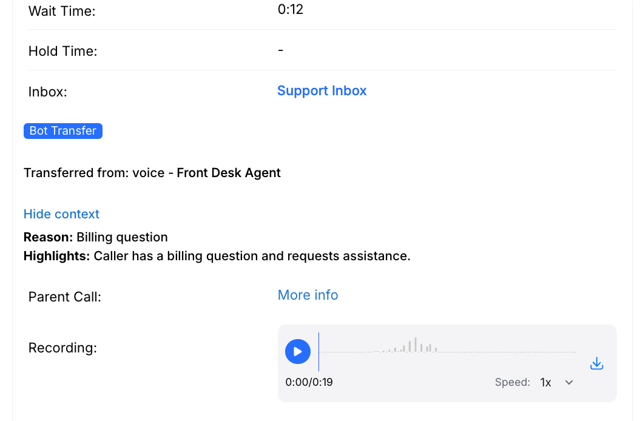
Call details showing the transfer reason and highlights from an AloAi voice agent
AloAi Voice: Leave a voicemail for a specific line or user
The Leave Voicemail tool can now send callers to the voicemail of the line of the call, a line you pick or a user you pick, with an optional message before the beep. Find it in AloAi Voice → open an agent → Add function → Tools → Leave Voicemail.
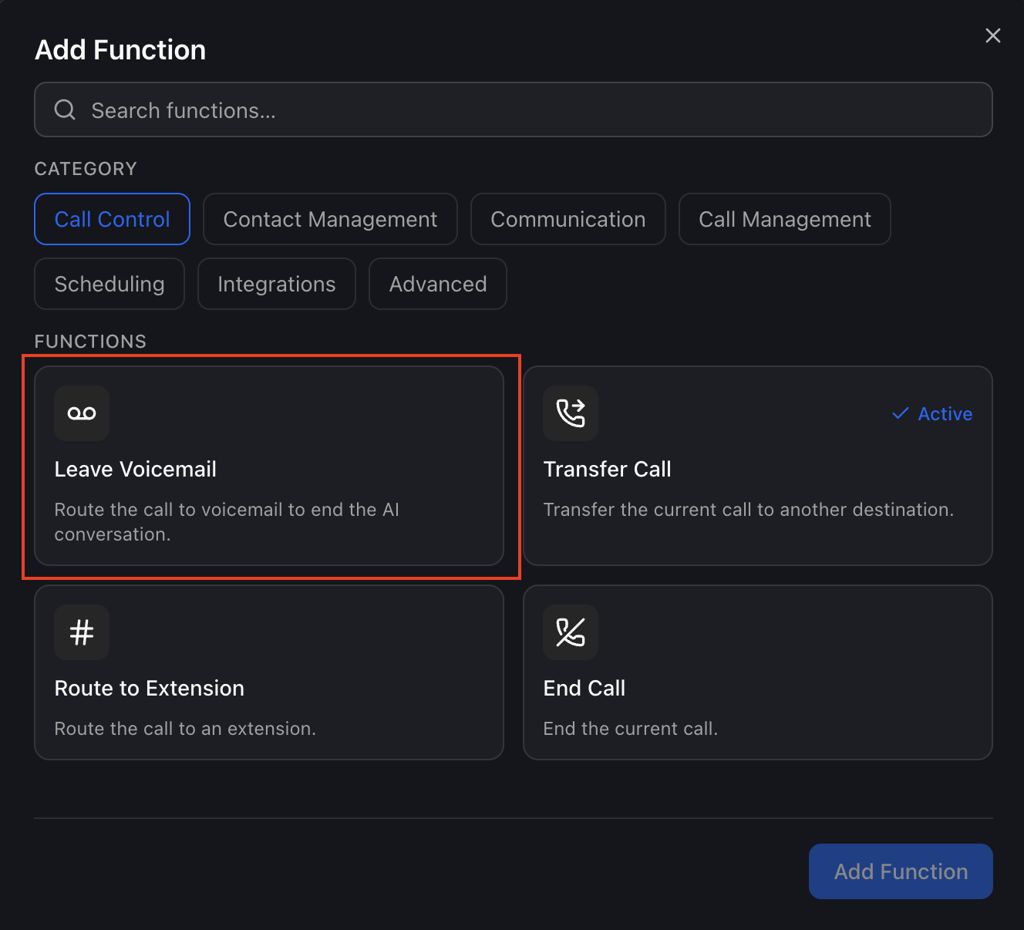
Leave Voicemail in the Add Function list
Add one Leave Voicemail tool per staff member to give each their own target. Line of the call is the default, so existing agents work as they do today.
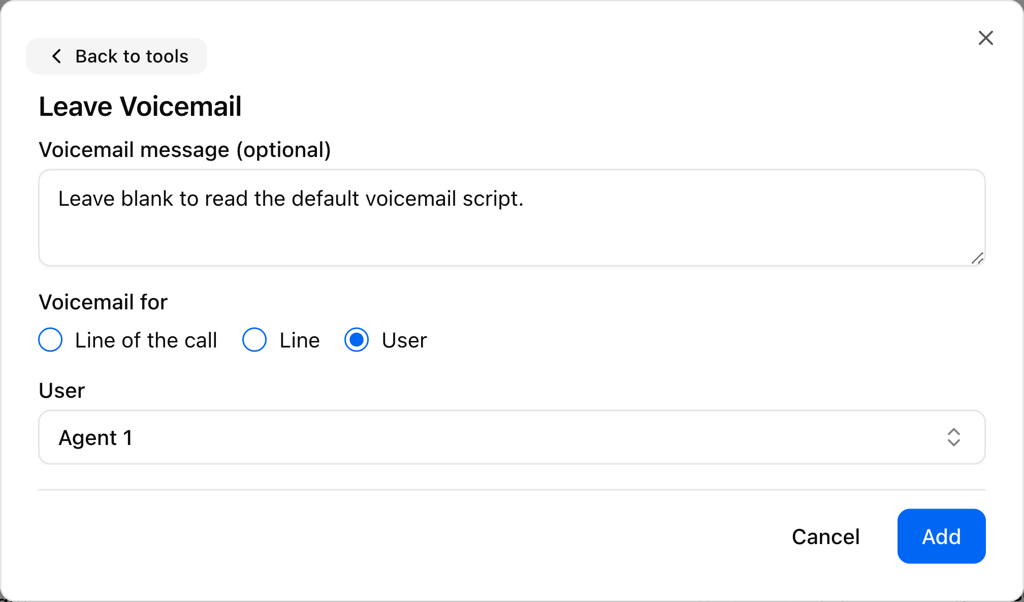
Leave Voicemail options: line of the call, a line or a user
AloAi Voice: Eleven V4 and current AI models
Eleven V4 is now a voice model choice in an agent's Voice settings. Existing agents keep their voice model until someone selects Eleven V4 and saves.
Voice agents also respond with less delay. Retired choices are gone from the Model list, so you only need to change an agent's model if it used one of them.
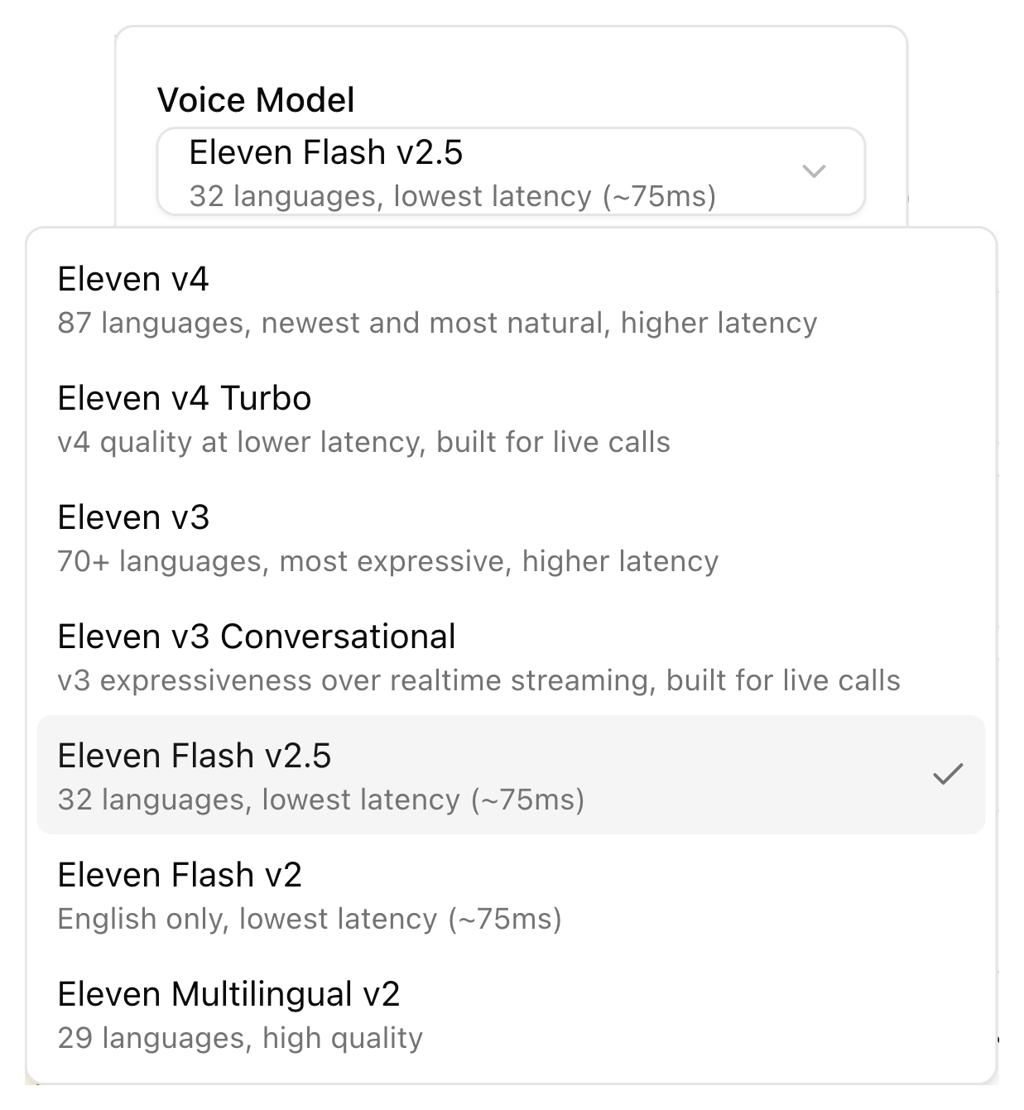
Eleven v4 in the Voice Model list
Separate missed call handling for business hours and closed hours
A line now has two missed call setups, one for business hours and one for closed hours, including forwarding to an external number after close. The line's operating hours decide which one applies. Find it in Admin → Lines → line settings → Missed call settings.
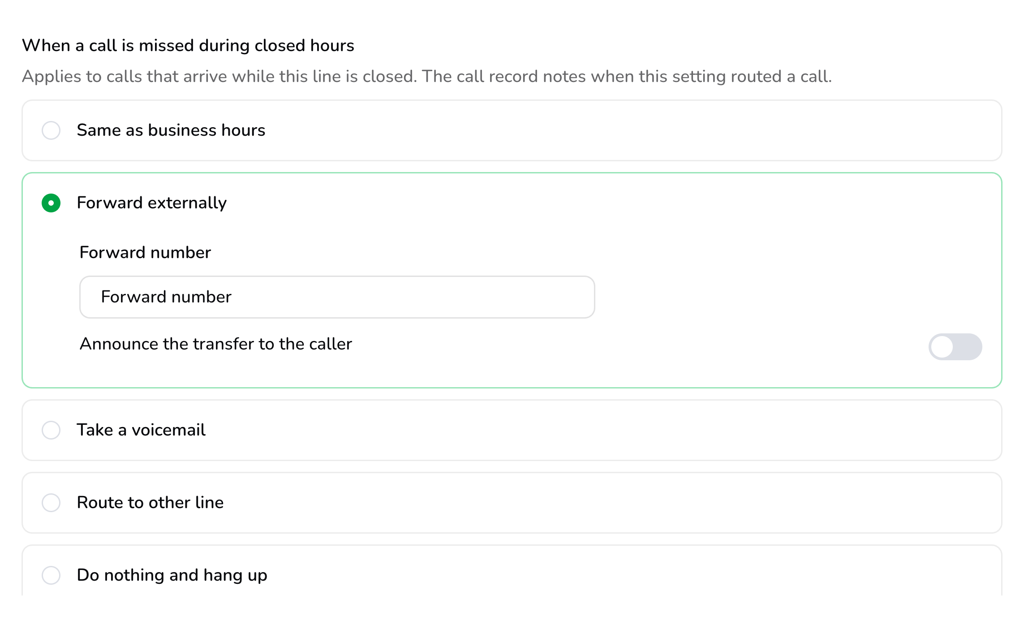
Closed-hours missed call options, with Forward externally selected
Inbox updates
Agents can now pin inboxes to a Pinned Inboxes group at the top of the Talk inbox nav bar, collapse groups, and drag to reorder Connected Inboxes. These choices are saved per user and follow the agent across devices.
A new inbox now takes its answer type from the first person added, either External Phone Number Users or Aloware Number Users, because the two can't be mixed. Existing mixed inboxes show a warning and aren't changed.
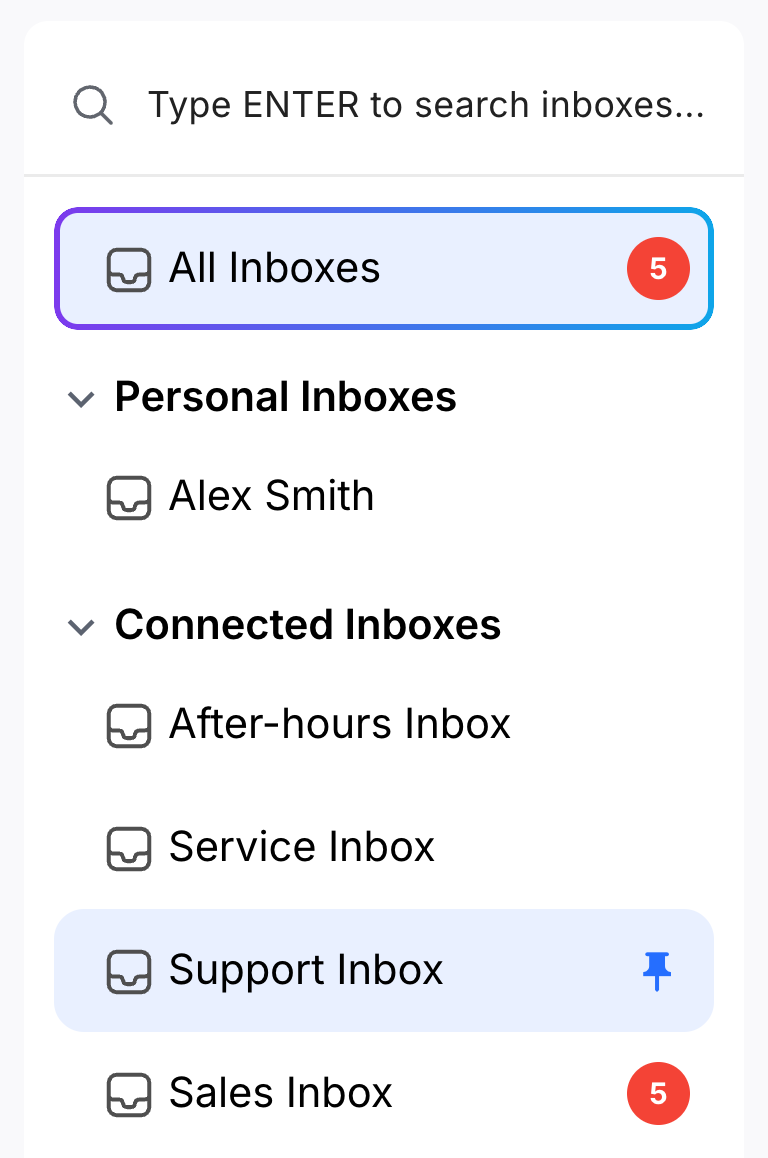
Pin an inbox from the Talk inbox list
Power dialer updates
Insights → Power Dialer now shows how long each agent spends in Power Dialer sessions, including time between calls and paused time, as a chart and as per-agent and per-day tables. The page's date, user and team filters apply.
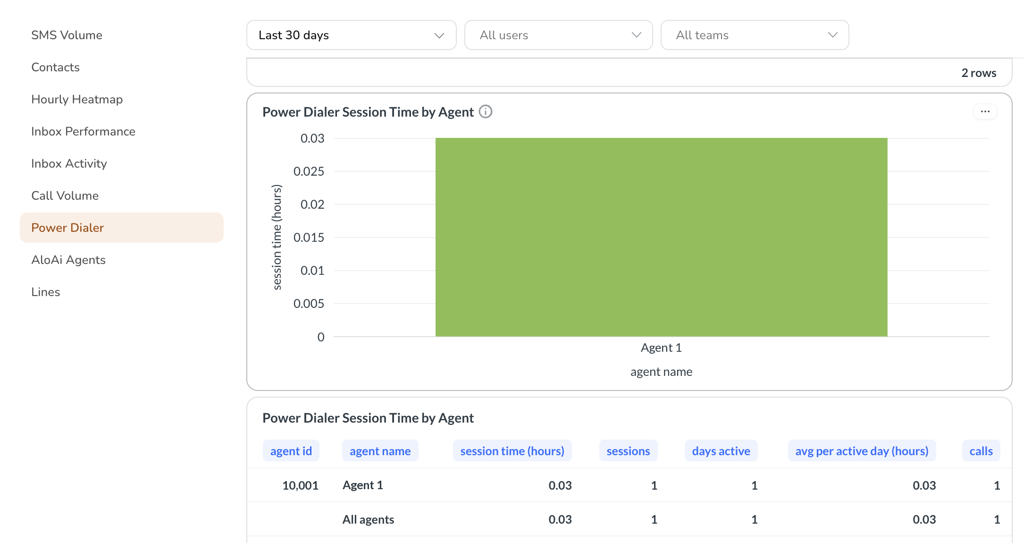
Power Dialer session time by agent in Insights
Clearing agents' Power Dialer lists now keeps any list in an open or paused session and shows it under "Lists in an active session (not cleared)".
Adding a large list now opens one Contact Add Summary with totals for every contact you chose, instead of one every 500 contacts.
Sequences: Re-enrollment controls and protected records
Enrolling a contact who is already in a Sequence is now refused and logged in its History tab, so their progress isn't reset. A new Prevent Re-enrollment setting in Sequences → select a Sequence → Settings keeps contacts who already went through it from entering again. It covers contacts enrolled after the setting is turned on.
A tag, user or disposition that a Sequence uses can no longer be deleted, and the message names the Sequences to change first.
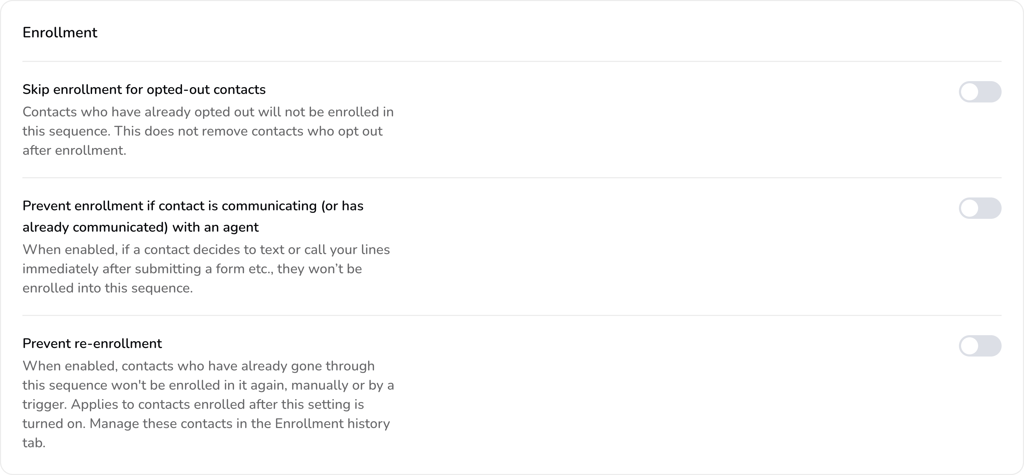
Prevent re-enrollment in a Sequence's Enrollment settings
HubSpot: Tell missed calls from voicemails
Admins can now map the communication disposition to a custom HubSpot call property, so missed calls and voicemails can be told apart and reported on. Set it up in Integrations → HubSpot → Communication → Call Property Mapping with a single-line text or dropdown property whose options are Answered, Missed, Abandoned, Voicemail and Failed.
The mapping is optional and uses the call status Aloware sets, not the disposition an agent picks.
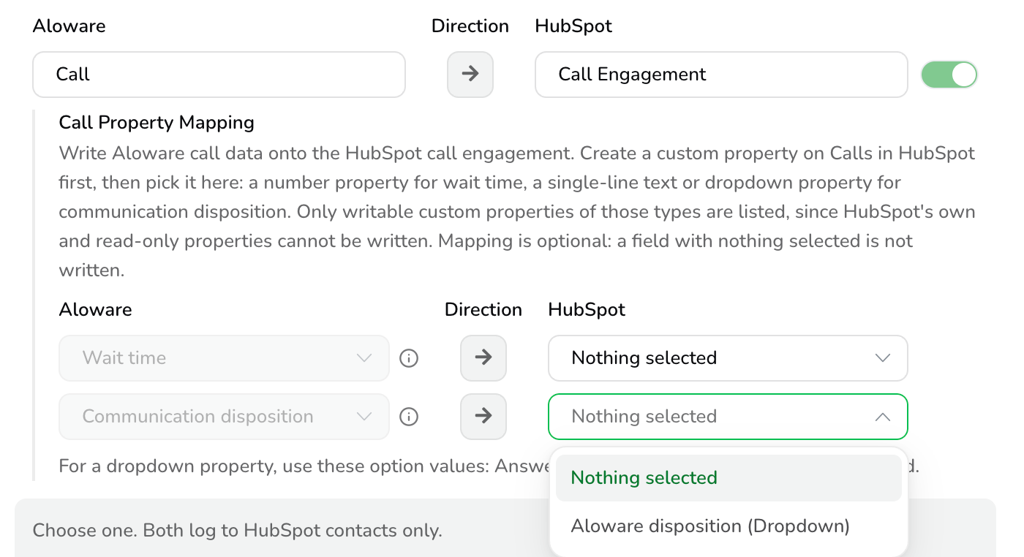
Communication disposition mapping in HubSpot Call Property Mapping
HighLevel: Sync every phone number
The HighLevel sync now brings in a contact's primary number and every additional custom number, so calls and texts from any of them match the same Aloware contact instead of creating duplicates. Choose which phone fields to track in Integrations → HighLevel → Property Mapping → Phone Numbers.
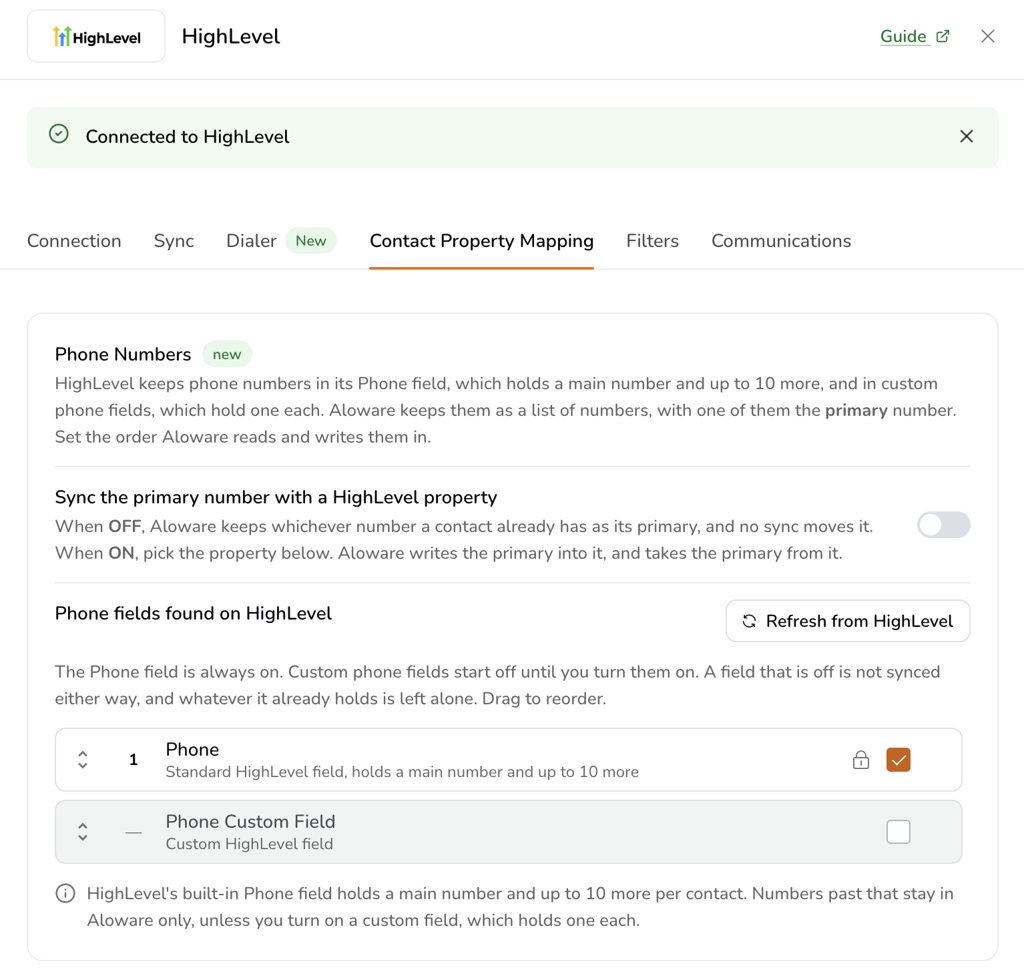
HighLevel phone fields in Contact Property Mapping
Webhooks: Retries for failed deliveries
Aloware now retries a failed webhook delivery for up to 24 hours, keeping events in the order they fired, so a short outage on the receiving side no longer means missing call data. Anything still undelivered after 24 hours is dropped.
Every attempt for an event keeps the same delivery id with a rising attempt number, and the field names and structure never change.
Contacts and imports
CSV imports now have an "Also add existing contacts to the list" toggle in Imports → Import from CSV → Settings. It's on by default, so contacts already in your account join the new list too, and their data only changes if "Update existing contacts" is on.
A contact can no longer be deleted while it's on a ringing or in-progress call, and bulk deletes skip those contacts.
Broadcasts: Sending speed under Advanced settings
Picking a sending speed is no longer required for every Broadcast. Speed now sits under Advanced settings on the Select Message step, and a Broadcast sends at the fastest speed the line supports unless you pick a slower one.
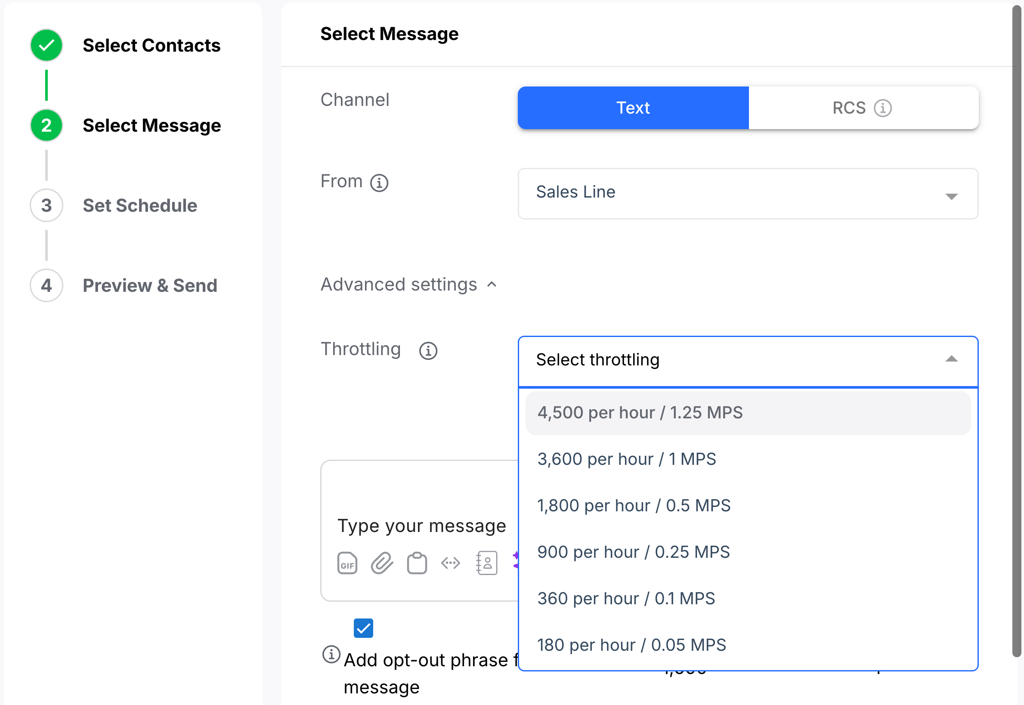
Sending speed under Advanced settings in a Broadcast
Bug fixes and performance improvements
This release also includes fixes in Aloware Talk calling and call routing, the Power Dialer, AloAi Voice Agents, Inboxes, HubSpot, Contacts, Pipedrive, Calendly, AloAi Text Agents, Sequences, Salesforce, HighLevel, Cal.com, Broadcasts, Voice Analytics, the Dashboard, the Import Wizard, notifications, signup, the Lines page, local presence and caller ID registration.