Number lookup API
Carrier and line details for any number.
The Number Lookup API tells you what kind of line a phone number is: landline, wireless, VoIP or other. Aloware gets this from an LRN (Location Routing Number) lookup. For the full list of types and where they show up, see phone number identifiers in Aloware.
You don't have to call it yourself for contacts already in Aloware. Whenever a contact arrives, by import, one at a time or from an integration, Aloware checks the number type on its own and stores the result.
- Cost: $0.002 per LRN lookup (two-tenths of a cent)
- Auth: an API key per Admin user
- On by default: yes, for every new account
Every LRN lookup is billed at $0.002 (two-tenths of a cent).
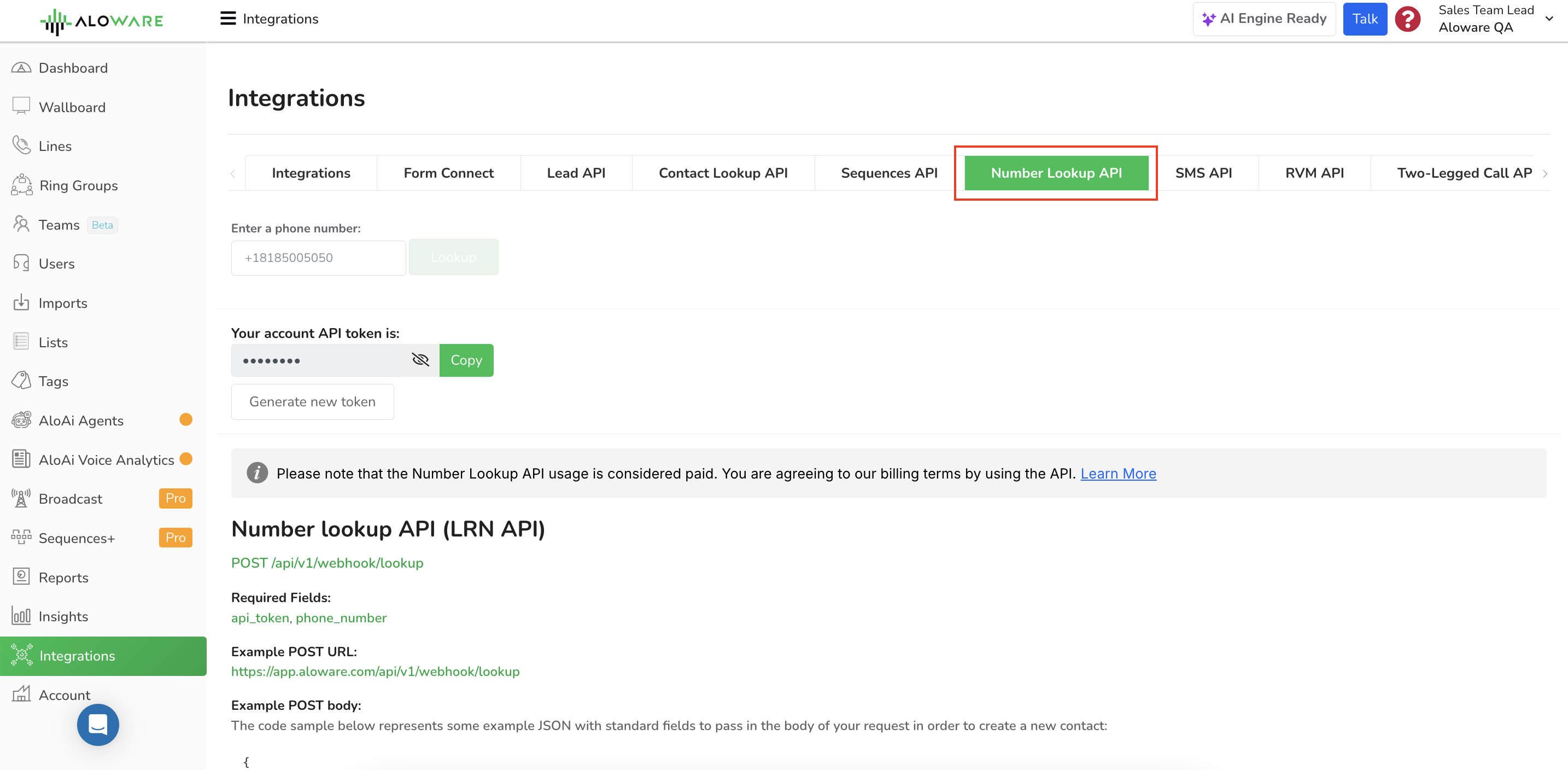
This is the Number Lookup API page in the app:
Why the line type matters
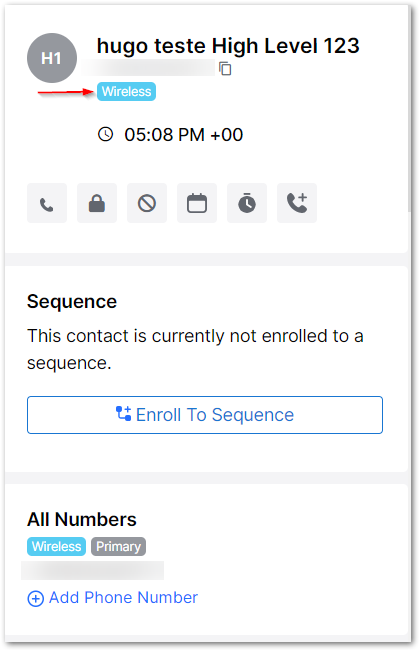
Aloware uses the LRN result to tell mobile numbers apart from landlines, and every contact record shows the identifier. Knowing which numbers can take a text lifts both delivery and conversions on SMS campaigns. As a benchmark for healthy campaigns:
- Error rate: 0-6% is good
- Opt-out rate: 0-0.3% is good
A contact with its phone identifier looks like this:
Turning LRN on or off
Keep it on if you can. It stops undeliverable texts: Aloware skips sending to any number marked as a landline or 'spam likely'.
LRN starts switched on when your account is created, for compliance and to head off problems later. Only our support team can switch it on or off for you, so get in touch with them if you need a change.
Finding out who owns a number
That needs a different API, which runs on Twilio's data. See Twilio's Lookup documentation.
Your API docs and key
The docs and your API key live in the Integrations menu, on the Number Lookup API tab.
Every Admin user gets a key of their own, tied to their user account, so no two users share credentials.
To check a number from the app:
- Open Integrations > Number Lookup API.
- Paste the number and press Lookup.
- Aloware shows you the result for that number.
Look up a number by API
Send one number and get back its carrier, line type and location.
Fields
Request example
This call takes the optional Idempotency-Key header, so a retry after a timeout is only billed once. See Safe retries.
200: found
The carrier, line type and location of the number.
line_type (and data.line_type) is a number:
Other answers
- 400: the number is missing or invalid.
- 402: a trial account has used up its lookups.
- 404: the lookup couldn't identify the number.
- 500: the lookup failed. Try again later.
Our support team can help you set this up.