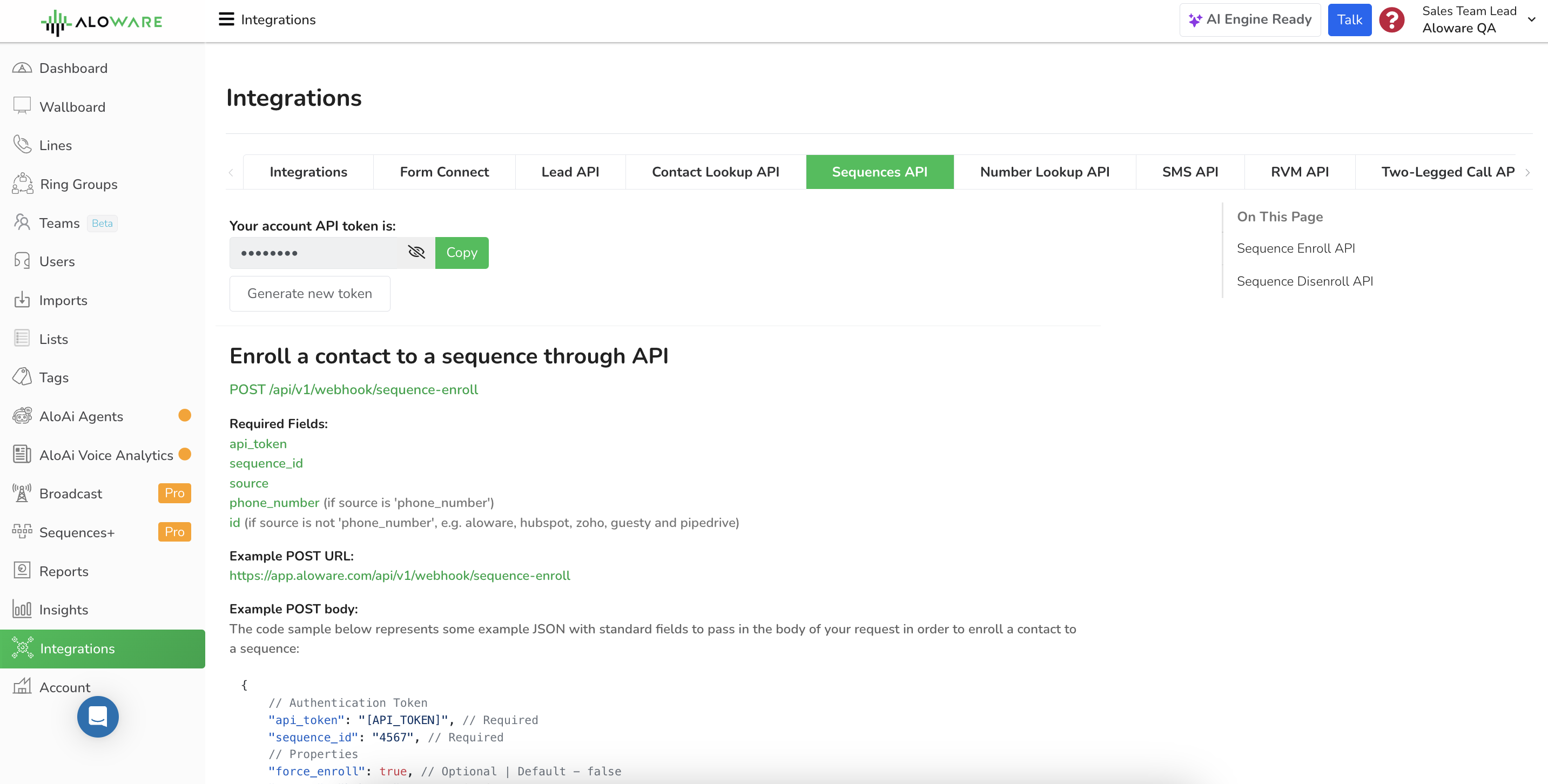
Add contacts to an Aloware sequence, or take them out of every sequence, with a single API call. Use it to start follow-up automatically when something happens in your CRM or app, and to stop it when it should end.
Where to find it:Integrations menu > Sequences API in Aloware
Method: POST
Auth: your account API token, sent in the request body as api_token
Format: JSON in, JSON out
Contact: identified by phone number or by its ID in Aloware, HubSpot, Zoho, Guesty or Pipedrive
Enroll a contact
Endpoint
POST /api/v1/webhook/sequence-enroll
Fields
Pick how you identify the contact with source, then send either phone_number or id to match.
api_token
Your Aloware account API token.
sequence_id
This field requires the ID of the specific sequence you want to use. To obtain the sequence_id, navigate to the Sequences menu in your Aloware account. The sequence_id is typically displayed below the sequence name.
source
If the source of your contacts is a phone number, set this field to 'phone_number'. On the other hand, if the source is not a phone number but comes from other platforms such as Aloware, HubSpot, Zoho, Guesty, or Pipedrive, use the 'id' field instead.
phone_number
This field is required if the source of your contacts is a phone number. Include the relevant phone number associated with the contact.
id
This field is required if the source of your contacts is not a phone number but originates from platforms like Aloware, HubSpot, Zoho, Guesty, or Pipedrive. Provide the corresponding ID associated with the contact from the respective platform.
This removes the contact from all sequences, not just one, so there is no sequence_id to send.
Endpoint
POST /api/v1/webhook/sequence-disenroll
Fields
api_token
This field requires your Aloware account API token. You can find this token within your Aloware account settings.
source
If the source of your contacts is a phone number, set this field to 'phone_number'. On the other hand, if the source is not a phone number but comes from other platforms such as Aloware, HubSpot, Zoho, Guesty, or Pipedrive, use the 'id' field instead.
phone_number
This field is required if the source of your contacts is a phone number. Include the relevant phone number associated with the contact.
id
This field is required if the source of your contacts is not a phone number but originates from platforms like Aloware, HubSpot, Zoho, Guesty, or Pipedrive. Provide the corresponding ID associated with the contact from the respective platform.