Transcription saved event
Know when a call transcript is ready.
Push each call transcription into a field of your choice in your CRM by listening for Aloware's "transcription saved" webhook event.
Why send transcriptions to your CRM
- Streamlined workflows: transcripts land in a CRM field automatically, so nobody copies them in by hand.
- Enhanced data utilization: AI analysis tools work better when the transcript already sits in the CRM.
- Customization and flexibility: admins decide how and where the text is stored to fit their own setup.
- Improved accuracy and accessibility: one dedicated field keeps the data accurate and easy for the whole team to find.
- Future-proofing: the setup is ready for whatever comes next in CRM integration.
How the event works
Aloware fires "transcription saved" each time it finishes turning a call into text and stores it. The event tells connected systems a new transcript is ready, which is what makes the CRM sync possible.
Setup
Step 1. Capture the event
Add an Aloware webhook that listens for stored call transcriptions. The payload carries details such as the transcription file, its date and time, and its status. See how to add webhook events.
Step 2. Set talk time limits
Only calls whose talk time falls between the minimum and maximum you set on the webhook are synced to the CRM.
Company-wide transcription settings are in the Account menu and are managed by admins. Follow this guide to configure transcription.
Step 3. Use AloAi Voice Analytics
AloAi Voice Analytics follows your settings and records detailed text of your outgoing calls.
Step 4. Test it
Send the webhook to webhook.site or a similar tool and confirm the transcriptions are captured and delivered.
Step 5. Map it to a CRM field
Create a custom field in your CRM, for example 'Transcript', to hold the text. Each call's transcript then goes straight into that field.
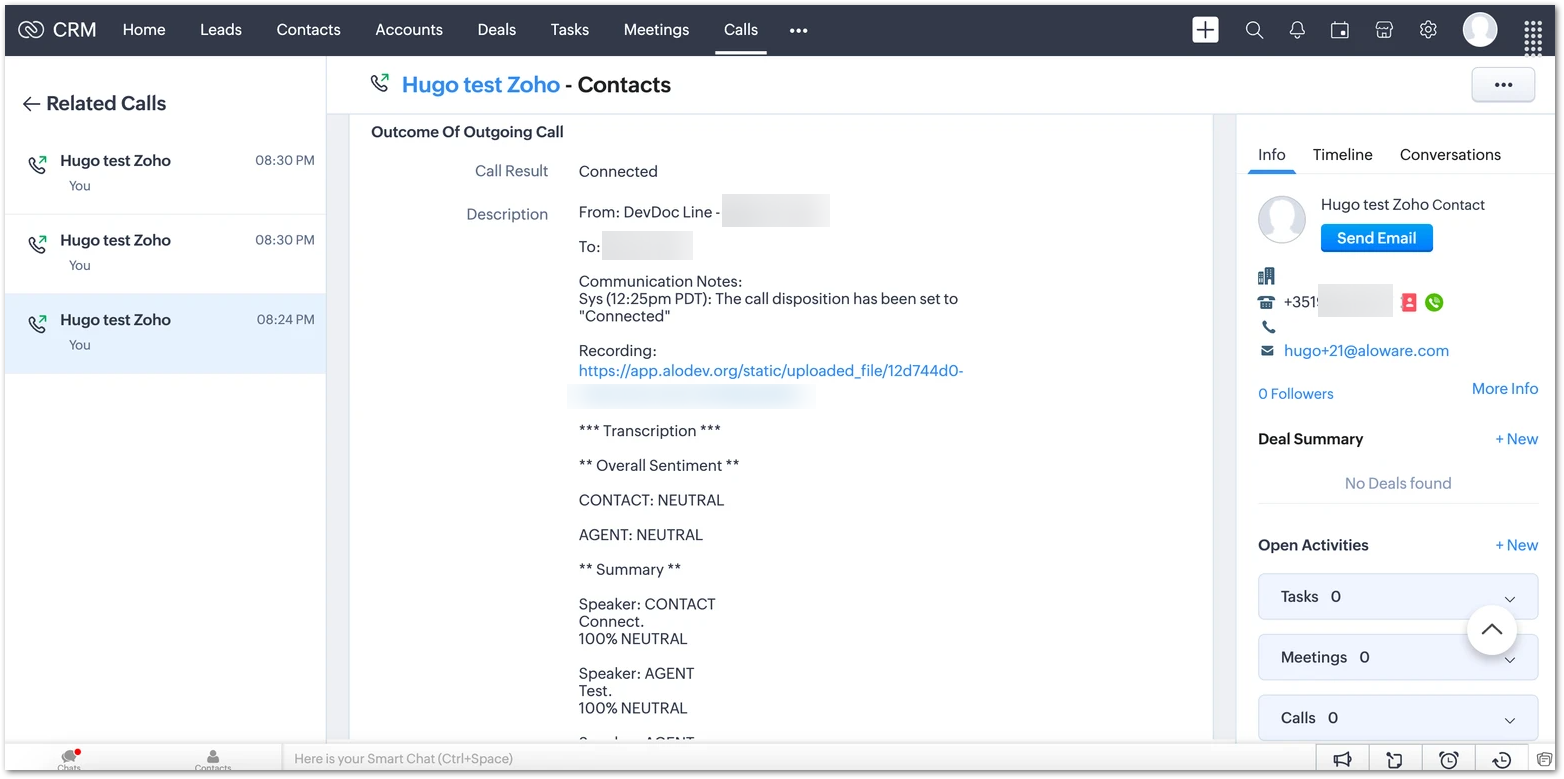
Once this is in place, every qualifying call's transcript appears in your CRM automatically, with less manual work and more accurate records.
Our support team can help you set this up.